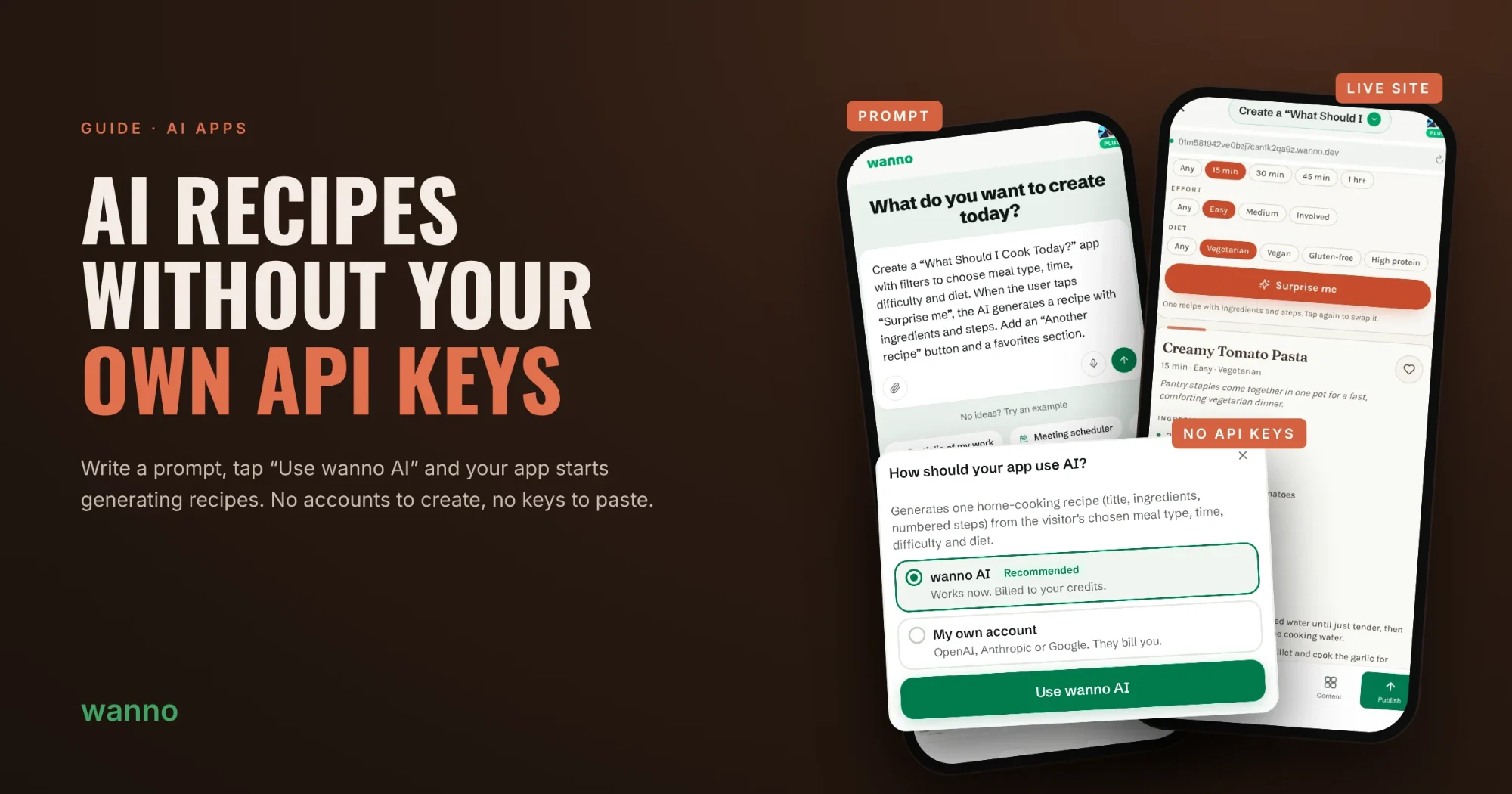
Adding AI to an app usually means creating an OpenAI, Anthropic or Google account and pasting an API key. In wanno you write the prompt, tap “Use wanno AI” and your app is already generating recipes.
In this guide we build “What Should I Cook Today?”: pick the meal, time, effort and diet, and the AI suggests a recipe with ingredients and steps. All from your phone.
01. Write the prompt
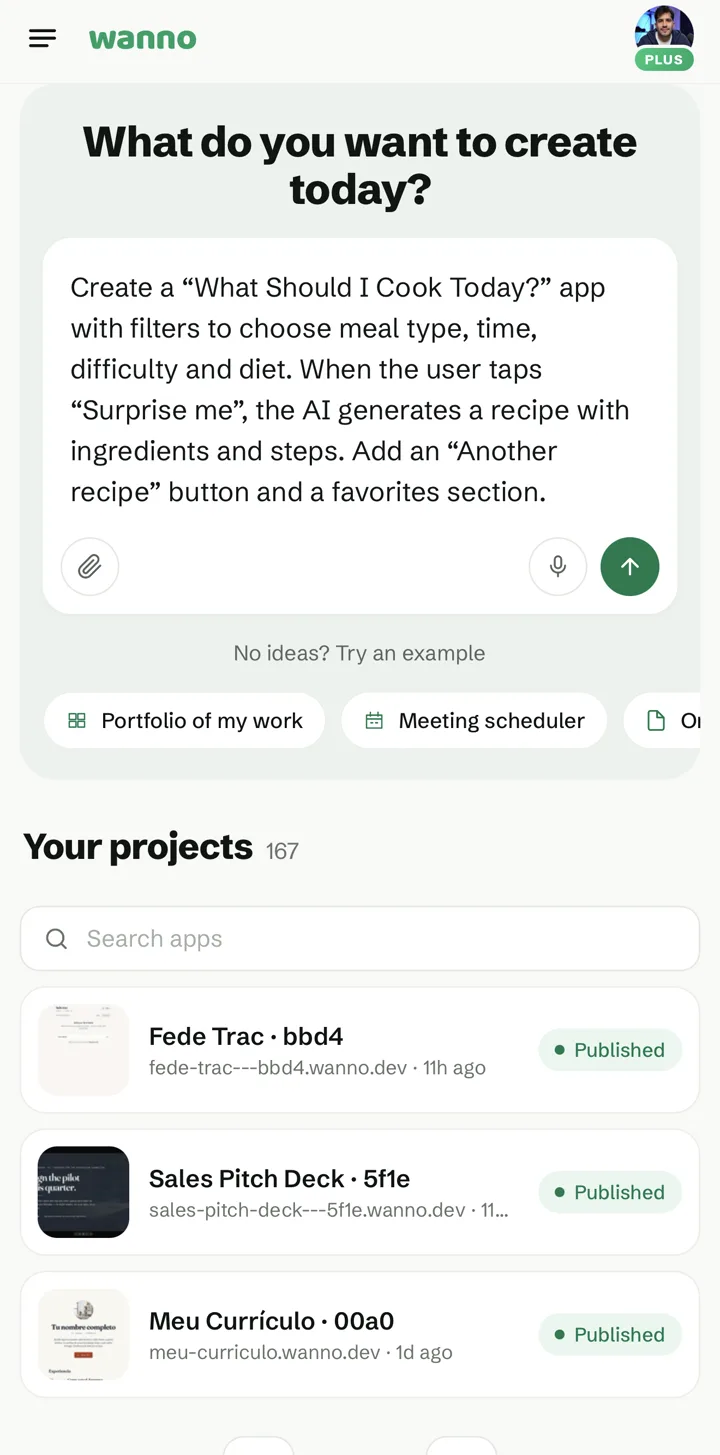
Open wanno and describe the app on the home screen. This is the prompt we used:
Create a "What Should I Cook Today?" app with filters to choose meal type, time, difficulty and diet. When the user taps "Surprise me", the AI generates a recipe with ingredients and steps. Add an "Another recipe" button and a favorites section.
02. Choose wanno AI
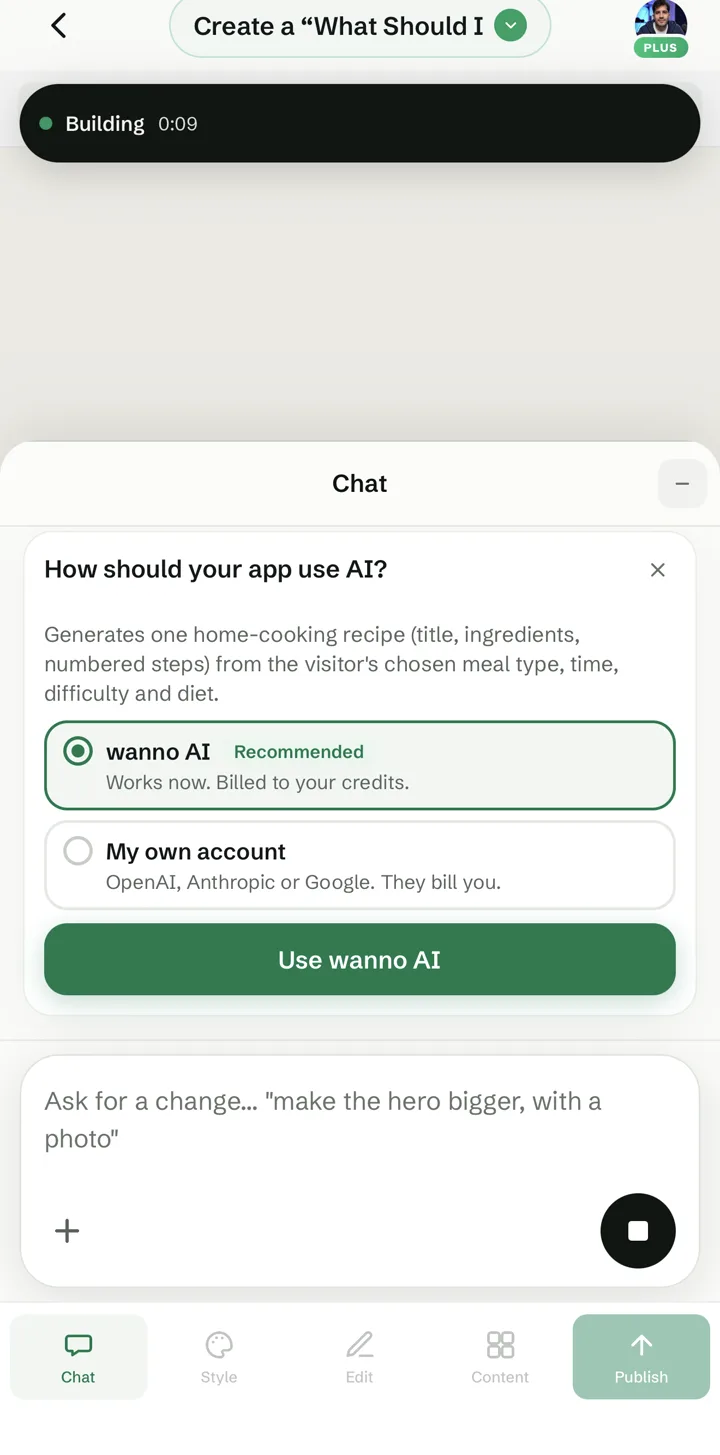
While the app is building, wanno sees that it needs AI and asks how to run it. With wanno AI it works right away and is billed to your credits: no accounts to create, no keys to paste. If you'd rather use your own OpenAI, Anthropic or Google account, you can pick that instead.
03. Set your filters
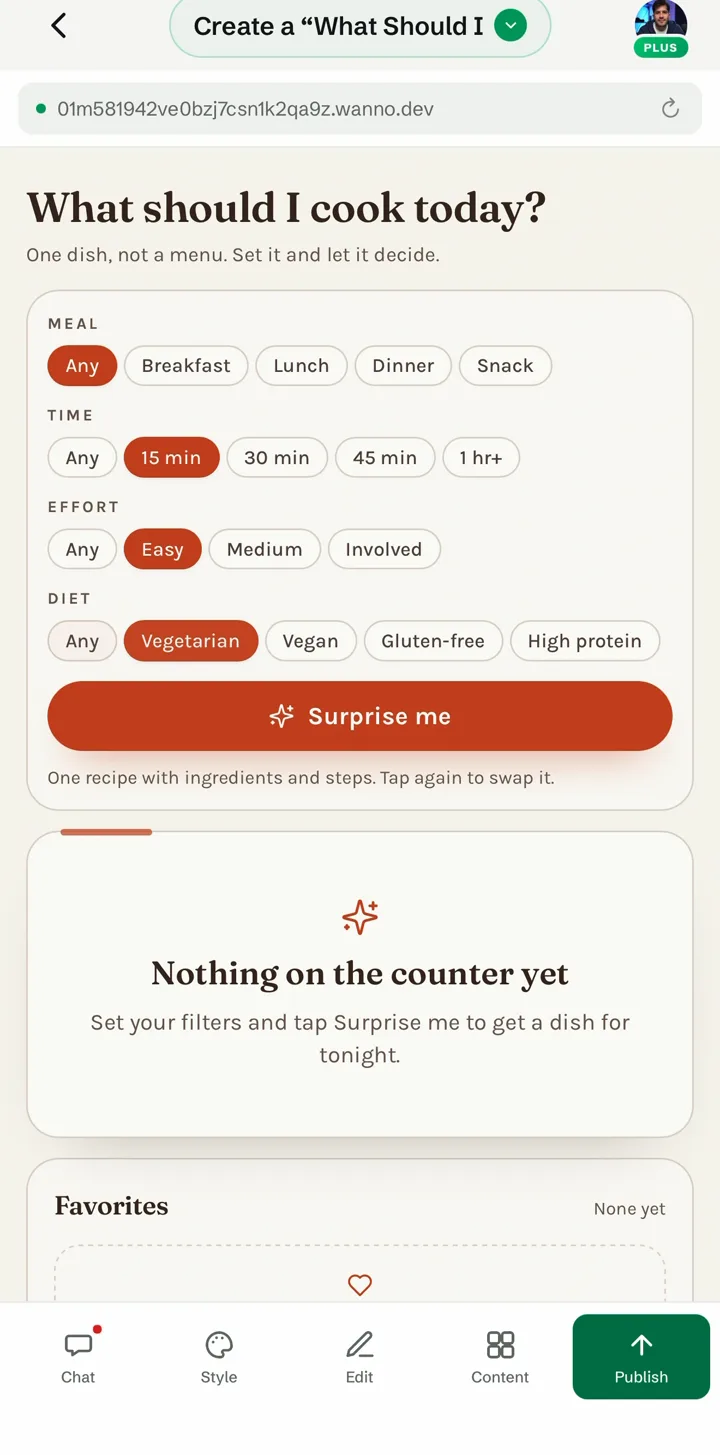
A few seconds later the app is ready. Choose what you feel like: meal, time, effort and diet.
04. Tap “Surprise me”
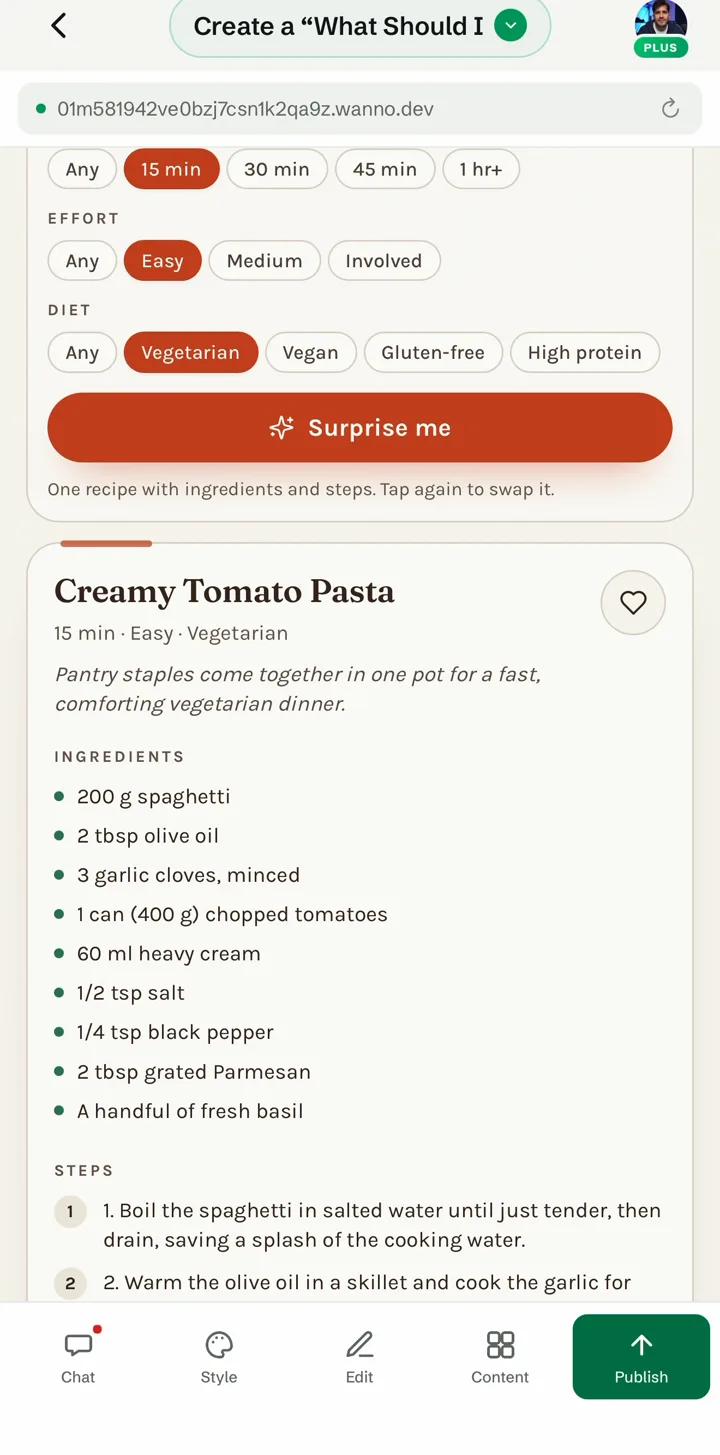
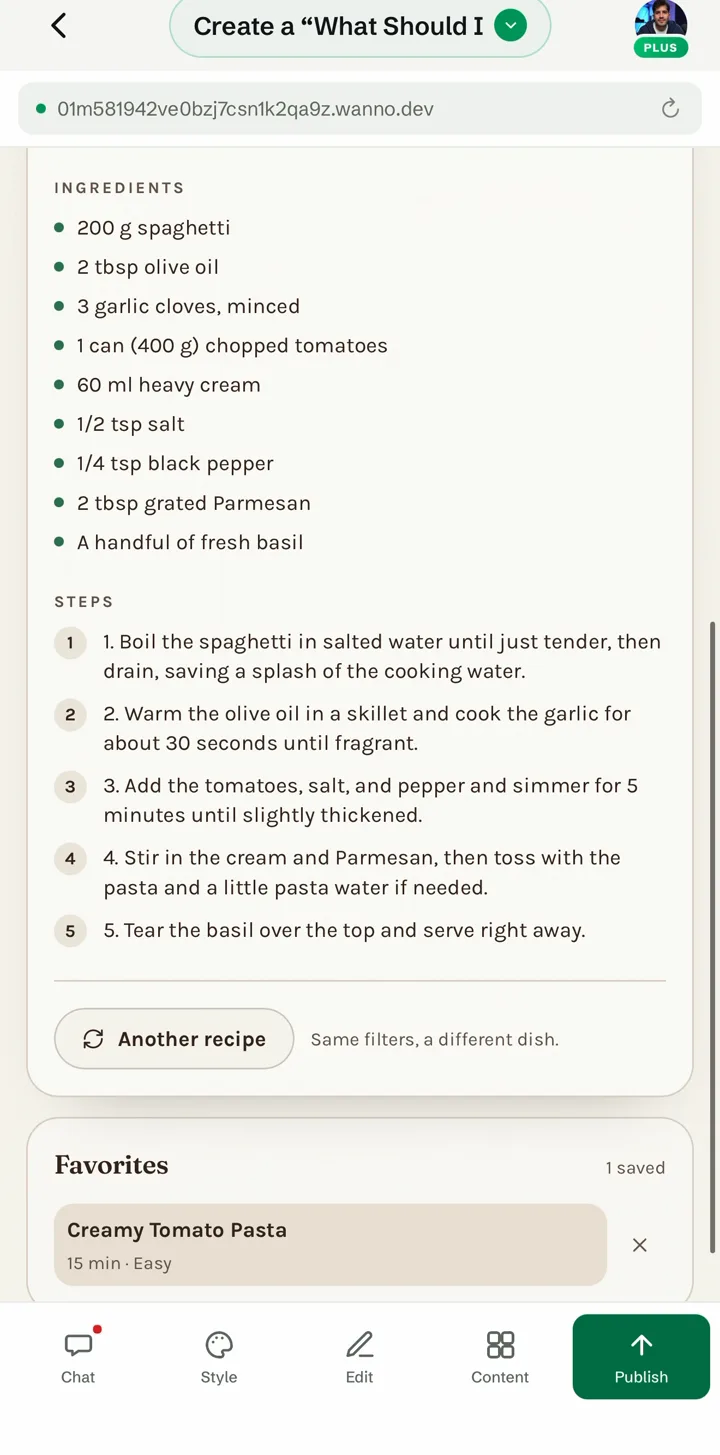
The AI generates a recipe that fits your filters, with time, effort, ingredients and numbered steps. Every recipe is new, not pulled from a fixed list.
05. Save your favorites
Not convinced? Tap “Another recipe” for a different dish with the same filters. Save the ones you like with the heart and they show up under Favorites.
What you built
A recipe app with real AI, published and ready to share, without touching a single API key. Try it at what-should-i-cook.wanno.dev
The same flow works for any app that needs AI: wanno detects what's required and offers wanno AI in one tap.