An app anyone can open is fine for showing something off. But the moment you need to know who's using it, store data per person, or keep people away from what isn't theirs, you need sign-in. With wanno, adding Google login means asking for it in the chat: no consoles to set up, no keys to copy, no code to write.
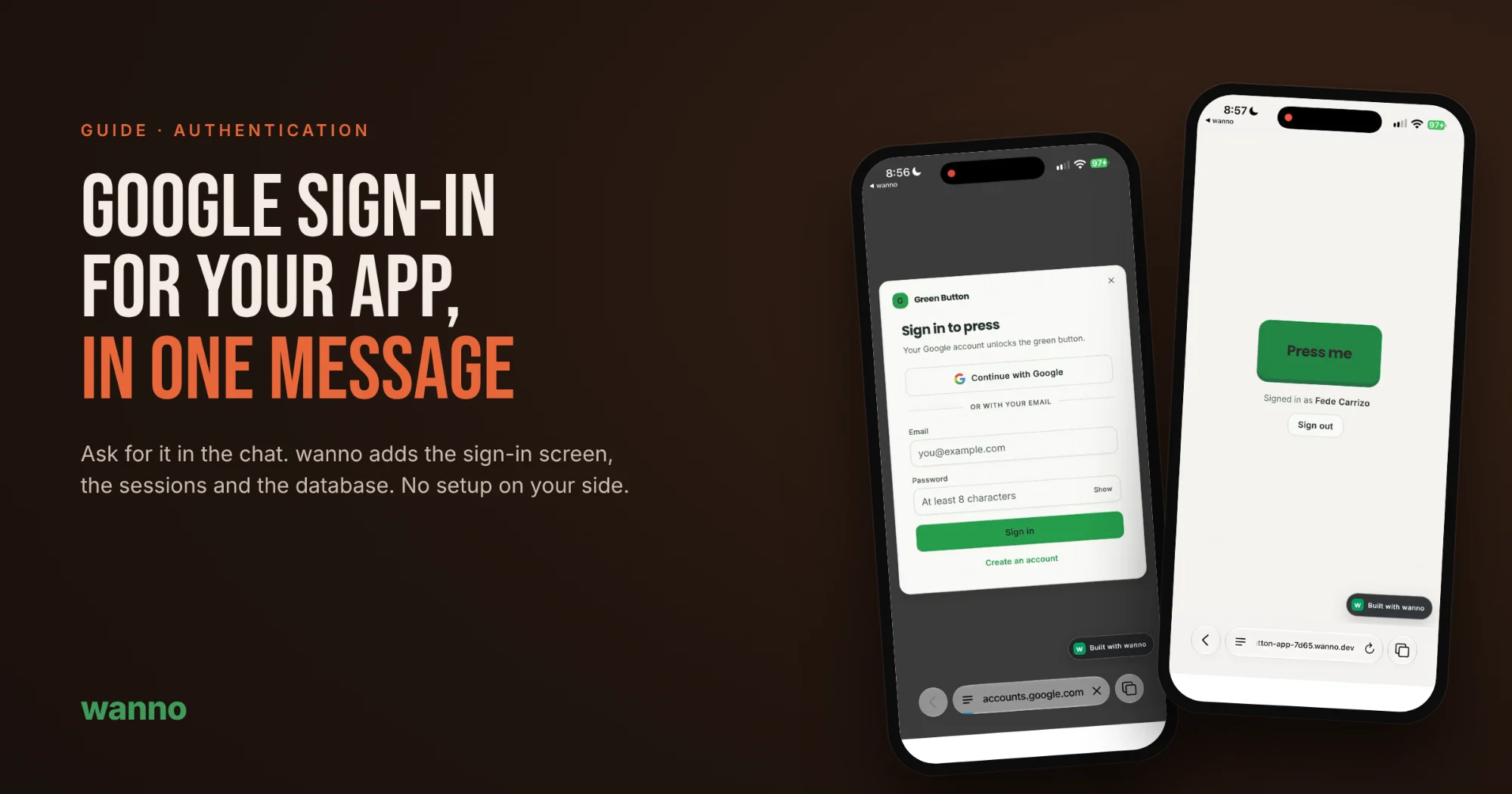
To show it, we used the simplest app possible: a green button. At first anyone can press it. One message later, only people signed in with Google can.
Why your app needs sign-in
- Know who's who. Each person signs in with their Google account, and your app knows their name and email.
- Protect what matters. Keep actions, pages or data for signed-in users only.
- Save data per user. Orders, favorites, progress or bookings stay tied to each account.
- Less friction than a sign-up form. Most people already have a Google account. Two taps and they're in, no new password to invent.
1. Start with your app
We started with a minimal message: "A green button". In seconds, wanno builds the page, ready to press. It can be any app you already have: a store, a booking system or an internal tool.
2. Ask for sign-in in the chat
Write what you want in your own words:
Add login with Google to press
You don't need to know what OAuth is or how sessions work. Describe what should happen and wanno takes care of the rest.
3. wanno builds it
You can follow every step in the chat while it works. In this case it:
- Set up the app's database, already connected, with no setup on your side.
- Built the server with Google sign-in, plus email and password for anyone who'd rather not use Google.
- Created the sign-in screen that appears when someone tries to press without being signed in.
- Kept the session: reload the page and you stay signed in until you sign out.
4. Publish and try it
Publish the app and open its link. Tap the button and "Sign in to press" shows up. Choose "Continue with Google", pick your account, and you're back in the app, signed in: the button works and the app shows your name, with an option to sign out.
What to ask for next
With sign-in in place, every user has their own identity. A few ideas you can ask for in the chat, just as wanno suggests:
- A counter of how many times each user pressed the button.
- A welcome line using their Google name.
- Pages only signed-in users can see.
The same goes for any app: "only the owner can open the admin panel", "each customer sees only their own orders", "users can save their favorites".
Try it
Copy the prompt below to build the example app with sign-in included, or open one of your apps and ask in the chat to "add Google login".