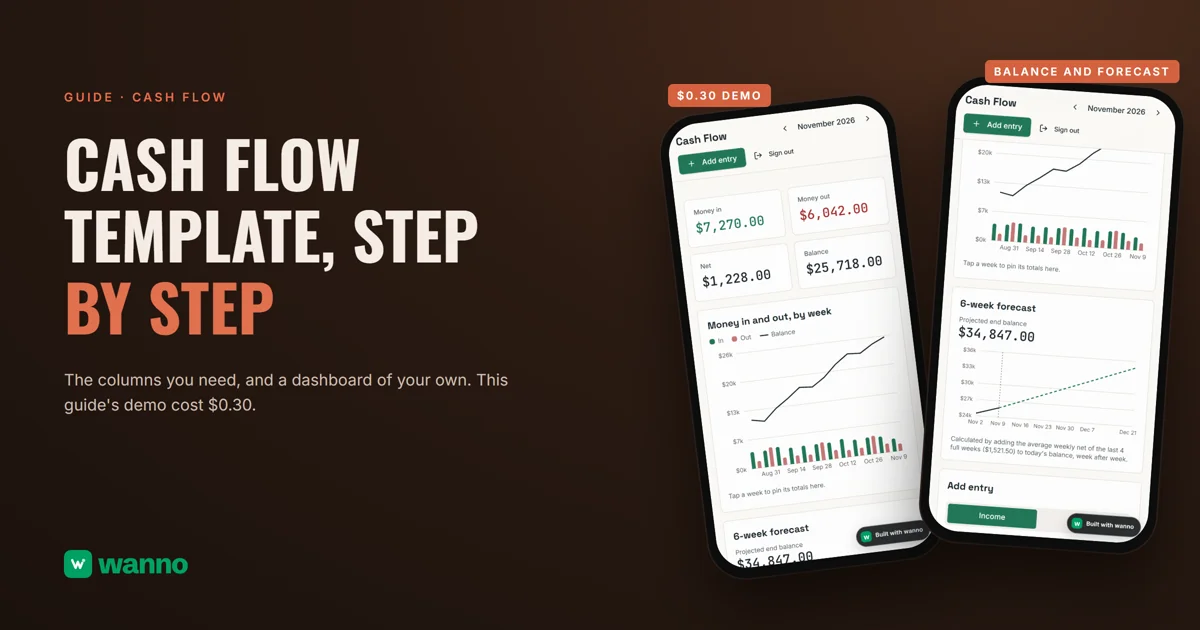
If you're searching for a cash flow template, you probably have one of two problems: a spreadsheet you stopped updating after two weeks, or money coming in with no clear idea of what will be left at month-end. Here are the steps, the columns and formulas a cash flow template in Excel or Google Sheets needs, and how to get the same thing as a custom dashboard. This guide's dashboard, loaded with coffee shop sample data, was built with wanno in 1 minute 29 seconds and, with one follow-up change requested in chat, cost $0.30 in total.
The short version:
| Option | What it costs | The catch |
|---|---|---|
| Spreadsheet or Excel template | free if you already have a spreadsheet app | you update it by hand, and the forecast depends on your formulas |
| Accounting software | usually a paid subscription | built for full bookkeeping, more than a small business needs to see its balance |
| Custom dashboard with AI (wanno, a web app) | this guide's dashboard cost $0.30 in total (within one day of free credit) | you log transactions by hand; lives on a wanno.dev subdomain, with a badge on the free plan |
01. What cash flow is, and why it matters
Cash flow is the record of money coming into and going out of your business over a period. The Brazilian small business agency Sebrae describes it as a kind of planner for money in and money out. It is not a profit report. It tells you whether you can cover what's due on Friday.
That matters even when sales are good. In the Federal Reserve's small business survey of employer firms (2024 data), more than half of firms cited paying operating expenses (56%) or uneven cash flows (51%) as challenges. The reason is simple: customers pay on one day, bills arrive on another.
02. How to build a cash flow template, step by step
The method is the same in a notebook, in Excel or in a dashboard.
Step 1: pick the period and the opening balance. Start with one month and the cash you have on day one.
Step 2: log the inflows. Everything you collect: sales, deposits, customer payments. Record it the day the money arrives, not the day you invoice.
Step 3: log the outflows. Everything you pay: suppliers, rent, payroll, taxes, utilities. Split them into fixed (they repeat every month) and variable (they move with sales), because fixed costs are the ones you can't cut overnight.
Step 4: calculate the balance. Ending balance = opening balance + inflows minus outflows. If you work week by week, one week's ending balance is the next week's opening balance.
Step 5: forecast the next few weeks. Using what you already know (rent coming due, a payment a customer promised, your recent average sales), estimate the balance for the next four weeks. It's an estimate, not a promise, but it warns you early if a week is going to end negative.
That warning is the point of the whole exercise. With a few weeks' notice, you can chase a payment, agree on a later date with a supplier or hold off on a variable expense.
What columns a cash flow template needs
One row per transaction and these columns are enough:
| Column | What it's for |
|---|---|
| Date | the day the money comes in or goes out |
| Description | what it was (daily sales, supplier payment, rent) |
| Category | groups income and expenses so you can see where the money goes |
| Type | inflow or outflow |
| Amount | the figure, always positive |
| Week | week of the month, so you can total by week |
| Running balance | previous balance plus the inflow or minus the outflow |
With columns A to G in that order, week 2 inflows are =SUMIFS(E:E,D:D,"Inflow",F:F,2) and the balance in row 3 is =G2+IF(D3="Inflow",E3,-E3). A pivot table gets you the same totals without formulas. The hard part comes later: keeping the sheet current and forecasting without breaking anything.
03. A cash flow template vs a custom dashboard: build it with AI, step by step
With wanno you describe the dashboard in one message, from your phone, and the platform builds it. Here's the prompt behind this guide's dashboard:
I want a cash flow dashboard for my small business: log income and expenses by category in US dollars, see the monthly balance, a chart of money in and out and a simple forecast for the next few weeks. Use sample data from a coffee shop. Everything visible in the app must be in English.
wanno built it on its own: 1 minute 29 seconds, 9 steps, 1.4 credits, and the dashboard ran on its preview link, with the monthly balance, a weekly chart and a forecast. You add and delete transactions by category, and the sample data can be cleared so you can start with your own.
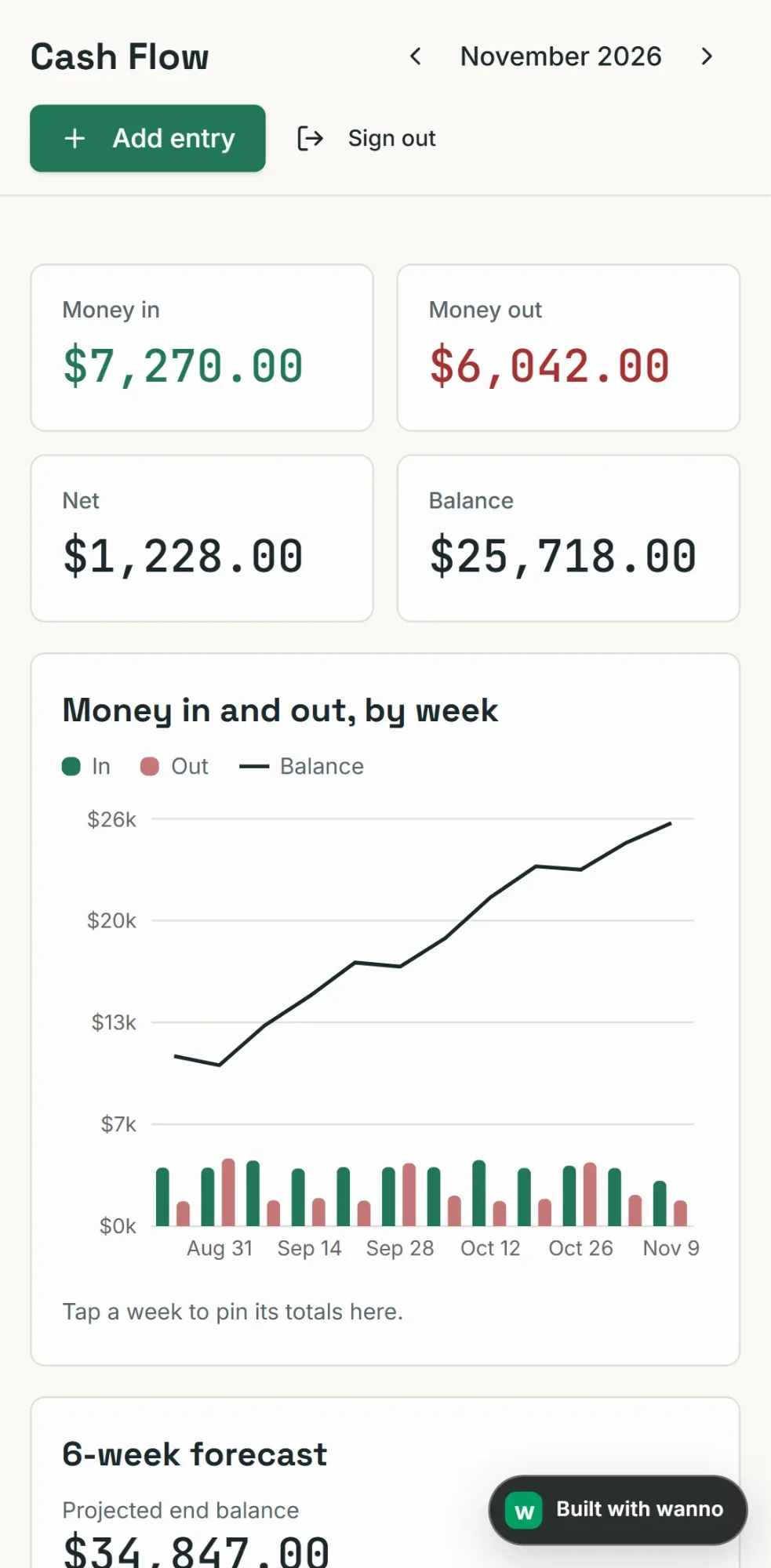
Then we asked for one follow-up change in chat, for 1.6 credits: save the data in the cloud, with an account and password. That makes it available from any phone or computer.
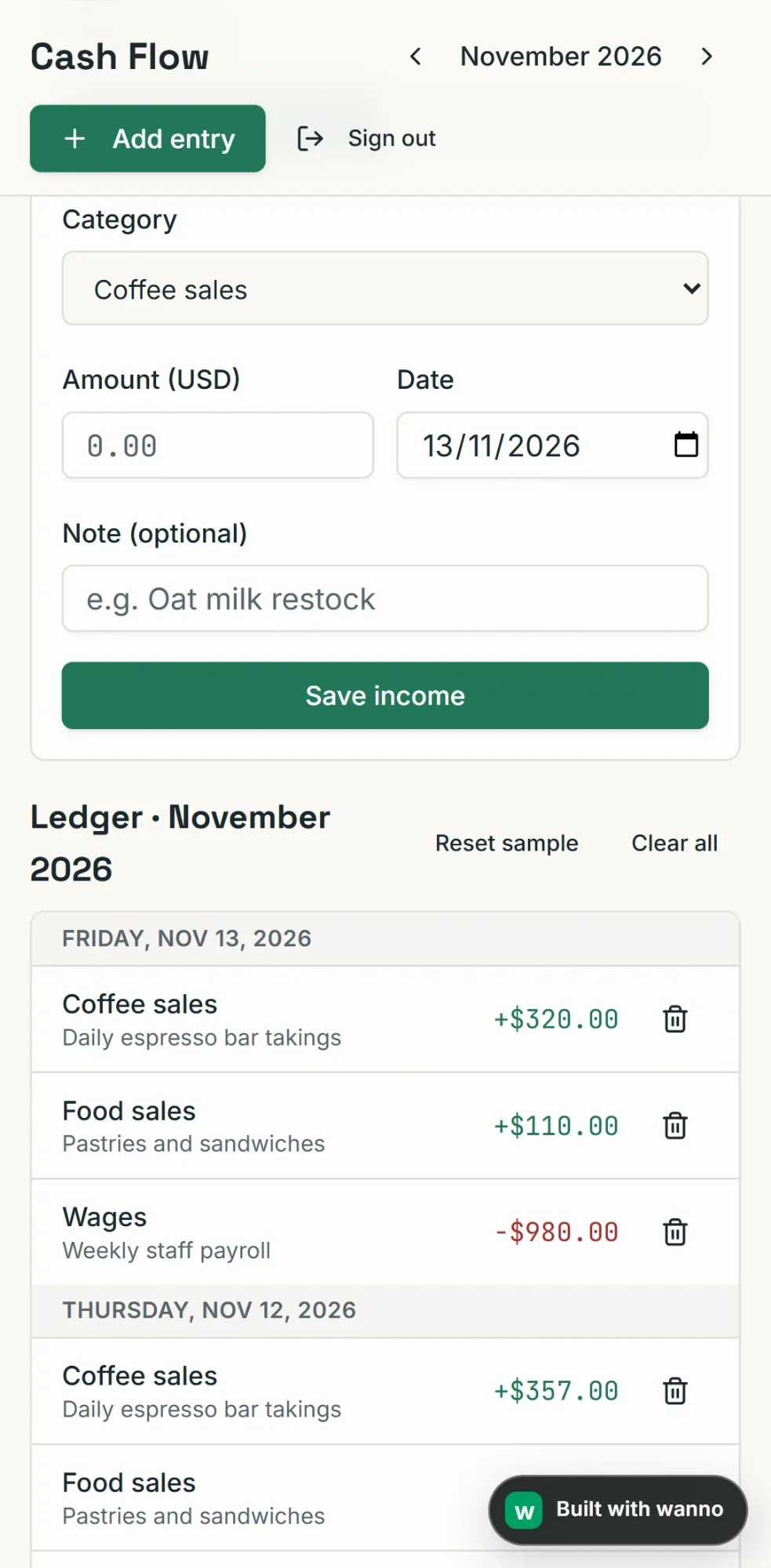
One good habit before entering real numbers: try a few transactions and compare the balance with your bank account. For a full app, read how to create an app for your business, and if you run a coffee shop or restaurant, a digital menu is a natural next step.
04. How much a cash flow dashboard like this costs
The build cost: $0.30 in credits in total (1.4 credits for the dashboard plus 1.6 for the cloud change, 3 credits in all; 10 credits equal $1). It fits within one day of the free credit wanno grants: $0.30 per day, with a monthly cap of $1.50. Keeping it running requires no subscription: it stays on a link ending in wanno.dev, with the "Built with wanno" badge on the free plan. You pay only to remove the badge, use your own domain, or ask for more changes than the free credit covers.
For scale: $0.30 is paid once; wanno's cheapest paid plan, Starter, is $4.99 per month, about $0.17 per day, every day, and includes $10 in credits (see plans). A spreadsheet is free, but the formulas are on you; in a custom dashboard you log the transaction and the rest calculates itself.
Your cash flow in view before the next due date
Building a cash flow template comes down to logging what comes in and what goes out, consistently, and looking at the next few weeks before a bill arrives. You can do it with an Excel template or with a dashboard that opens on your phone. Describe yours on wanno and see the result; trying it is free.
Frequently asked questions
What is a cash flow template? It's a table where you log the money coming in and going out of your business, with a date, description, category, type, amount and running balance. Its job is to show your balance now and over the coming weeks.
What columns should a cash flow template have? Date, description, category, type (inflow or outflow), amount, week and running balance. One row per transaction and those seven columns let you total by week and watch the balance day by day.
Can I build a cash flow tracker for free? Yes. A spreadsheet in Excel or a free spreadsheet app works. And wanno's free plan grants $0.30 in credit per day (monthly cap of $1.50), enough to build a dashboard like this guide's, which cost $0.30 in total.
How do I forecast cash flow? Start from today's balance, add the inflows you expect each week (promised payments, average sales) and subtract the outflows you already know (rent, suppliers, payroll). Repeat week by week. It's an estimate, so update it whenever something changes.
Read next: How much does it cost to build an app
Download wanno on the App Store · Download wanno on Google Play