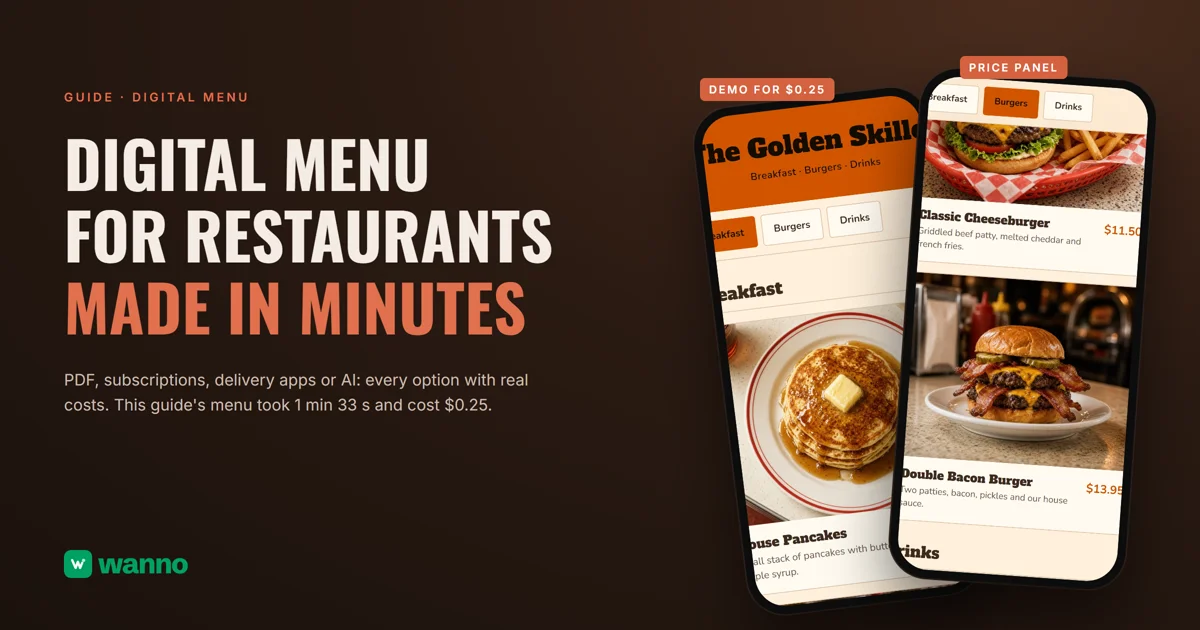
A digital menu for restaurants shouldn't need a designer every time a price changes. There are four ways to get one: a PDF, menu software on a subscription, the delivery apps, or building it yourself with AI. This guide compares them with real costs and builds one end to end: The Golden Skillet's menu, with photos, prices and an admin panel, took 1 minute 33 seconds to build, plus one follow-up message, and cost $0.25 in total.
The summary:
| Option | What it costs | The catch |
|---|---|---|
| PDF or an image posted to social | free | every price change means redoing the file |
| QR menu software on a subscription | $10 to $50 per month is the typical range (MENU TIGER) | you pay every month, whether the menu changes or not |
| Delivery apps | Grubhub: 5% (Basic, you deliver) to 20% marketing commission; Uber Eats: 20% to 30% per order (Restaurant Dive) | the menu, the customer and the data belong to the app |
| Building it yourself with AI (wanno, web app) | the one in this guide cost $0.25 (2.5 credits), within the free plan | the menu lives on a wanno.dev subdomain, with a badge on the free plan |
01. What a digital menu is, and why a PDF doesn't cut it
A digital menu is your menu on a link: customers open it in their phone's browser, with nothing to install, from a QR code on the table or a link on WhatsApp or Instagram. A PDF is different in kind, not just in looks. It's a frozen snapshot of your prices: when one changes, someone has to redo the file, upload it again, and sometimes reprint the QR code. A real digital menu is edited from a panel, and the printed QR never changes because it always points to the same link.
Here's the quick test: can you change a price from your phone in under a minute, with no designer involved? If not, what you have is a file, not a digital menu.
02. Digital restaurant menu options and what they cost
Subscription menu software is the classic route. As an industry reference, MENU TIGER publishes plans from $17 to $119 per month and puts the typical cost of a QR menu "around $10 to $50 per month"; QRStuff charges $10 to $25 per month depending on the plan. They work, but the bill arrives every month whether your menu changed or not.
The other route many restaurants end up treating as their digital menu is the delivery apps, where the cost is per order. Grubhub's marketplace plans charge a 5%, 15% or 20% marketing commission: the 5% Basic plan means you handle delivery yourself, and Grubhub's own delivery adds fees starting at 10% on top. Uber Eats, as Restaurant Dive reported in March 2026, raised its Lite tier to 20% per order, with Plus at 25% and Premium at 30%. Those plans buy you orders inside their app; as your own menu, they're an expensive place to live, and the customer data stays with the platform.
Then there's the route this guide takes: building a digital menu of your own with AI, for cents, edited from your own panel.
03. How to make a digital menu with AI, step by step
In the wanno app you describe your menu in one message, from your phone, and it gets built and published on its own link. Here's the request behind this guide's menu:
I want a digital menu for my diner, The Golden Skillet, with photos, prices in dollars and categories (breakfast, burgers, drinks), and an admin panel to change prices myself
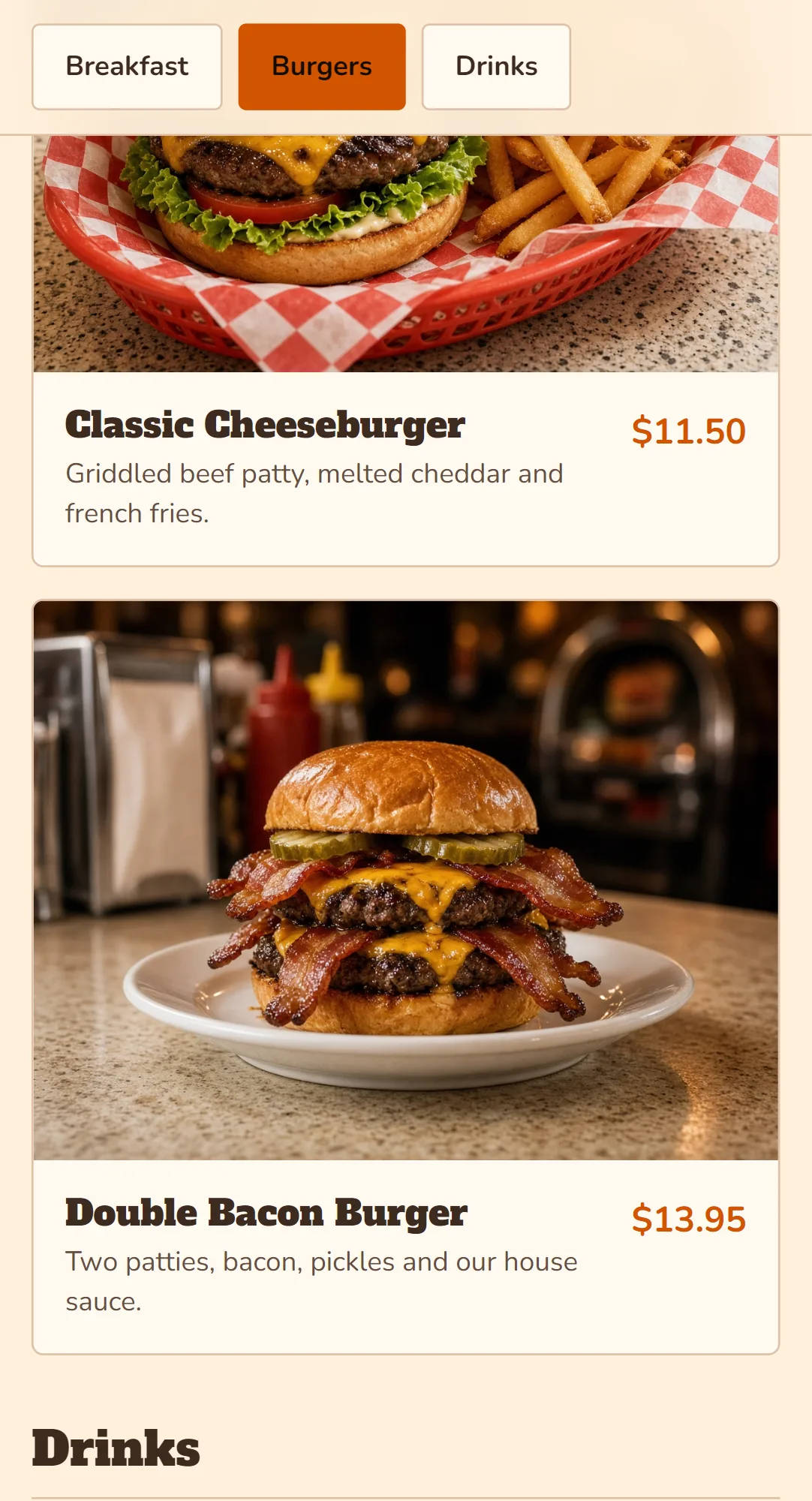
Before building, wanno asks you to settle what's missing with a couple of taps: who uses the price panel, the color palette and the style (we picked classic, diner colors and all). Then it builds on its own: 1 minute 33 seconds and 22 steps, and after one follow-up message the menu was final, with its three categories, a photo for each dish and the price next to it.
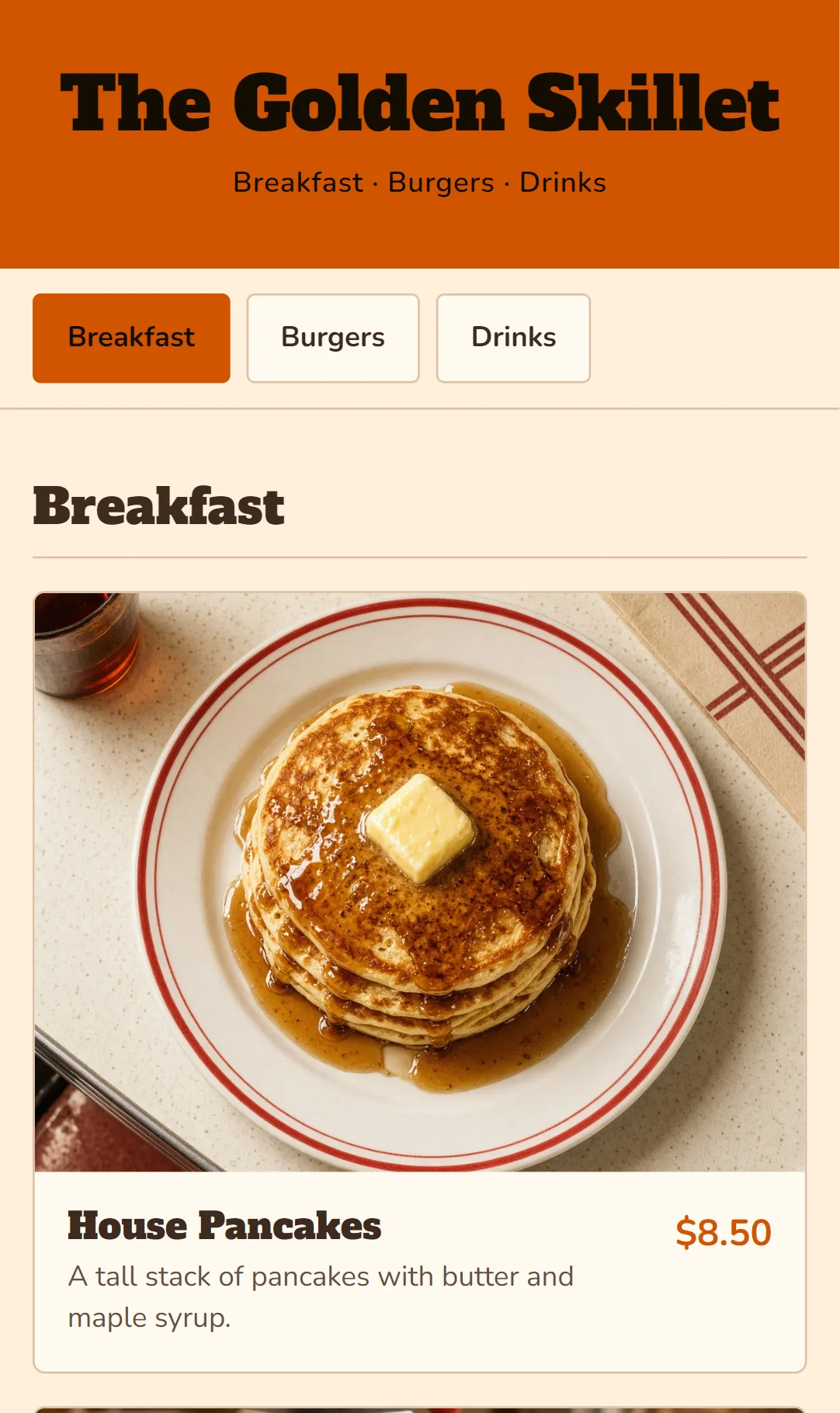
The dishes it generates are samples: you swap in your own from the admin panel at /admin, protected by a password. Change a price there, hit Save, and the menu on the table is up to date, with nothing to reprint.
For the tables, print the QR code that points to your link; you can make one in a minute with wanno's free QR code generator. The full QR walkthrough is in our guide to creating a QR menu for your coffee shop or restaurant from your phone.
04. What a digital menu like this costs to build and run
The build cost is measured above: $0.25 in credits, covered by the free credit wanno grants every day (there's a monthly cap). Running it has no required monthly fee: your menu stays published on a link ending in wanno.dev, with a "Built with wanno" badge on the free plan. Changing prices from your panel doesn't spend credits; you only spend them when you ask the chat for a new change.
For a sense of scale: building this menu cost less than a single day of the cheapest subscription cited above ($10 a month). If you want your own domain and no badge, wanno's Starter plan runs $4.99 per month with $10 of credits included (see the plans), half the price of that subscription. And if you're wondering what a bigger app would cost, here are the real prices of building an app in 2026.
Your menu on a link before the next price change
A digital menu is built once and edited whenever you need: a menu with photos and prices, a fixed QR code for the tables, and your own panel for price changes, no designer required. Describe your menu in wanno and see what comes back; trying it is free.
Frequently asked questions
Can I make a digital menu for free? Yes. wanno's free plan grants free credit every day (with a $1.50 monthly cap), enough to build and publish a menu like this guide's, which cost $0.25. You pay only to remove the badge or use your own domain.
Do my customers need to install an app to see the menu? No. They scan the QR code or tap the link and the menu opens in the phone's browser.
Do I need to print a new QR code when prices change? No. The QR code points to your link, which never changes: update prices in the panel and the printed code keeps working.
Does it take orders, or only show the menu? This guide's menu is for browsing at the table. If you also want WhatsApp orders, ask for it in the same wanno chat: that's how we built the ordering catalog in our guide to creating an app for your business.
Read next: How to Build an Online Store With an Admin Panel From Your Phone
Download wanno on the App Store · Download wanno on Google Play