How do I create an app for my business if I can't code? You can create an app for your business by describing it to wanno in a message, from your phone or your computer, and wanno builds it for you. In this guide we did it for a US bakery: a catalog in dollars, WhatsApp orders, 59 seconds of build time, and a screenshot for every step.
The same process works for a clothing store, a nail salon, or an auto repair shop: any business whose customers message them to buy.
The data in this guide, at a glance:
| What | Detail |
|---|---|
| What we built | A bakery app: catalog with prices in US dollars, WhatsApp orders, opening hours |
| What you get | A web app with its own link (an address ending in wanno.dev); it doesn't go through the app stores |
| Build time | 59 seconds of AI work, in 13 steps |
| Time for the later edits | 17 seconds each (price and hours; WhatsApp number) |
| Cost | 2.3 credits in total: 0.9 for the build and the rest for the two edits, within the free plan's daily credit |
| What we typed | Three messages in plain English, zero code written |
01. Describe the app your business needs
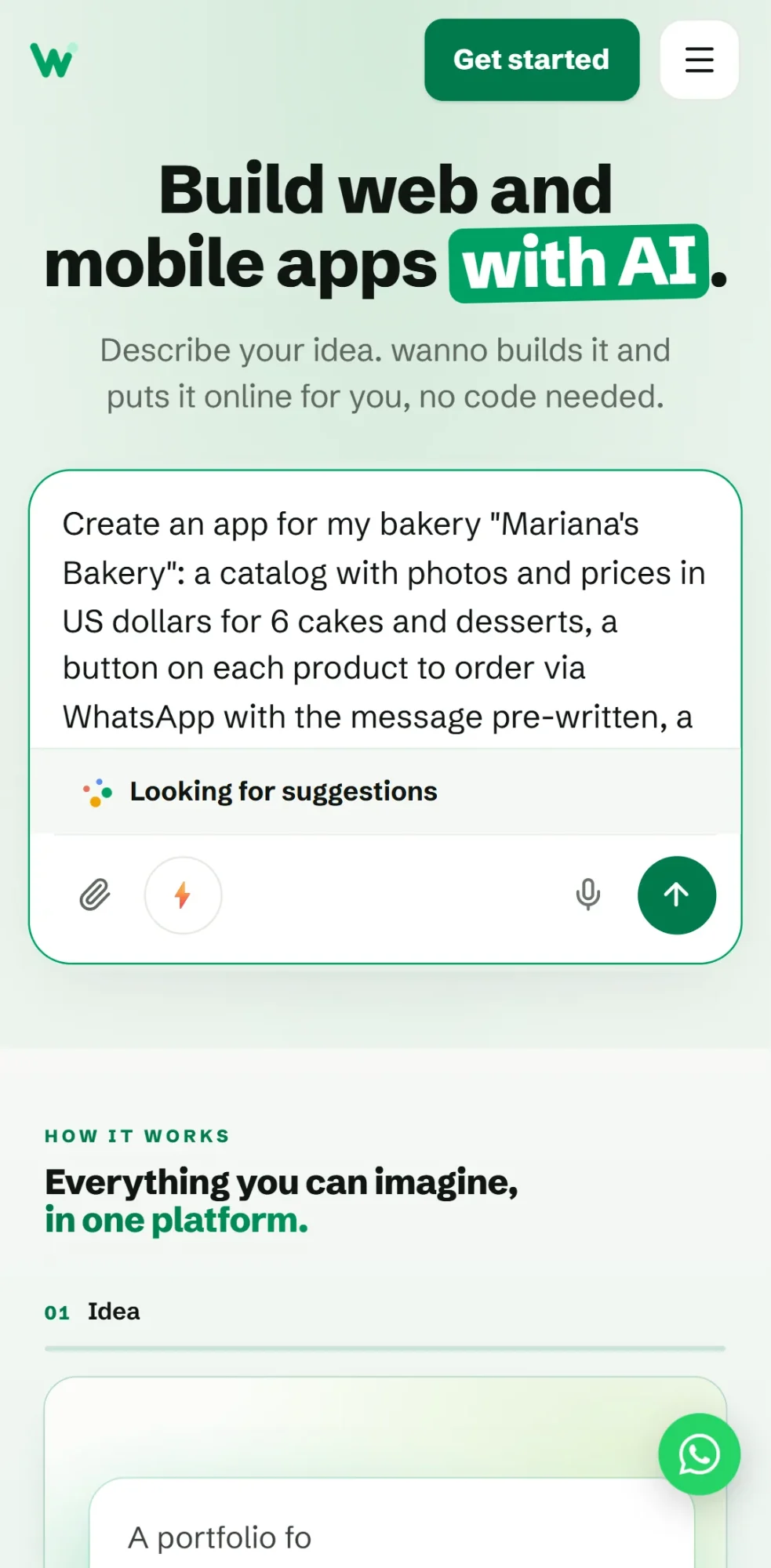
Go to wanno.dev in your browser, or install the app by searching "wanno ai" in your app store, and write what you need in your own words. This is the exact message that started the app in this guide:
Create an app for my bakery "Mariana's Bakery": a catalog with photos and prices in US dollars for 6 cakes and desserts, a button on each product to order via WhatsApp with the message pre-written, a "How to order" section, and opening hours. Warm colors, simple style.
A good message says what you sell and how you want people to contact you; opening hours help if customers visit you in person. You don't need perfect wording or design vocabulary: "warm colors, simple style" was enough to set the whole look, and while you type, wanno suggests ways to complete the idea. If you don't know what to ask for yet, describe your business and the questions customers ask most. That is enough for a first version you can refine later.
02. Watch wanno build your app from scratch
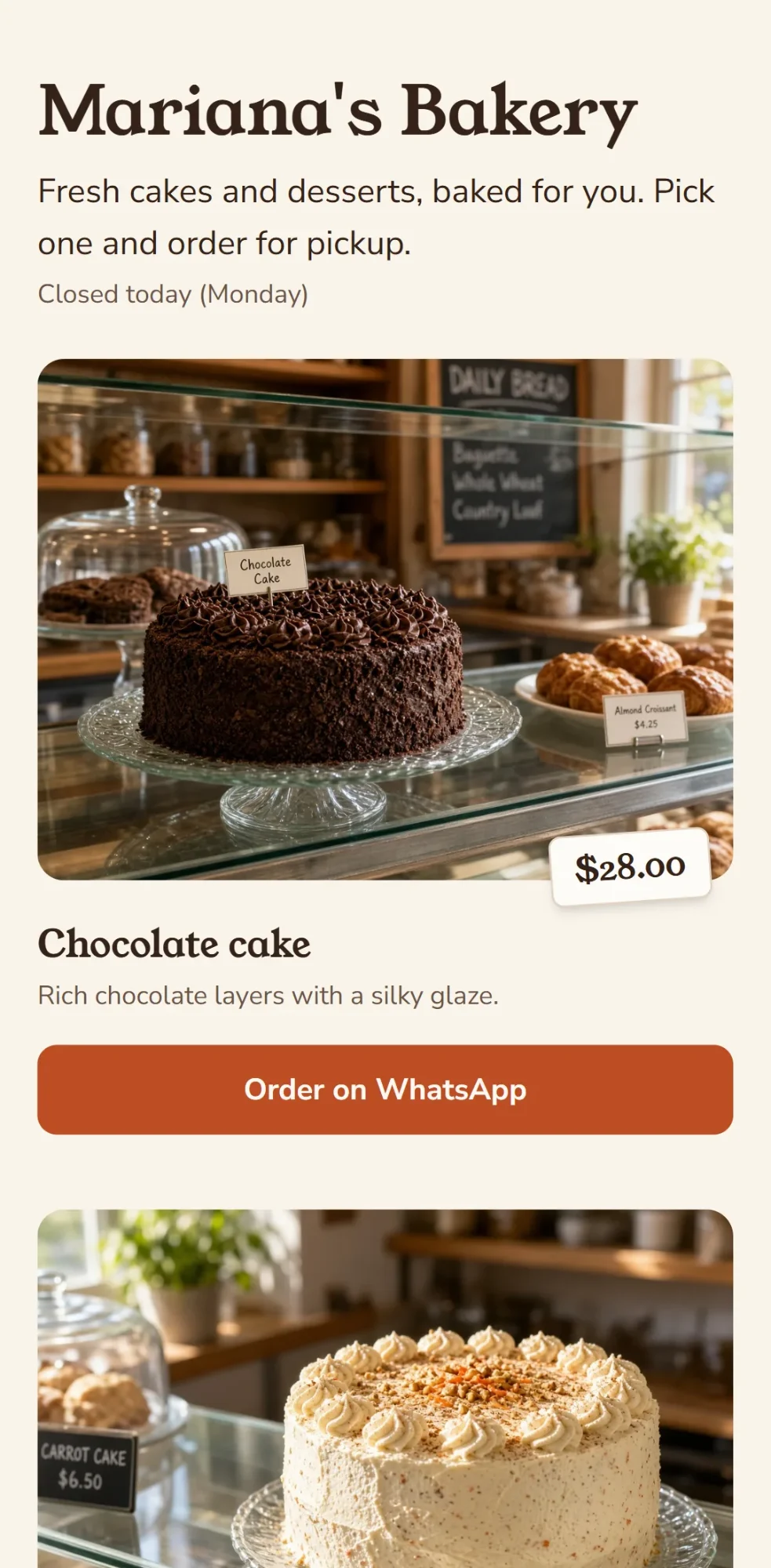
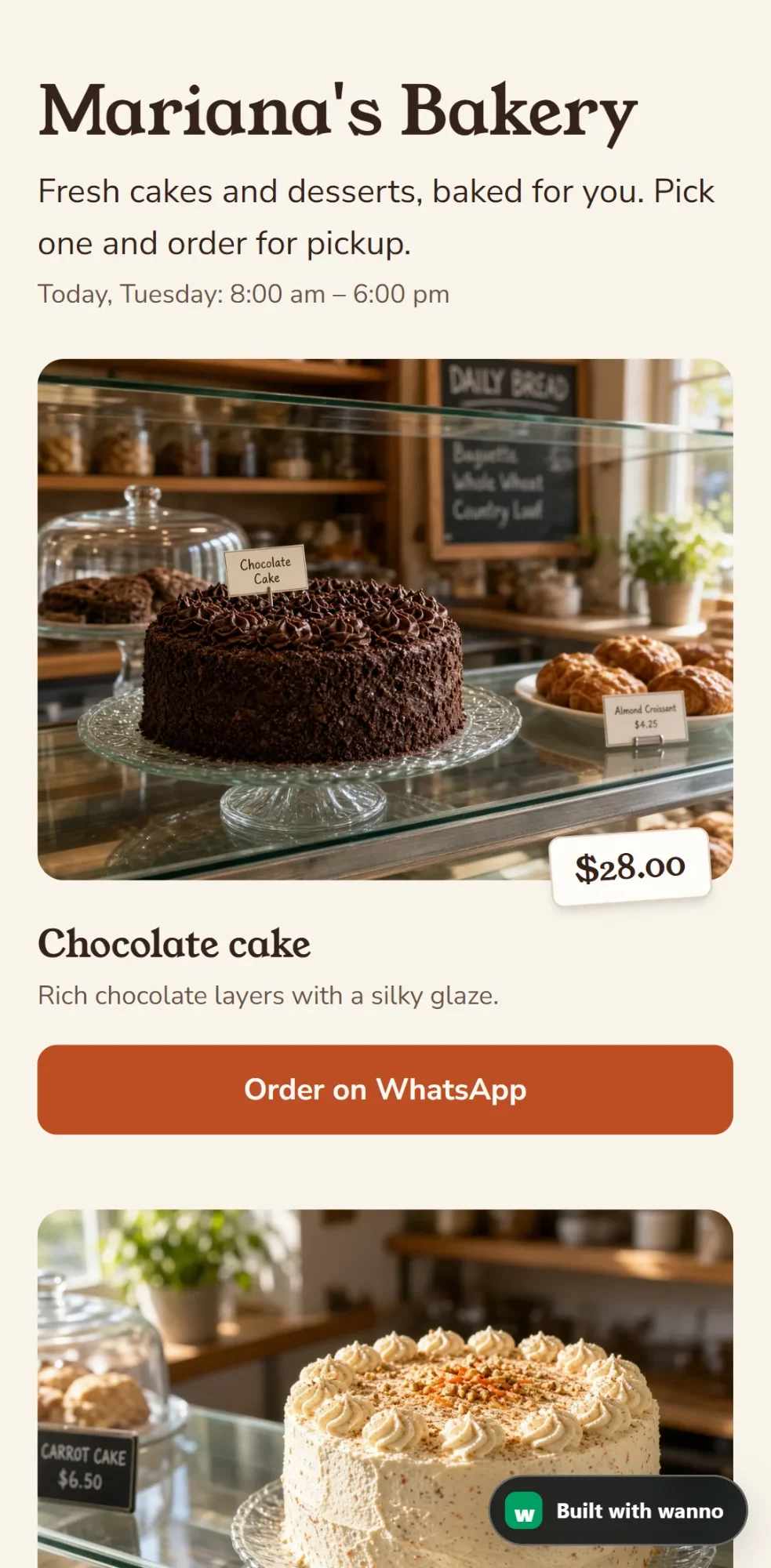
wanno built the app in this guide in 59 seconds of work, in 13 steps you can watch advance on screen, and ran 8 automatic checks on it before showing it to us. It cost 0.9 credits, within the credit the free plan gives you each day, so building and testing it costs no money.
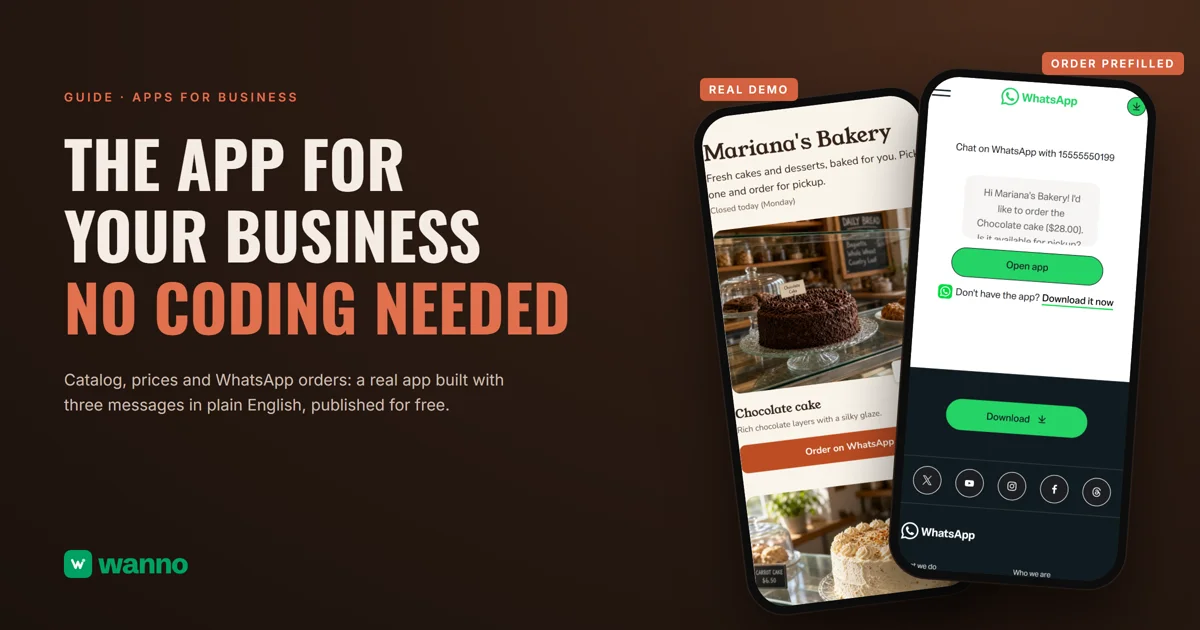
The screenshot shows the top of the catalog: each dessert with a large photo and a price tag. Further down are the other desserts, the "How to order" section in 3 steps, and the opening hours band. wanno chose the sample menu on its own: chocolate cake, carrot cake, lemon tart, cheesecake, cinnamon rolls, and fruit pie, with prices from $15 to $42. (The carrot cake price already includes the edit from step 04, where you can see its $42.00 tag in the screenshot.)
03. Test the WhatsApp order
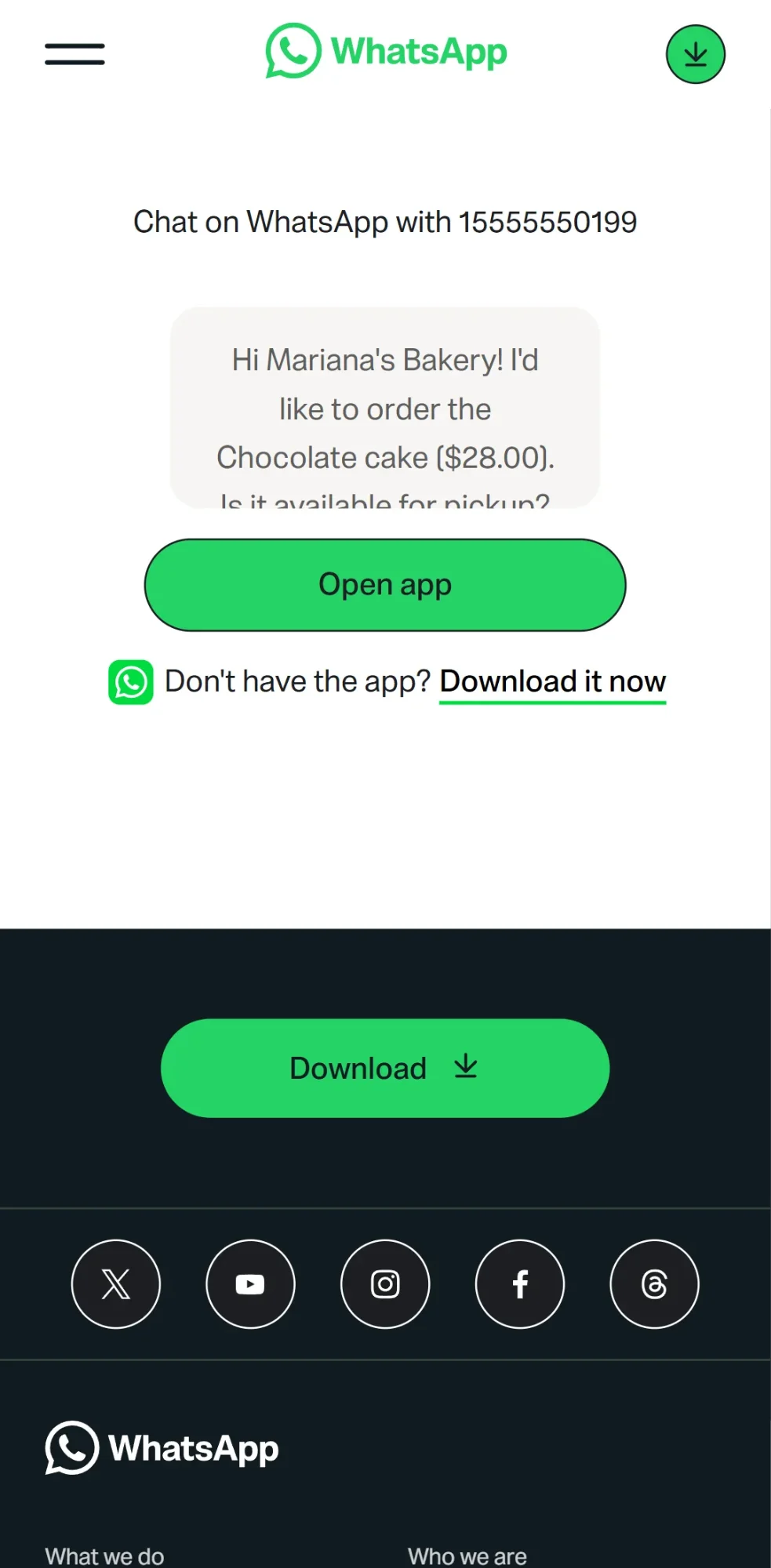
When you tap "Order on WhatsApp" on a product, WhatsApp receives a message already written with the product name and price: "Hi Mariana's Bakery! I'd like to order the Chocolate cake ($28.00). Is it available for pickup?" On a phone with WhatsApp installed, the chat opens directly. On a computer, you first see the confirmation screen in the screenshot, with the message ready and a button to open the app.
For the owner, the point is that there's no new system to learn: the order lands in the same WhatsApp you already check every day, with the product and price inside the message. From that conversation you confirm the pickup date, take payment the way you already do, and save the customer's number. The customer orders without filling out forms or creating an account.
04. Adjust your app without knowing how to code
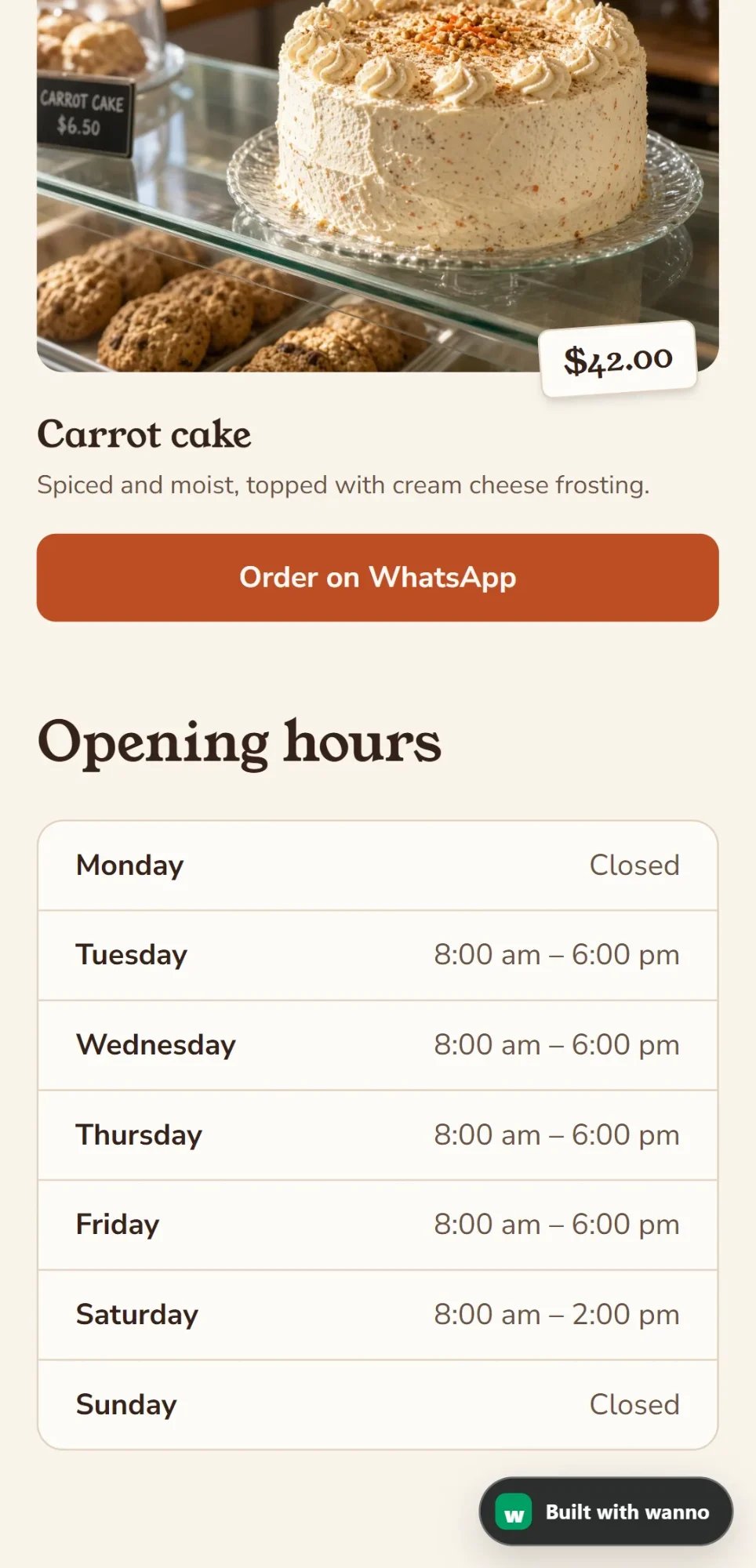
You change the sample data by asking for it in the same chat, in everyday language. In this guide we typed "Change the price of the carrot cake to $42 and set Sundays as closed," and wanno made both changes in 17 seconds, listing what it touched and what it left alone. The screenshot below shows the result: the carrot cake with its new $42.00 tag and the hours with Sunday now closed.
The other edit a new app always needs is the WhatsApp number, and we did that with one sentence too. We used the demo number +1 555 555 0199: wanno changed it on all 6 buttons in 17 seconds and confirmed that prices, hours, and design stayed the same. If a change isn't what you wanted, ask again until it looks right.
05. Publish your app and share the link
Once your details are in, you tap Publish and wanno puts the app online, with no hosting to buy and nothing to configure. The link you get goes wherever your customers are: your Instagram bio, your WhatsApp status, a QR code printed next to the register, or your reply when someone asks "do you have a price list?"
The demo from this guide is published and you can open it now: https://marianas-bakery.wanno.dev (the data it shows is sample data). Two things to know about the free plan: your published app carries a small "Built with wanno" badge, and its address ends in wanno.dev, like the demo's. The Starter plan at USD 4.99/month removes the badge and lets you use your own domain, such as marianasbakery.com (see the plans). To start receiving orders, the free link works just as well.
What you built
An app for a business made with three messages in plain English: a catalog with prices, orders that arrive through WhatsApp, and a published link anyone can open. That took 59 seconds of build time plus two short edits, for 2.3 credits in total, all covered by one day of the free plan. For your own app the path is the same: describe it, swap the sample data for your real data, and publish it.
If you got here comparing AI tools for building apps, the whole process in this guide can be done from your phone, with the wanno app or from the browser, and that is the practical difference from platforms designed for a computer. We have a guide to 7 Lovable alternatives with verified pricing if you're weighing your options.
Frequently asked questions
Is it hard to create an app? Do I need to know how to code? No. The whole process in this guide was done by typing three messages in plain English, without touching code or opening any technical tools. wanno handles the technical side, and you bring what you know about your business: products, prices, hours. Later edits are also a sentence in the chat, like the price and hours change in step 04.
How do I create an app for my business for free? Describe it in the wanno chat on the free plan, which gives you credit every day (with a monthly cap). Building the app in this guide cost 0.9 credits, and the whole job, edits included, came to 2.3, which fit in one day without paying. Publishing it with its link is also free, with the "Built with wanno" badge visible. The Starter plan at USD 4.99/month removes the badge and adds your own domain.
Can I do everything from my phone? Yes. wanno works fully from your phone's browser and also has its own app for iPhone and Android, so describing your app, asking for changes, and publishing it doesn't require a computer. The screenshots of the app and the order in this guide were taken at phone size, which is how your customers will see your business app when you share it.
Will my business app show up in the app stores? No. What you get is a web app with its own link, which customers open without installing anything. For a catalog with orders that is an advantage, because the customer arrives with one tap from Instagram or WhatsApp. The app you do install from the stores is wanno itself, the tool you use to build yours.
Does it work for any type of business? Yes, as long as your customers contact you to buy: a catalog, contact info, and hours cover everything from food and clothing to services and repair shops, whether you're a one-person operation or a company with a storefront. For more specific cases there are dedicated guides: if you want a cart and an inventory you manage yourself, see how to build an online store with an admin panel from your phone; if you run a restaurant or coffee shop, there's one on creating a QR menu from your phone.
Do WhatsApp orders require WhatsApp Business? No. The button opens a regular chat with the number you enter. WhatsApp Business is free and adds its own catalog, quick replies, and labels, which helps once orders pick up, and an app generated with wanno works the same with either one.
Where do the product photos come from? The ones in this demo were generated by wanno to illustrate the catalog; some include painted details of their own, like a chalkboard price in the background, so the prices that count are the ones on each card's tag. For your business you should replace them with photos of your own products: attach them in the chat (up to 3 files per message) and wanno puts them in place. It's one of the first changes worth making.
Read next: Build an app from your phone: the complete guide
Download wanno on the App Store · Download wanno on Google Play