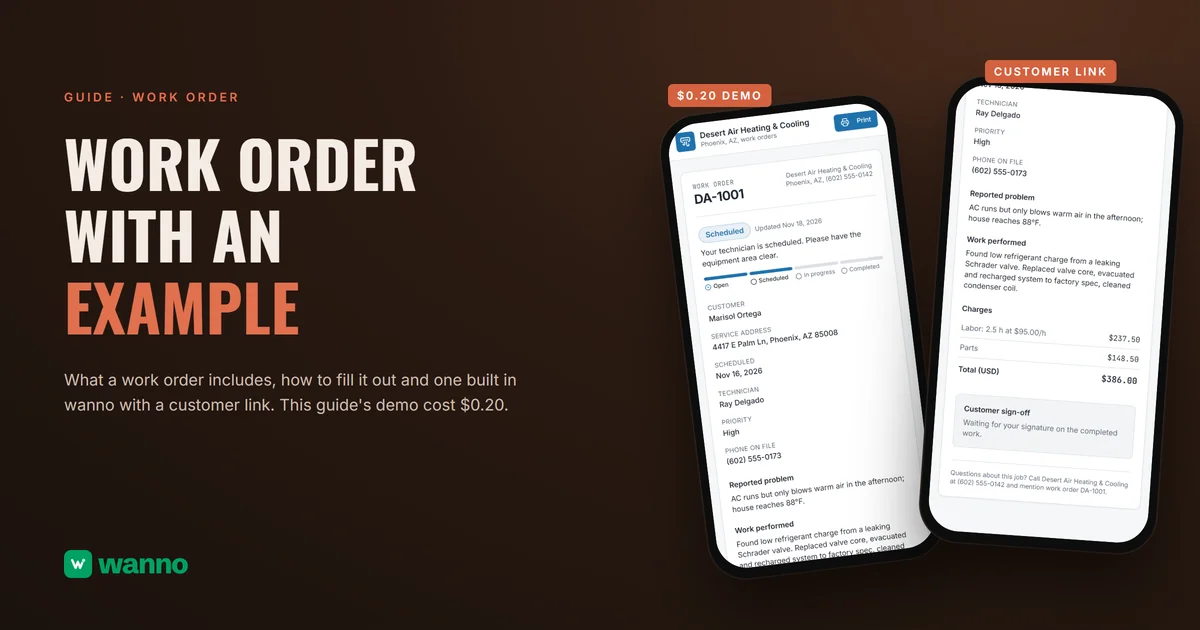
A work order is the document where a job is written down before anyone starts: what the customer reported, what will be done, what it costs and who approved it. The sample, for Desert Air Heating & Cooling, an invented HVAC company in Phoenix, was built in wanno, a platform that builds websites and apps with AI from your phone, in 2 minutes 54 seconds and cost $0.20 in total.
In short: a work order is the record of a service job: customer and location, the reported problem, priority, assigned technician, scheduled date, work performed, parts and labor hours with rates, the total and the customer's sign-off. It authorizes the job before it starts and proves what was done when it ends. With a number, a status and a link the customer can open, it answers "where is my job?" without a phone call.
Updated November 18, 2026.
01. What does work order mean, and what is it for?
A work order is a document that authorizes and records a job for a customer: it says what the problem is, what work will be done, who will do it, when, and what it will cost. It is opened when the job is requested and closed when the customer signs off on the finished work.
For a small service business it does four things:
- Authorizes the work. Nobody starts until the customer has agreed to the scope and the price.
- Records what happened. Parts, labor hours and findings are written down while they are fresh.
- Protects both sides. If a customer disputes a charge, the signed order shows what was agreed. If the business forgets a detail, the order remembers it.
- Backs up the bill. The total on the invoice comes from the same page, so nobody recalculates at the end.
You will also see it abbreviated WO. Some shops say "job ticket" or "service order." In this guide they all mean the same document.
02. What a work order includes: the fields
A complete work order includes these 12 fields. You can add more for your trade, but this list keeps anyone from missing something important:
- Work order number. A unique, sequential number such as DA-1001. Without it, finding an old job is guesswork.
- Business details. Name, city and phone, so the customer knows who to call.
- Customer name and phone.
- Service address (or the equipment and vehicle details, if the job happens in your shop).
- Date requested and date scheduled.
- Reported problem. In the customer's own words, before any interpretation.
- Priority. Low, normal or high, so the day's schedule follows urgency.
- Assigned technician.
- Work performed. What was found and done, in plain language the customer can follow.
- Parts and labor. Parts as a line, labor as hours times rate, then the total.
- Status. Where the job stands right now.
- Customer sign-off. The customer's signature on the completed work, plus any warranty terms you offer.
03. Work order example to copy (filled in)
This is the work order example that the demo in this guide produces, DA-1001 from Desert Air Heating & Cooling, with invented data. Copy it into your own sheet or app and change what does not apply to your business.
| Field | Content |
|---|---|
| Work order | DA-1001 |
| Business | Desert Air Heating & Cooling, Phoenix, AZ, (602) 555-0142 |
| Customer | Marisol Ortega, (602) 555-0173 |
| Service address | 4417 E Palm Ln, Phoenix, AZ 85008 |
| Scheduled | Nov 16, 2026 |
| Technician | Ray Delgado |
| Priority | High |
| Status | Scheduled |
| Reported problem | AC runs but only blows warm air in the afternoon; house reaches 88°F. |
| Work performed | Found low refrigerant charge from a leaking Schrader valve. Replaced valve core, evacuated and recharged system to factory spec, cleaned condenser coil. |
And the charges, in US dollars:
| Item | Amount |
|---|---|
| Labor: 2.5 h at $95.00/h | $237.50 |
| Parts | $148.50 |
| Total (USD) | $386.00 |
The math: 2.5 hours times $95.00 is $237.50, and $237.50 plus $148.50 in parts is $386.00. The order ends with a customer sign-off line, which in this example is still waiting for the customer's signature on the completed work. If you take a deposit, add two lines under the total, deposit received and balance due, so the customer sees what is left to pay.
04. How to fill out a work order, step by step
The full cycle of a work order has six steps, and each one leaves a mark on the same page:
- Take the request. Open the order with a number, the customer's contact details, the service address and the reported problem.
- Set priority and schedule. Mark how urgent it is, pick the date and assign a technician.
- Quote or confirm the price. Tell the customer what the work will cost, and get a clear yes before starting.
- Do the work and record it. Write what was found, what was replaced, the parts used and the hours worked.
- Update the status. Move the order from scheduled to in progress to completed as it happens, so the customer can follow along.
- Close with sign-off. Get the customer's signature on the completed work, then bill from the same page.
A customer should be able to see where the job stands without calling you. That is why each order in the demo has its own link, which opens from a phone with no password.
05. Work order statuses
Work order statuses tell you which stage of the cycle a job is in. A small HVAC or repair business needs only four: open, scheduled, in progress and completed, which are the ones in the demo. Use them like this:
- Open: the request is logged and no date is set yet.
- Scheduled: a technician and a date are assigned.
- In progress: the technician is on the job.
- Completed: the work is done and waiting for sign-off, or already signed.
Keep the list short, make sure everyone on the team reads the labels the same way, and give each order exactly one status at a time.
06. Work order vs. purchase order, estimate and invoice
A work order differs from its neighboring documents by timing and by who it is for. An estimate proposes a price, a work order authorizes and records the job, a purchase order buys materials from a vendor, and an invoice asks for payment.
| Document | What it is for | Who it is addressed to |
|---|---|---|
| Estimate | Propose a price before the customer agrees | the customer |
| Work order | Authorize and record the job | the technician and the customer |
| Purchase order | Order parts or materials | your vendor |
| Invoice | Ask for payment | the customer |
A common question is "PO vs work order?" A purchase order is money going out to a supplier. A work order is a job you do for a customer, and the parts it uses may come from a purchase order you issued to your supplier. To get the first document right, read how to write an estimate. And a work order is not a contract by itself: it records an agreed job, while a contract sets the broader terms of the relationship. When the customer pays, a payment receipt documents it.
07. What the law says in the US: estimates and authorization
In the United States, the clearest rules on written estimates and customer authorization come from state law, and the most detailed examples are the state auto repair rules. They are examples of how states handle the idea, not a federal rule for HVAC, so check your state's contractor or consumer protection agency for your trade.
- California. According to the California Bureau of Automotive Repair, the shop must give an estimate with the expected price for parts and labor before work starts, the customer must authorize the repairs (in writing, orally or electronically) and the shop must get new authorization for any additional repairs. The rules are on the BAR auto repairs page.
- Washington. According to the Washington Attorney General, a customer is entitled to a written price estimate before authorized work if dealing face to face and the work is expected to cost more than $100, and the facility may not charge more than 10% above the estimate without prior approval. See the Attorney General's auto repair guide.
- Texas. According to the Texas Attorney General, consumers should get written authorization before a shop tows, inspects, diagnoses or disassembles a vehicle to prepare an estimate, describing the actions, the charges and whether parts will be removed. See the Texas car repair tips.
The practical lesson holds in every state: put the estimate, the customer's approval and any added work on the same signed page. That is what a work order does. This is general guidance, not legal advice.
Put it into practice: a work order with a number, a status and a customer link
This is the exact prompt used in wanno for Desert Air Heating & Cooling:
I want an app for the work orders of my heating and cooling business in Phoenix, Desert Air Heating & Cooling: an automatic work order number, customer name, phone and service address, the problem the customer reports, priority, the assigned technician, scheduled date, the work performed, parts and labor hours with rates in US dollars, total, the status (open, scheduled, in progress, completed) and a customer sign-off. Each work order has its own link so the customer can check the status from their phone, it can be printed, and there is a panel with all work orders. Load 3 sample work orders and save everything in the cloud. The link of each work order opens without signing in and only the panel asks for a password. Everything visible in the app must be in English.
wanno built it in 2 minutes 54 seconds, in 58 steps, for $0.20 in total. That total includes one adjustment. It ran on its test link.
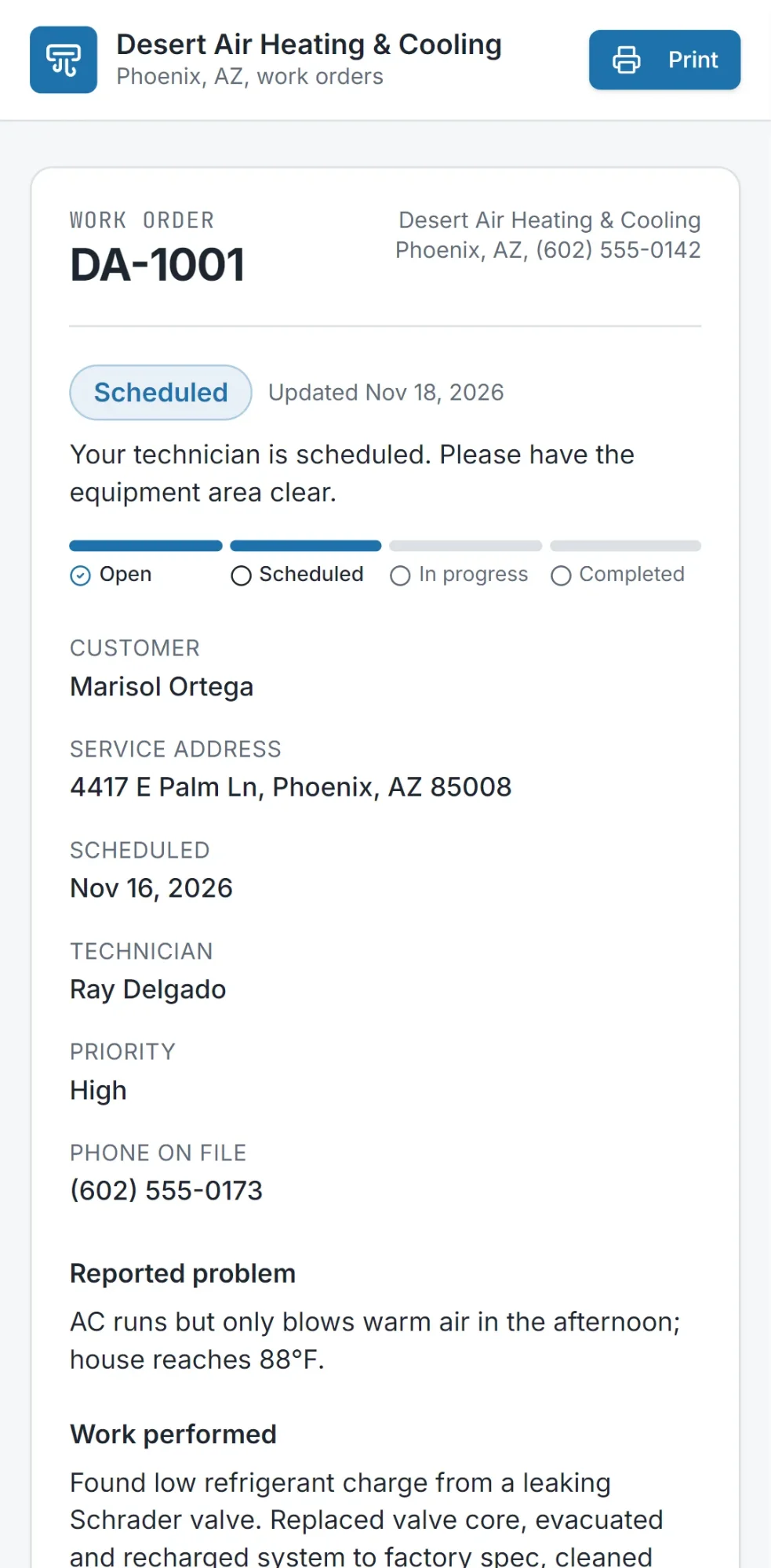
What you get is an app with an automatic work order number, customer, phone, service address, reported problem, priority, technician, scheduled date, work performed, parts, labor hours with rate, and the total in US dollars. The status moves through open, scheduled, in progress and completed, shown on a four-column board in the panel. The customer's link opens with no sign-in and shows the status and progress, and there is a Print button. The private panel, which you activate by choosing your password, lists all the work orders. Everything is saved in the cloud and visible from any device.
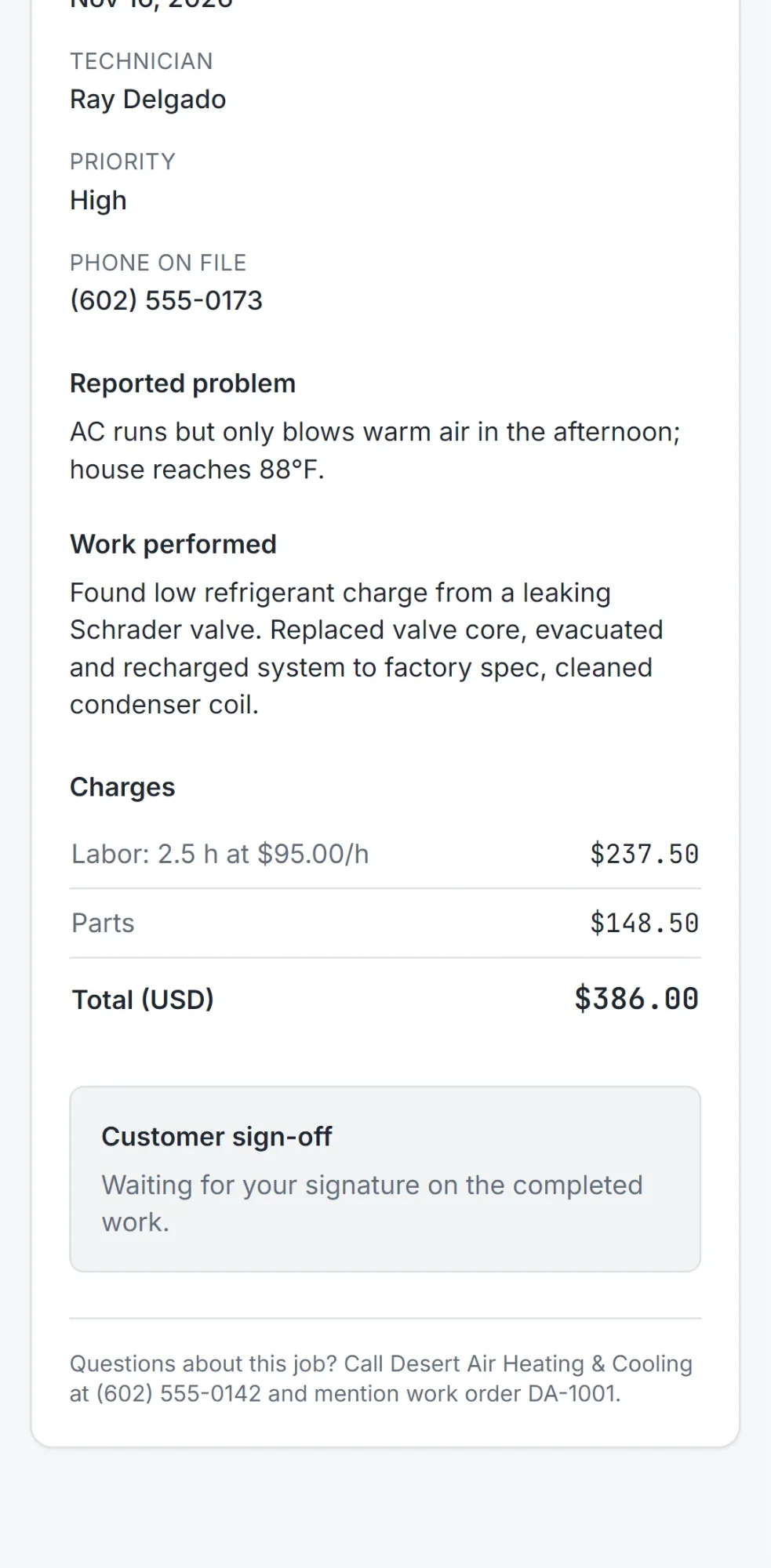
The business, the customer and the numbers are samples. Before you share an order with a real customer, open it on your phone and check that everything reads well.
The cost: $0.20 is paid once and fits within one day of free credit. For comparison, wanno's Starter plan costs $4.99 a month with $10 in credits included, about $0.17 per day, every day (see plans).
Create your work order in wanno
Describe your business, your fields and your statuses in wanno, and have the first work order and its customer link ready for your next job.
Frequently asked questions
What does work order mean? A work order is a document that authorizes and records a job for a customer: the problem, the work to be done, who does it, when, and the cost. It is opened when the job is requested and closed with the customer's sign-off on the finished work. It is often abbreviated WO.
How do you fill out a work order? Open it with a number and the customer's contact details, record the reported problem, set the priority and schedule, get the customer's approval of the price, write down the work performed with parts and labor hours, update the status and close with sign-off. In wanno you can build yours with your own fields and a status link for the customer.
What does a work order include? A work order number, business and customer details, the service address, dates, the reported problem, priority, the assigned technician, work performed, parts and labor hours with rates, the total, the status and the customer sign-off.
What is the difference between a PO and a work order? A purchase order (PO) buys parts or materials from a supplier, while a work order authorizes a job you do for a customer. One is money going out to a supplier and the other is work you bill to a customer, and in a service business the parts on a work order often come from a PO.
What is the difference between a work order and a contract? A work order records one specific job and what was agreed for it, while a contract sets the broader terms of a relationship, such as pricing over time or liability. A signed work order can serve as proof of the agreed job, but it does not replace a contract when you need one.
Can I make one for free?
Yes. wanno's free plan gives a daily credit of $0.30 with a monthly cap of $1.50, and the work order in this guide cost $0.20, which fits within one day of free credit. On the free plan the page lives on a wanno.dev subdomain and carries a "Built with wanno" badge. You pay if you want to remove the badge, use your own domain or ask for more changes than the credit covers.
Does a work order work as an invoice? No. A work order authorizes and records the job, while an invoice asks for payment. The demo in this guide does not issue invoices or tax documents.
Read next: How to price a product or service