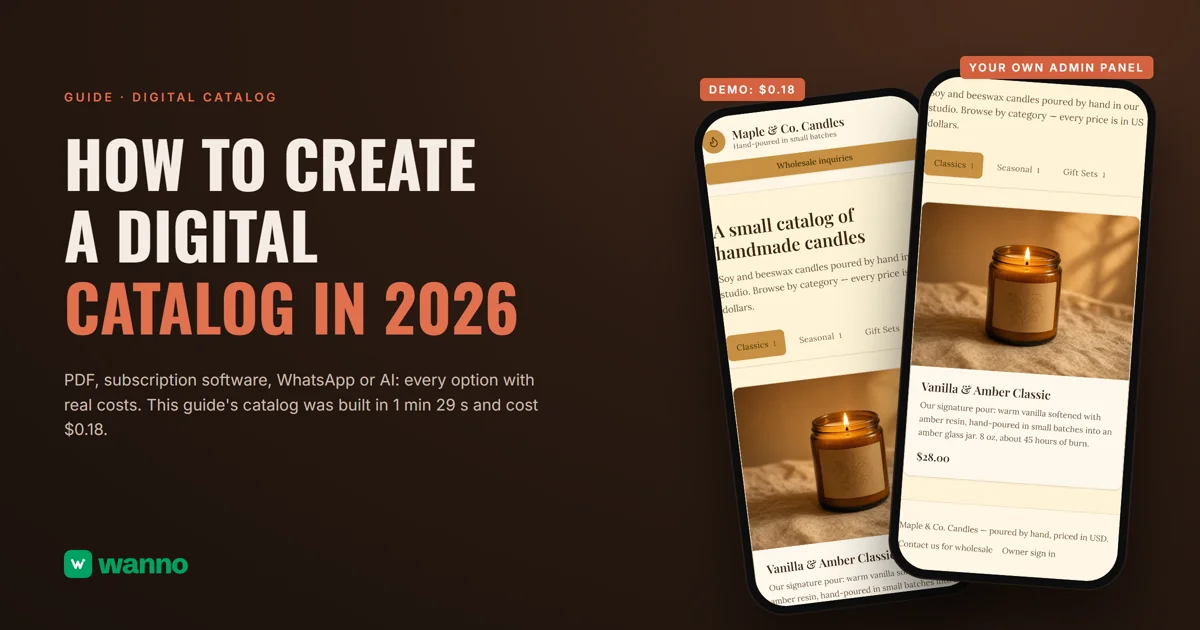
If you're looking into a digital catalog, chances are you have the usual problem: a PDF you rebuild every time a price changes, or loose product photos scattered across chats. There are four paths: a PDF, catalog software on a subscription, the WhatsApp Business catalog, or building your own with AI. This guide compares them with real costs and builds one end to end: the Maple & Co. Candles catalog, with product photos, USD prices and its own admin panel, took 1 minute 29 seconds and cost $0.18.
The short version:
| Option | What it costs | The catch |
|---|---|---|
| PDF or image (made in Canva, for example) | free | every price change means redoing the file and resending it |
| Catalog software on a subscription | Flipsnack from $16/month billed annually ($192 up front); FlippingBook $234 per year | the paid plan bills a full year up front, whether your catalog changes or not |
| WhatsApp Business catalog | comes with the app | shows inside your WhatsApp profile, not on a page with an address of your own |
| Build your own with AI (wanno, a web app) | this guide's catalog cost $0.18 (within one day of free credit) | the catalog lives on a wanno.dev subdomain, with a badge on the free plan |
01. What a digital catalog is, and why a PDF falls short
A digital catalog is your product list on a link: photos, prices and categories your customer opens in their phone's browser, with nothing to install. The difference from a PDF isn't cosmetic. A PDF is a frozen snapshot of your prices: when one changes, someone redoes the file and resends it to every customer, and the old versions keep circulating in chats. A real digital catalog is edited from a panel, and the link you already shared always shows the current version.
The quick test: can you change a price from your phone in under a minute, with no designer and nothing to resend? If the answer is no, you have a file, not a digital catalog.
02. The options for creating a digital catalog, with costs
Subscription catalog software is the classic route, built to turn your PDF into a flippable catalog. Flipsnack has a limited free plan and paid plans from $16 per month billed annually ($192 up front), and FlippingBook charges $234 per year for the cheapest plan it lists. They work, but the paid plans bill a full year up front whether your catalog changes or not, and the result is still a document you flip through, not a page with its own panel.
The option already in your pocket: the WhatsApp Business catalog, which shows up inside your business profile. For showing products in a chat it's great. The limit is that it lives inside WhatsApp: the catalog shows inside your business profile, not on a page with an address of your own, and according to WhatsApp's own help page, adding prices isn't even available in every country.
Which leaves this guide's route: building your own digital catalog with AI, for pennies, with an admin panel and an inquiry button included.
03. How to create a digital catalog with AI, step by step
With wanno you describe your catalog in one message, from your phone, and the platform builds it and publishes it on its own link. This guide's catalog was requested like this:
I want a digital catalog for my handmade candle business, Maple & Co. Candles, with product photos, prices in US dollars, categories (classics, seasonal, gift sets) and a contact button for wholesale inquiries, plus an admin panel to add products and change prices myself. Everything visible in the app must be in English.
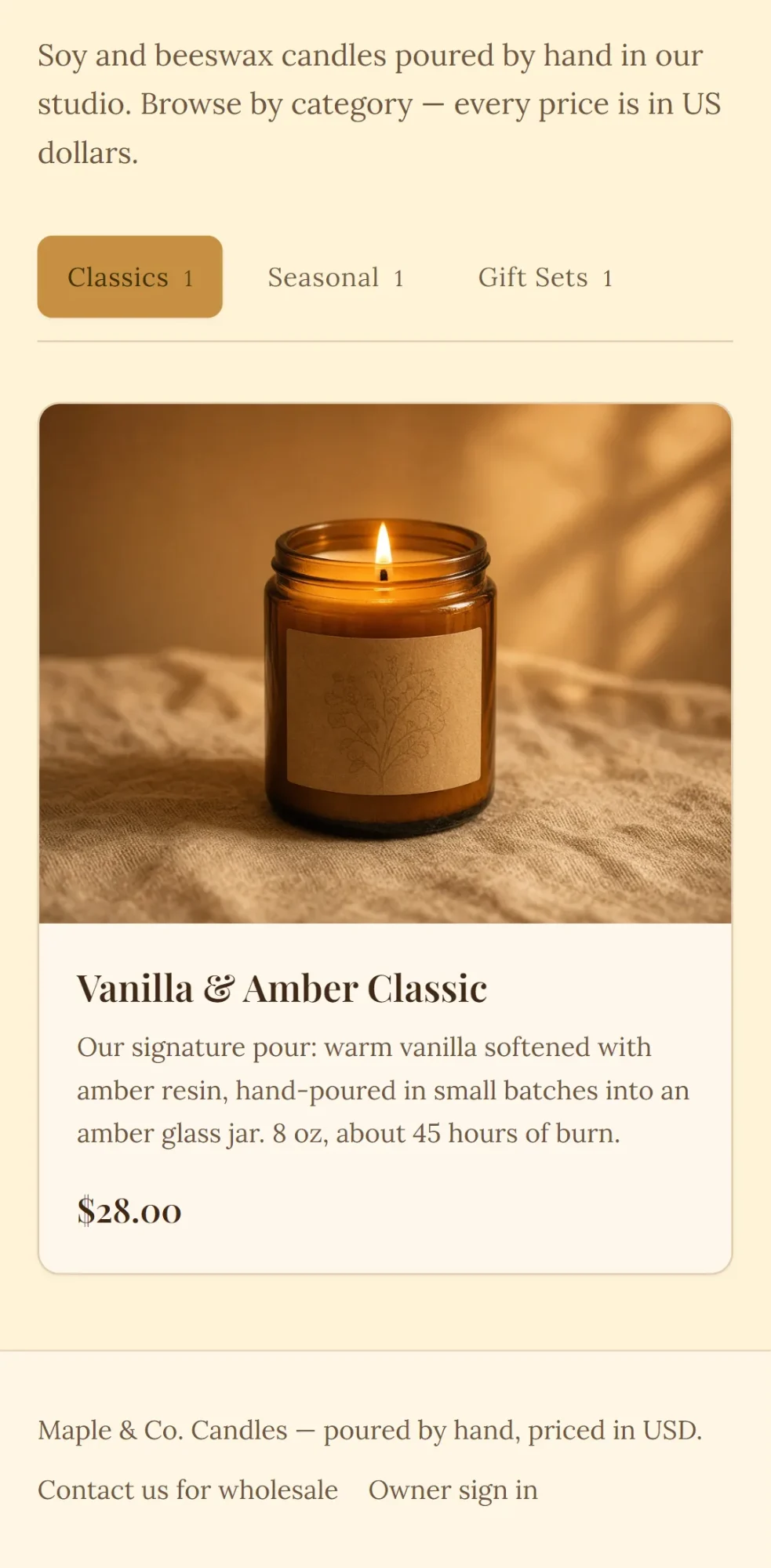
Before building, wanno suggests the missing details with a few taps: catalog layout, color palette and style (we picked category tabs, honey tones and a warm look). Then it builds on its own: 1 minute 29 seconds, 30 steps, and the catalog was running on its preview link, with Classics, Seasonal and Gift Sets tabs and each candle showing its photo, description and USD price.
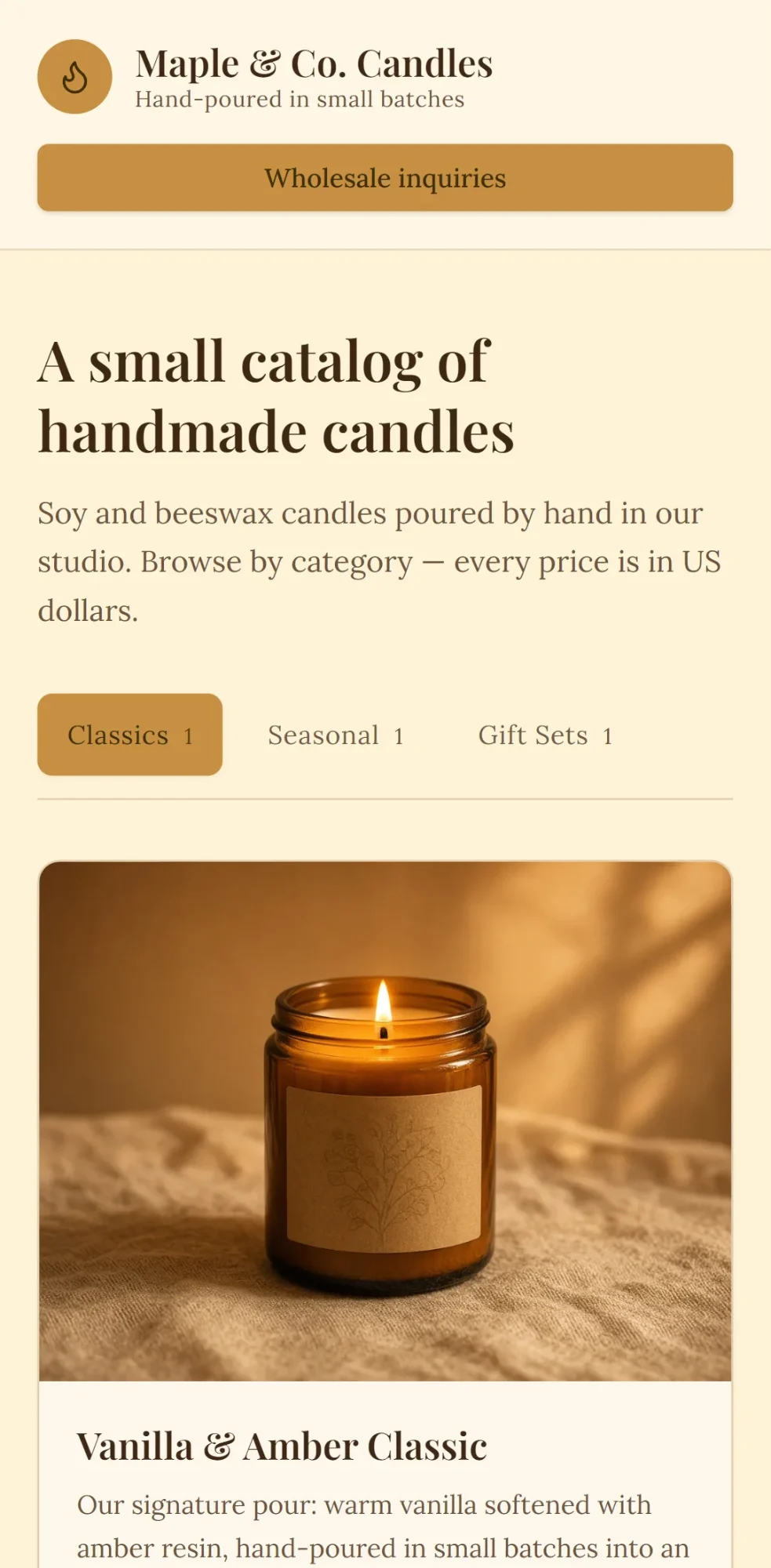
The generated products are examples: you replace them with your own from the owner panel at /admin, which you activate by choosing a password: add a candle with its photo, change a price, and the link you already shared shows the current version. The catalog header carries the Wholesale inquiries button, and the footer repeats the contact link.
If you sell at markets or a counter, print a QR code that points to your catalog: you can generate one in seconds with wanno's free QR code generator.
04. How much a digital catalog like this costs
The build cost: $0.18 in credits (1.8 credits), covered by the free credit wanno grants every day (with a monthly cap). Keeping it online requires no subscription: your catalog stays published on a link ending in wanno.dev, with the "Built with wanno" badge on the free plan. Changing prices from your panel doesn't consume credits; you only spend when you ask for a new change in the chat.
For scale: $0.18 is paid once; the cheapest paid plan we compared works out to about $0.53 per day, every day. And if you want your own domain, without the badge, wanno's Starter plan costs $4.99 per month with $10 of credits included (see plans). If your catalog grows into taking payments, the next step is building an online store with an admin panel from your phone; and if you run a restaurant, the food version of this is a digital menu.
Your catalog on one link before the next price change
A digital catalog is built once and edited when needed: photos, prices and categories on a fixed link, inquiries that reach you directly, and your own panel to keep it current without depending on anyone. Describe your catalog on wanno and see the result; trying it is free.
Frequently asked questions
Can I create a digital catalog for free? Yes. wanno's free plan grants credits every day (with a monthly cap of $1.50) and covers building and publishing a catalog like this guide's, which cost $0.18. You only pay to remove the badge, use your own domain, or ask for more changes than the day's free credit covers.
How is this different from the WhatsApp Business catalog? The WhatsApp one lives inside your profile in the app: good for showing products in a chat, but it's not a page with an address of your own. Your own digital catalog has a link of its own, categories and a panel, and you can still add a WhatsApp or contact button on top.
Can I turn my PDF catalogue into a digital one? Yes: give the wanno chat the categories and products from your PDF, and it becomes a page with a panel; you upload the photos afterwards, item by item, from the panel. The advantage over converting the PDF into a flipbook is that prices are edited in the panel, with nothing to redo.
How do I update products and prices later? From the owner panel, with your password, on your phone: add a product with its photo, change a price or remove an item, and the catalog on your link updates with no link to resend.
Read next: Create an app for your business: a catalog that takes orders
Download wanno on the App Store · Download wanno on Google Play