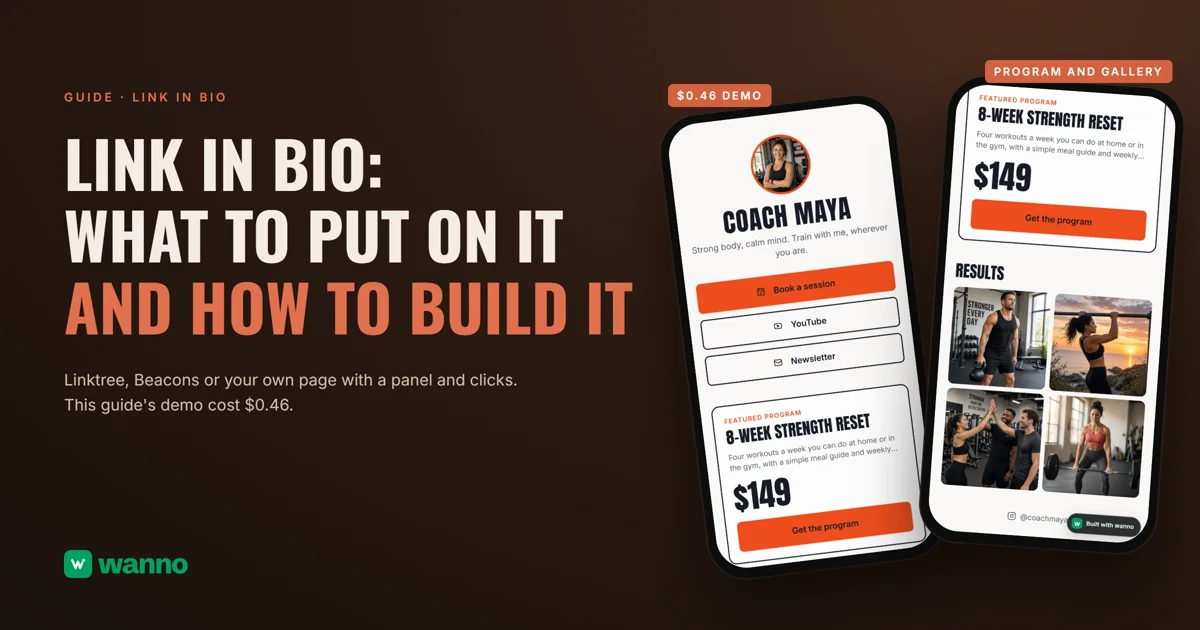
A link in bio is the one link on your Instagram or TikTok profile that opens a page with everything else: your booking button, your newsletter, your best offer. There are three ways to build one: Linktree, Beacons, or your own page with a panel and click counts. This guide compares them with real prices and builds the third one end to end: Coach Maya's page, with buttons, a featured program priced in dollars and a results gallery, took 1 minute 32 seconds to build and cost $0.46 in total, including four gallery adjustments.
The short version:
| Option | What it costs* | The catch |
|---|---|---|
| Linktree | free plan "with restrictions", no basic analytics; Starter $7/month billed annually ($9 month to month); Pro $14 annual or $17 monthly | removing the Linktree branding comes with the Pro plan |
| Beacons | free plan ($0) with 9% seller fees and 50 emails a month; Creator $100 a year ($10 monthly) | the free plan takes a cut of sales and caps emails |
| Your own page, built with AI (wanno, a web app) | this guide's page cost $0.46 in total: $0.15 to build (within one day of free credit) plus four gallery adjustments | the page lives on a wanno.dev subdomain, with the "Built with wanno" badge on the free plan |
*The "
quot; prices are as published by Linktree and Beacons, with no currency specified.01. What a link in bio is, and what to put on it
It's a short, phone-first page that opens from a social profile. It exists because a profile only has room for so much: the link in bio puts everything in one place, in the order you choose.
What to put on it, most important first:
- Your photo and one line. Who you are and what you do.
- One main button. The thing most visitors should do: book a session, message you, buy.
- Two or three more buttons. Your YouTube, your newsletter, your shop. Past five, people don't know where to start.
- One featured offer with its price. The program or product of the moment, so nobody has to ask.
- A gallery of results or work. Photos say what you do better than a description.
The quick test: can you change a link from your phone in under a minute and see how many clicks it got? If not, you're working in the dark.
02. Three ways to create a link in bio, with costs
Linktree is the best known. It has a free plan "with restrictions," without basic analytics and with the Linktree branding on, a Starter plan at $7 a month billed annually ($9 month to month), and Pro at $14 annual or $17 monthly: analytics are listed from Starter up, and removing the branding comes only with Pro.
Beacons is aimed at creators who sell. Its free plan is $0 with 9% seller fees and 50 emails a month; the Creator plan is $100 a year ($10 monthly). If you plan to sell from the page, run the numbers on that fee before you choose.
Your own page is the third way: you describe it in a message and an AI platform builds it, with your buttons, your offer, a gallery and a panel to change links and see their clicks. If you already run a site, you can also connect your own domain from your phone so your link in bio carries your name instead of a tool's.
03. How to create your link in bio with AI, step by step
Step 1: describe the page. In one message, from your phone: your business, your buttons, your offer with its price, and what you want to control. This guide's page was requested like this:
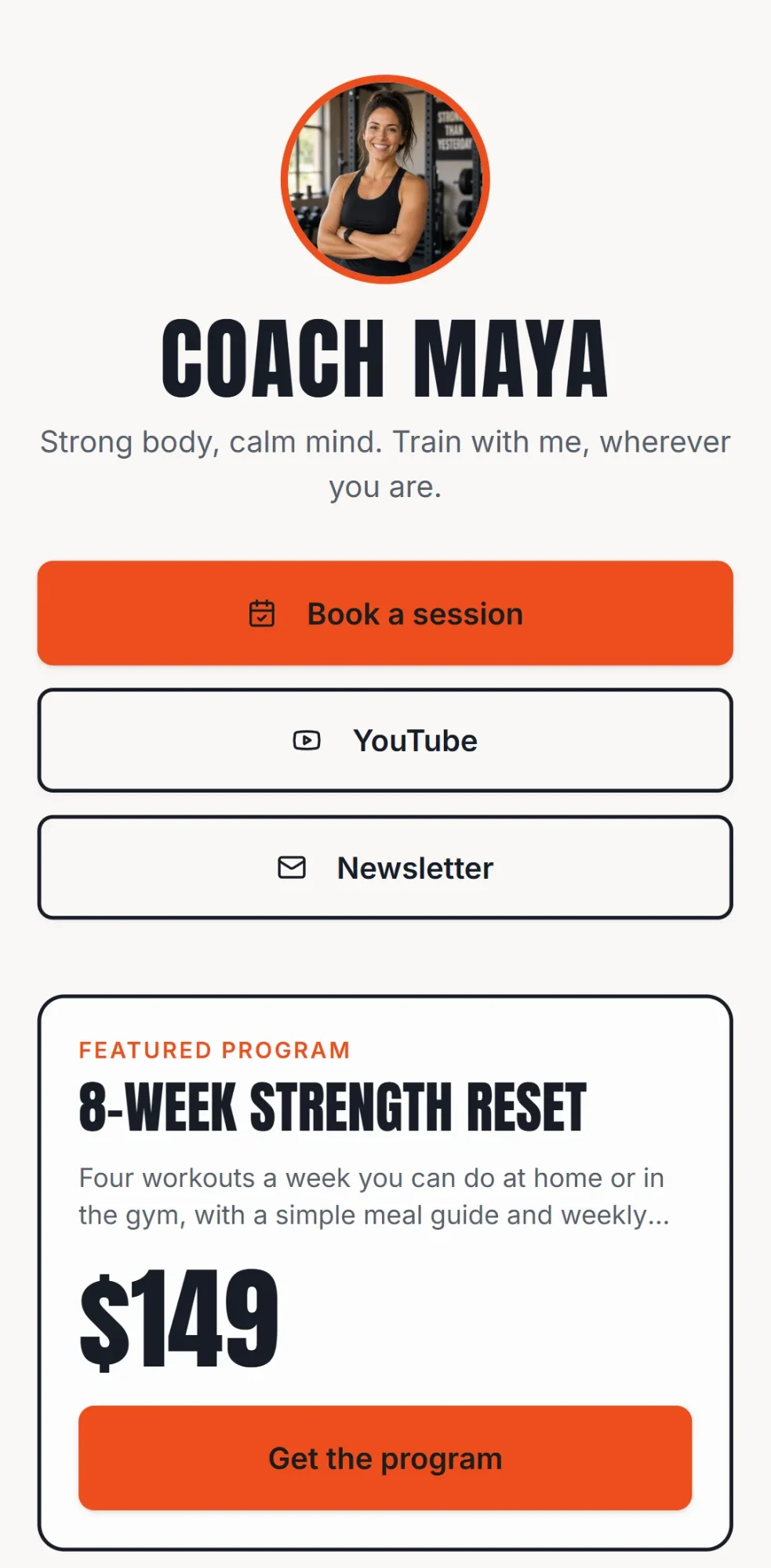
I want my own link in bio page for my Instagram as a personal trainer, Coach Maya: my photo, a short line, buttons to book a session, YouTube and my newsletter, one featured program with its price in US dollars and a results gallery, plus a private panel to change links myself and see how many clicks each one gets. Everything visible in the app must be in English.
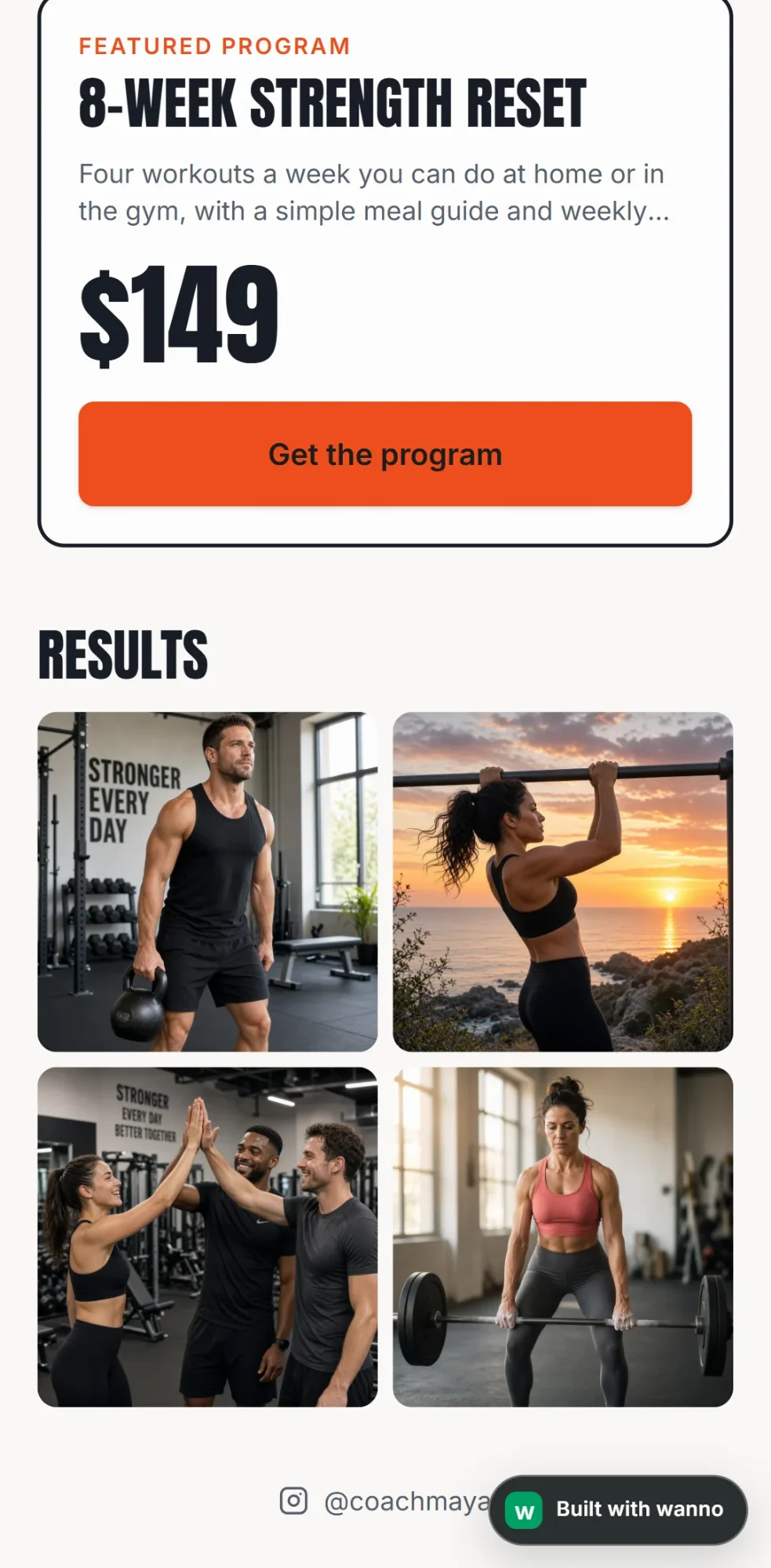
Step 2: check the result. The build took 1 minute 32 seconds and 19 AI steps, and the demo ran on its preview link. At the top, Maya's photo and her line ("Strong body, calm mind. Train with me, wherever you are."). Below, three buttons (Book a session, YouTube and Newsletter), a featured program, the 8-Week Strength Reset, at $149, and a Results gallery with four photos.
Step 3: replace the sample content. Coach Maya is a made-up business; the links, the program and the price are samples, and the photos are generated images. You sign in to the private panel at /admin, which you activate by choosing a password: there you edit each link's text and destination, show or hide it, reorder your links, update the program, and see the clicks on each link.
Step 4: test and share. Open the link on your phone and tap every button: a good habit for any page. Then copy it and paste it into Instagram, in Edit profile. If you meet clients in person, print a QR code with wanno's free QR code generator.
04. How much a link in bio like this costs
The total cost: $0.46 in credits (4.6 credits: 1.5 to build it and 3.1 for four gallery adjustments). wanno's free credit is $0.30 a day with a monthly cap of $1.50: the build itself fits within one day's credit, and the adjustments use the next days' credit. Keeping the page requires no subscription: you keep changing your links from your panel.
Compared with a subscription: the $0.46 is paid once; the cheapest paid plan among the competitors we compared (Linktree Starter, $7 a month billed annually, or $84 up front) works out to about $0.23 a day, every day. With wanno you pay only to remove the badge, use your own domain, or ask for more changes than the free credit covers: the Starter plan is $4.99 a month with $10 of credits included (see plans). And if your link in bio will also list products with prices, see how to create a digital catalog.
Your link in bio, with your own links and clicks
Linktree gathers your links and Beacons leans toward selling, fees included; their prices and limits are in the table above. Your own page gives you, with no paid plan and from day one, a design that's yours, an offer with a price, and clicks per link in your panel. Describe yours on wanno and see the result; trying it is free.
Frequently asked questions
What is a link in bio? It's the link on your Instagram or TikTok profile. It opens a page with your main buttons (booking, newsletter, shop, another network) so anyone who lands on your profile finds everything in one place.
Are Linktree and Beacons free? They have free plans with limits: Linktree's is "with restrictions", without basic analytics and with its branding on, and Beacons' takes a 9% cut of sales. wanno's free plan is the one this guide used: $0.30 of credit a day, with the "Built with wanno" badge and a wanno.dev subdomain; you pay only if you ask for more changes than that credit covers.
Can I see how many clicks each link gets? Yes. On Linktree, basic analytics are listed from the Starter plan up. On this guide's page click counts come built in: you see them in your panel, link by link, from day one.
How many links should I add? Three to five, with one main button on top. If you need more, group them: one "Shop" button leading to a page with your products works better than ten loose buttons.
Read next: Create an app for your business: a catalog that takes orders
Download wanno on the App Store · Download wanno on Google Play