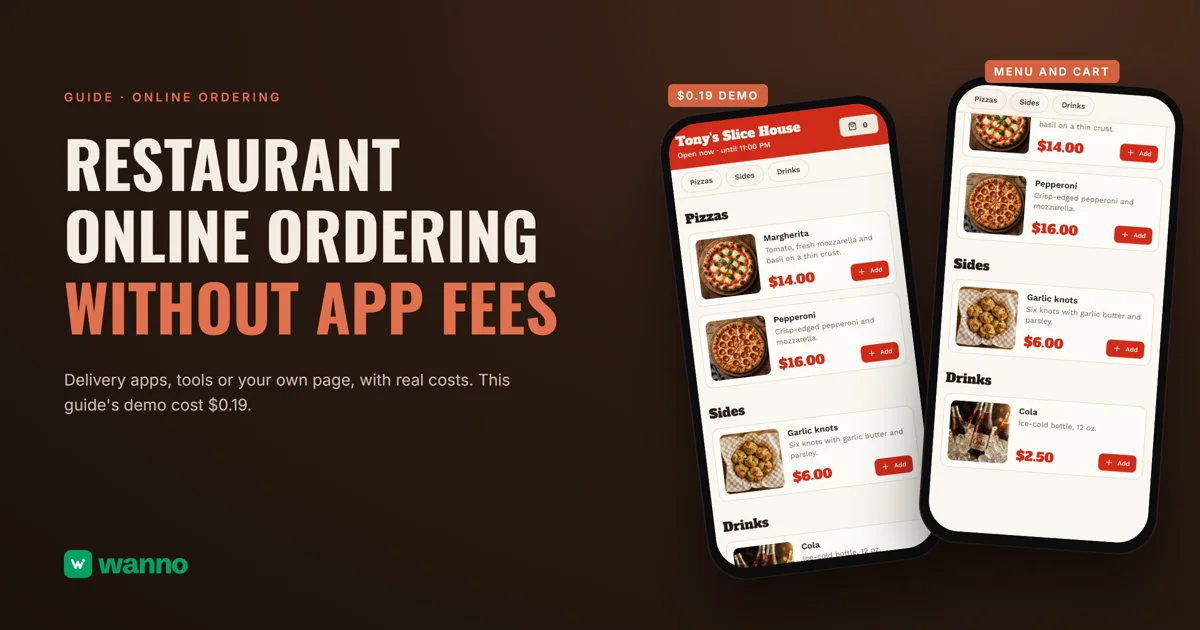
If you're comparing options for a restaurant online ordering system, you've probably already felt what the delivery apps take from each order: according to Restaurant Dive, Uber Eats charges 20%, 25% or 30% depending on the plan. There are three paths: stay on the apps only, use an ordering tool with no commission, or build your own ordering page with AI. This guide compares them with real costs and builds one end to end: Tony's Slice House, with a menu, cart, hours and its own admin panel, took 1 minute 55 seconds and cost $0.19, within one day of free credit.
The short version:
| Option | What it costs | The catch |
|---|---|---|
| Delivery apps | Uber Eats: 20%, 25% or 30% by plan; Grubhub: 5%, 15% or 20%, plus delivery fees from 10% | you pay on every order, and the customer belongs to the app |
| Commission-free ordering tools (GloriaFood, Square) | GloriaFood: free plan with no commission or fee; Square: Free $0, Plus $49/month per location | online payments cost extra, and you get a standard format, not a design and panel you define |
| Your own ordering system with AI (wanno, a web app) | this guide's cost $0.19 in total (within one day of free credit) | lives on a wanno.dev subdomain, with a "Built with wanno" badge on the free plan |
01. What your own ordering system is, and why it works alongside the apps
A restaurant online ordering system of your own is your menu on a link you control: photos, prices, hours, a cart and a panel where you see what comes in, with no platform taking a cut. It won't replace the apps overnight: they bring new customers, people who find you while looking for pizza.
What the apps don't give you is the relationship. The regular who orders every Friday doesn't need a commission-charging app to find you. Share the link in your Instagram bio, a text or a QR code at the counter, and the order comes straight to you.
A good system handles five things: delivery zones with fees, clear hours, pausing sold-out items, an alert for each order, and a set way to get paid. Miss one and that work lands back on your phone.
02. Delivery apps and no-commission tools: the options and costs
On the apps, the cost is per order. Grubhub lists marketing commissions of 5% (Basic), 15% (Plus) and 20% (All-access), with delivery fees starting at 10% on top; the 5% tier is for orders you deliver yourself. Uber Eats raised its Lite tier from 15% to 20% in 2026, with Plus at 25% and Premium at 30%, according to Restaurant Dive. On a demo price, a $16 pepperoni pie at 30% leaves $4.80 with the platform, every time. In return you get visibility and customers you didn't have, and that counts for something.
A fair comparison includes delivery, because on your own system you pay for it. Take what a driver costs you per order and subtract the delivery fee you charge. If the result is less than the commission, that order earns you more on your own channel. Decide how you'll get paid, too: cash, a card reader or a payment link.
The second path is ordering tools with no commission. GloriaFood has a free plan with unlimited orders, no commission and no monthly fee, plus an ordering button for your website; online payments are a separate $29/month plan, and its cheapest paid plan, Advanced Promotion, is $19/month. Square lists a Free plan at $0 and Plus at $49/month per location, charges 3.3% + 30¢ on online sales on Free, and offers commission-free delivery and pickup orders through a branded ordering profile. Both are solid if their standard format works for you.
That leaves this guide's route: asking an AI for your own ordering page, with your restaurant's look and a panel built around your needs, for pennies. If you need the menu first, see how to build a digital menu for your restaurant and how to create a QR menu for your coffee shop or restaurant.
03. How to build your own restaurant online ordering system with AI, step by step
With wanno you describe your system in one message, from your phone, and the platform builds it. Here's the prompt behind this guide's demo:
I want my own delivery ordering system for my pizza shop, Tony's Slice House: a menu with photos and prices in US dollars, delivery zones with fees, a cart, order placement and hours, plus a private panel to see orders, change prices and pause items myself. Everything visible in the app must be in English.
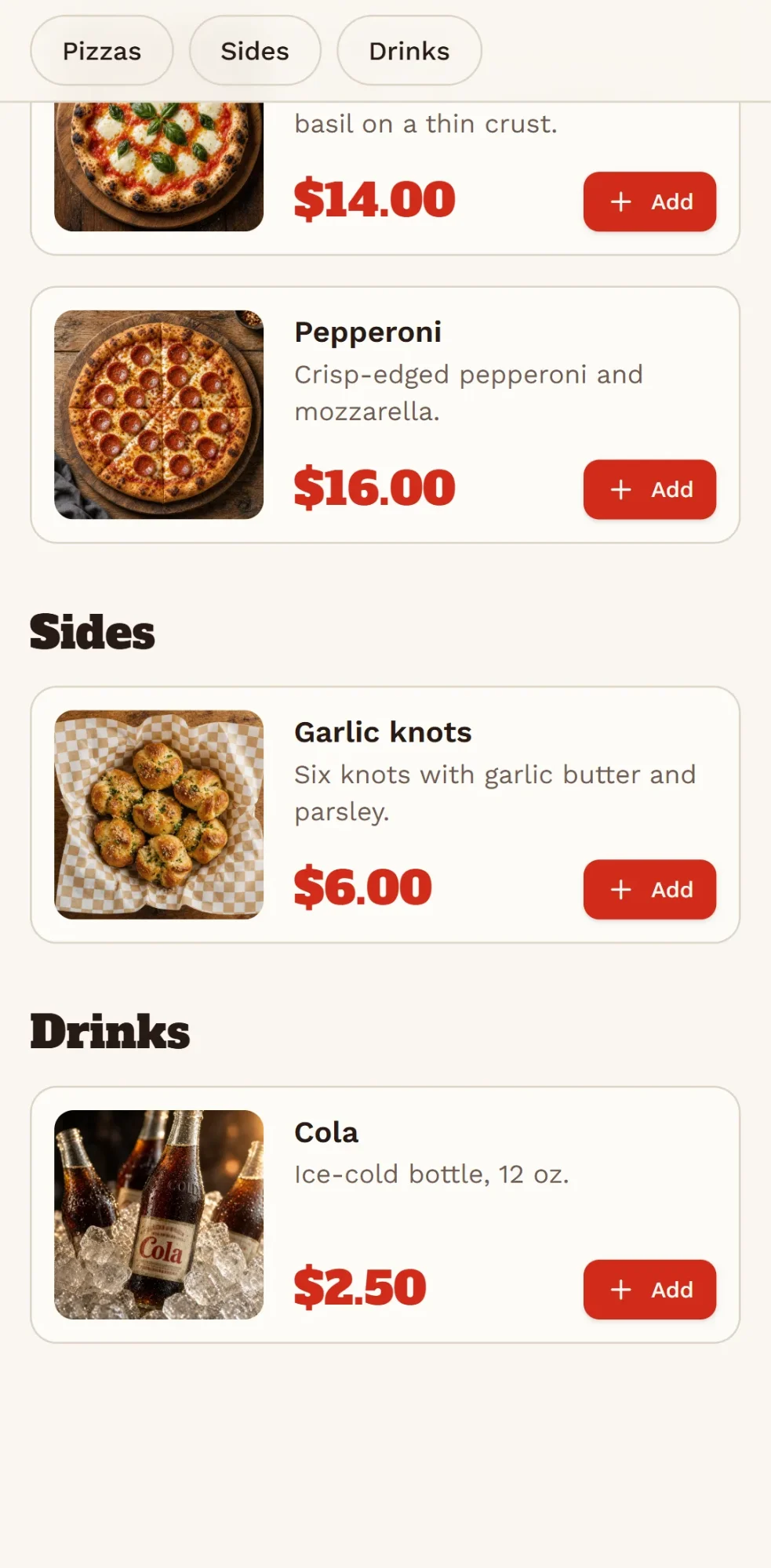
wanno built it on its own: 1 minute 55 seconds, 22 steps, and the system ran on its preview link. At the top: the shop's status ("Open now · until 11:00 PM"). Below: the menu by category (Pizzas, Sides, Drinks), each item with a photo, description, USD price and Add button: Margherita $14.00, Pepperoni $16.00, Garlic knots $6.00, Cola $2.50. The cart button sits at the top of the page. At checkout, the customer picks a delivery zone and its fee is added to the total; checkout is blocked while the shop is closed.
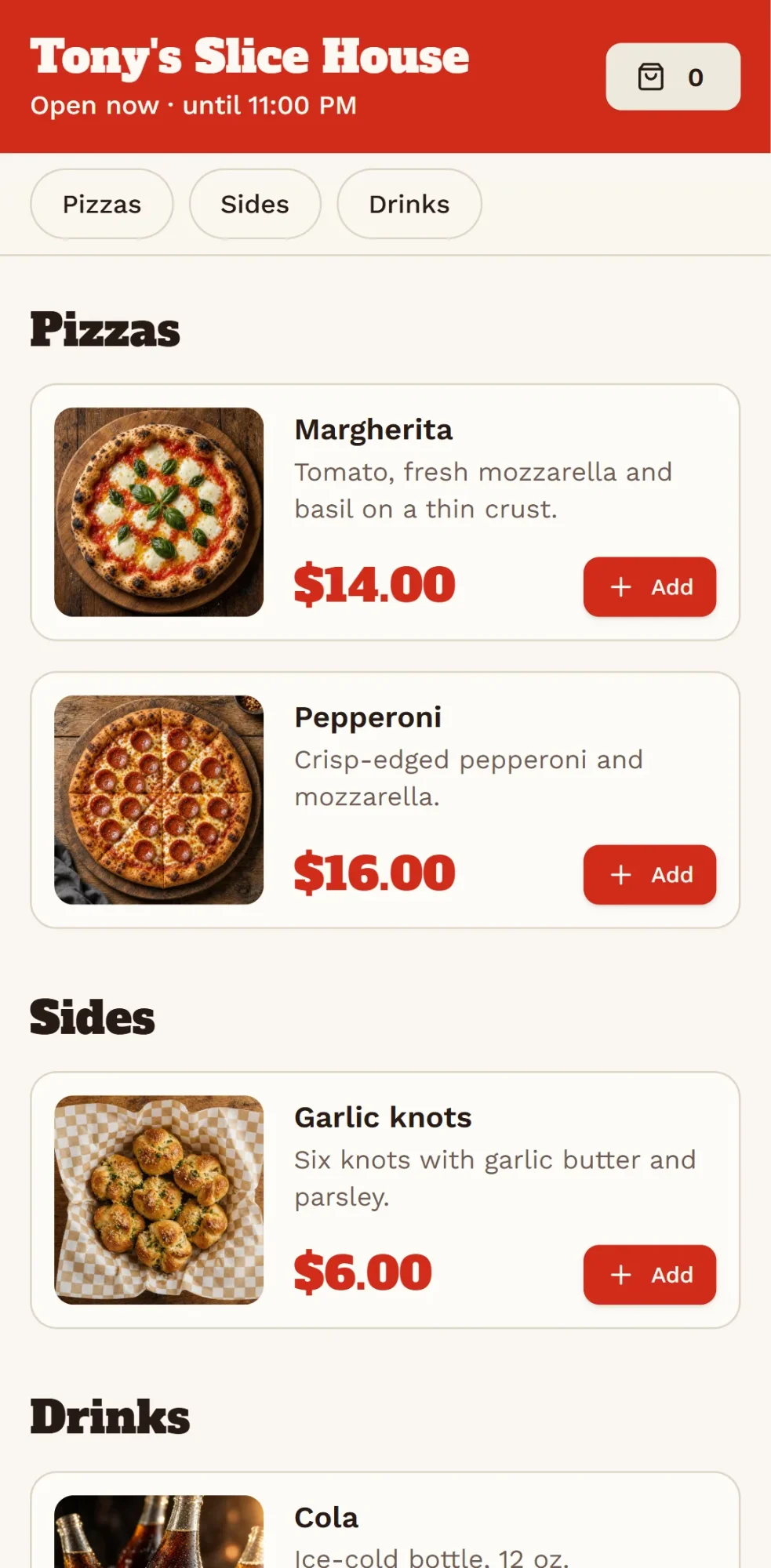
Tony's Slice House is an example business, and the products, photos and prices are examples too. From the private panel, which you activate by choosing a password, you see orders, edit prices, pause items, and change delivery zones and hours; new items and your own photos take one message in the chat. The data is available from any device, so the link you already shared always shows what you sell today.
Place a test order yourself first. At the counter, print a QR code to your menu with wanno's free QR code generator.
04. How much your own ordering system costs
The build cost: $0.19 in credits (1.9 credits), covered by the free credit wanno grants every day: $0.30 per day, with a monthly cap of $1.50. Using it requires no subscription: the system stays on a link ending in wanno.dev, with the "Built with wanno" badge on the free plan. Changing prices or pausing items from the panel doesn't consume credits; you only spend when you ask for a new change in the chat.
For scale: $0.19 is paid once; the cheapest paid plan among the other options, GloriaFood's $19/month, works out to about $0.63 per day, every day. With wanno you pay only to remove the badge, use your own domain or ask for more changes than the free credit covers. With your own domain and no badge, the Starter plan costs $4.99 per month with $10 of credits included (see plans).
Your own ordering system, for the customers who already know you
You don't have to choose between the apps and your own system: use the apps so people discover you, and your link to keep your regulars. Describe your restaurant online ordering system on wanno and see the result; trying it is free.
Frequently asked questions
Can I have a restaurant online ordering system for free? Yes. wanno's free plan grants credits every day and covers building one like this guide's, which cost $0.19.
Does my own system replace Uber Eats or Grubhub? Not entirely. The apps bring new customers; your own system serves the ones who already know you and order often, with no per-order commission.
How do I receive and manage orders? From your panel, with your password, on your phone: you see orders newest first, edit prices, pause sold-out items, and change delivery zones and hours.
How do I get my customers to use my link instead of the app? Share it in your Instagram bio, in a text to regulars, and with a QR code in the delivery bag.
Read next: How to connect a custom domain to your site from your phone
Download wanno on the App Store · Download wanno on Google Play