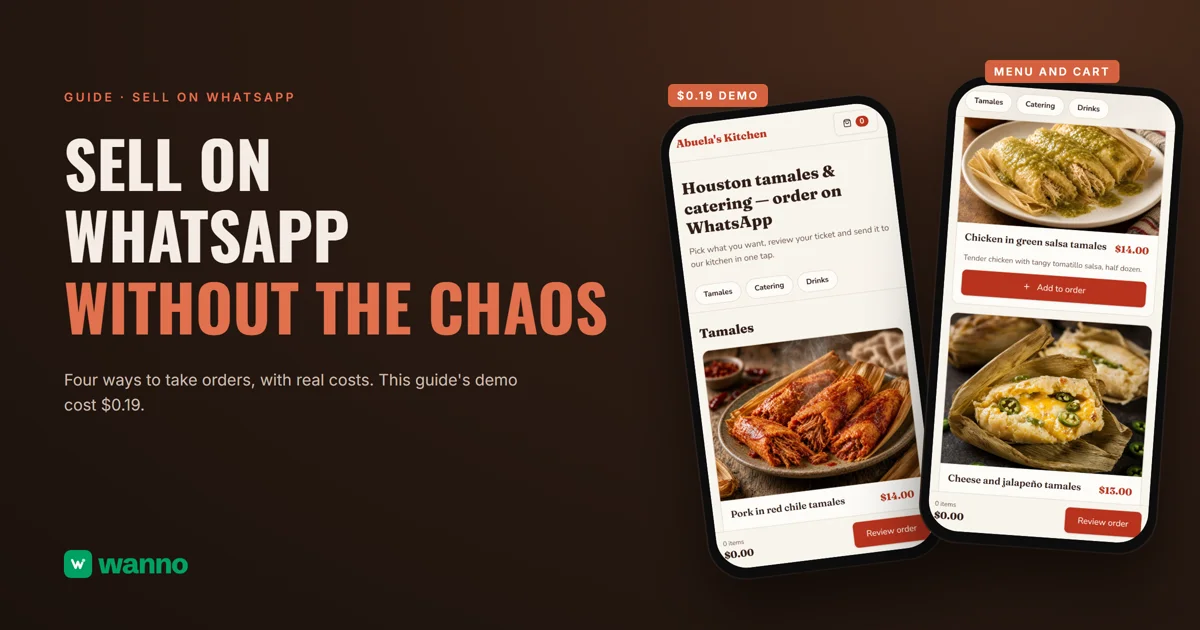
If you want to sell on WhatsApp, you probably know the scene already: voice notes, screenshots of your menu, "how much is that?", and an order that gets buried under a hundred messages. There are four ways to handle it: keep taking orders by hand in the chat, use WhatsApp Business, sign up for an ordering tool, or build your own page with a cart. This guide compares them with real costs and builds the last one: the Abuela's Kitchen page, with a photo menu, USD prices and a cart, took 1 minute 51 seconds and cost $0.19.
The short version:
| Option | What it costs | The catch |
|---|---|---|
| Chat by hand | free | every order has to be read, added up and confirmed one by one |
| WhatsApp Business | the app is a free download | the catalog and cart stay inside WhatsApp, not on a page of your own |
| Ordering tool (Take.app as an example) | free plan with 50 orders a month; paid plans from $29/month | past 50, extra orders aren't saved to the dashboard; paid plans bill monthly |
| Your own cart page (wanno, a web app) | this guide's page cost $0.19 (within one day of free credit) | the page lives on a wanno.dev subdomain, with a "Built with wanno" badge on the free plan |
01. Why taking orders in the chat breaks as you grow
Taking orders on WhatsApp works great with ten customers and falls apart with fifty. WhatsApp isn't the problem: every customer just writes the order differently. One sends a voice note, another asks the price first, another changes their mind after you confirm.
The quick test: can you tell at a glance what someone ordered and what it adds up to, without rereading the whole conversation? If not, the format is the problem. A complete order always has the same parts: items, quantities, total, name, pickup or delivery, and notes. If you take orders by hand today, save that list as a template and ask customers to send it back filled in. The next step: customers build the order before messaging you.
02. The options to sell on WhatsApp, with costs
The first step, at no cost, is WhatsApp Business: the app is a free download. It gives you a business profile and includes a catalog and cart: customers pick items and send them to you in one message. The limit is that everything stays inside WhatsApp, so you don't get a page of your own.
If you want an ordering page outside WhatsApp, the next level is an ordering tool. Take.app has a free Basic plan with 50 orders a month and 0% commission; the Essential plan is $29 per month and Business is $50 per month. Past 50 orders in a month, orders still reach your WhatsApp but aren't saved to your dashboard, and the paid plans bill every month. Wati's Growth plan is $45 per month billed annually, but it targets teams running conversations at scale, with messages charged separately.
Then there's this guide's route: your own page with a menu, a cart and an order button, built with AI for pennies, with your own panel to change products and prices. If you sell food and also want a menu with a QR code at the counter, see how to build a digital menu for a restaurant.
How to choose: with a short menu and few orders, WhatsApp Business is enough. If you want something ready-made and you stay under the free limit, an ordering tool can cover it. If you want a page built around your business with no monthly fee, keep reading.
03. How to sell on WhatsApp with a cart page, step by step
With wanno you describe your page in one message, from your phone, and the platform builds it and runs it on its preview link. This guide's page was requested like this:
I want a page to take orders over WhatsApp for my tamale and catering business, Abuela's Kitchen in Houston: a menu with photos and prices in US dollars, a cart where customers build their order and a button that sends the full order to my WhatsApp, plus a private panel to change products and prices myself. Everything visible in the app must be in English.
From there, wanno works on its own: 1 minute 51 seconds, 27 steps. The result is a menu with Tamales, Catering and Drinks tabs, with photos and USD prices (pork in red chile tamales at $14.00), and an "Add to order" button on each one.
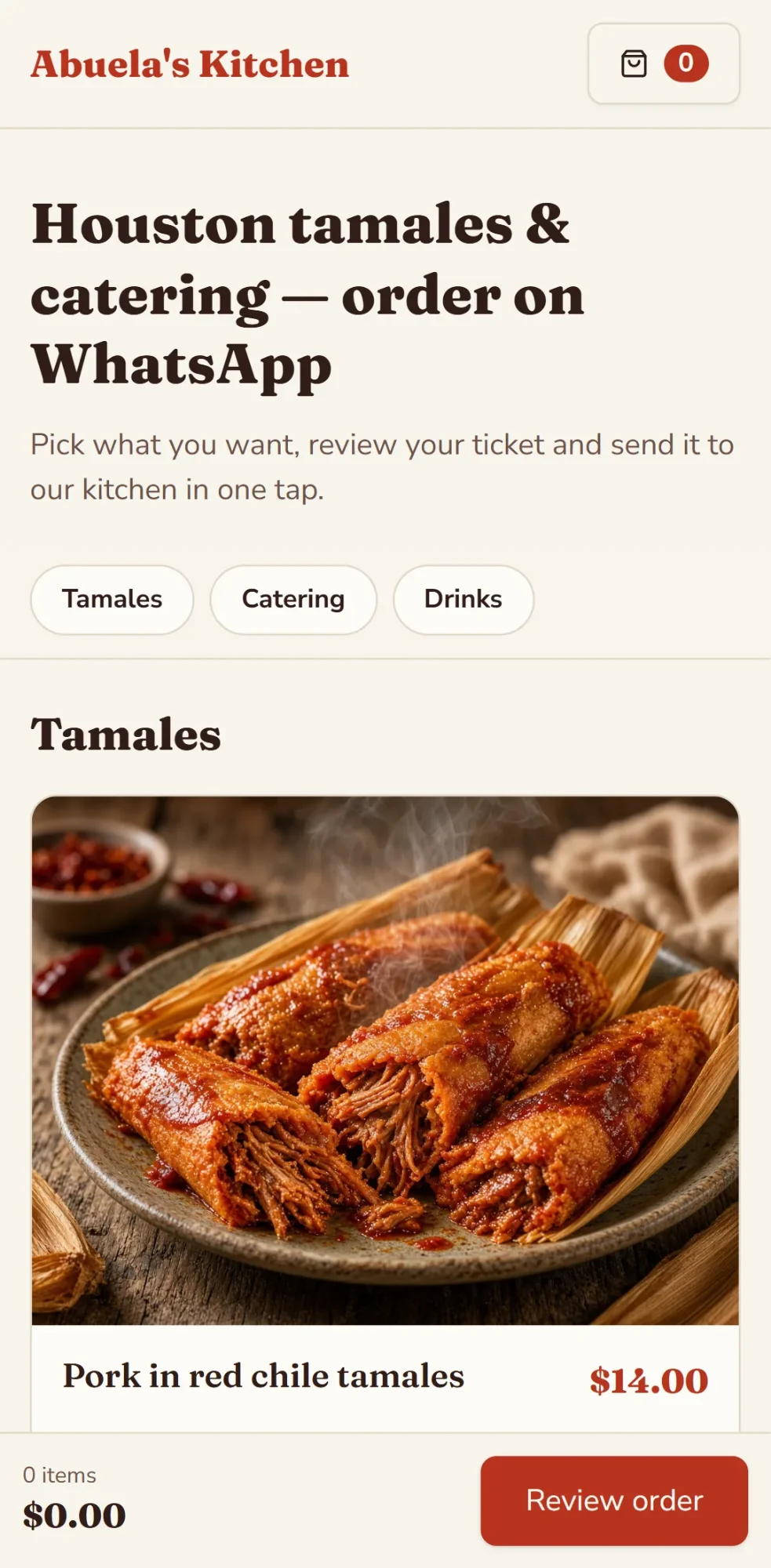
The cart does the real work. Customers add items and review their order, and on phones a bar at the bottom shows the item count and the total as they go. The order ticket asks for their name and pickup or delivery, and "Send order on WhatsApp" opens your chat with every item, quantity, subtotal and total already written. The cart even survives a reload. You stop adding up; you just confirm.
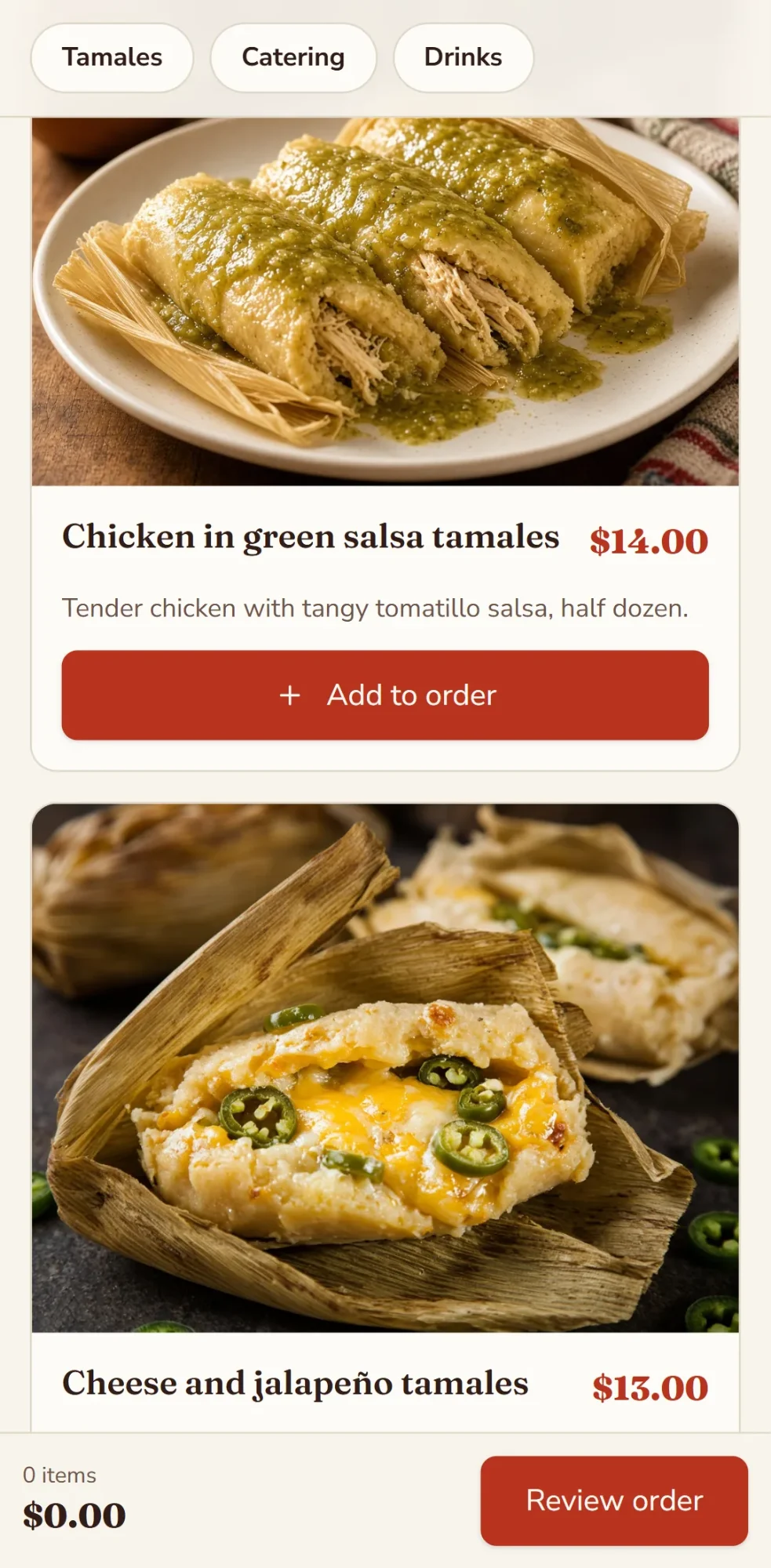
The products, the business name and the prices are made-up examples for the demo: you replace them with your own from the private panel, which you activate by choosing a password. The WhatsApp number is a placeholder too: send your real number in the chat, a small request that draws on your credit, and wanno sets it so orders reach you. At /admin you add, edit and delete items, change prices, upload photos and mark items sold out, and your data is saved and available from any device. Before you share the link, place a test order yourself.
If you sell at a stand or a counter, print a QR code to your page with wanno's free QR code generator.
04. How much a WhatsApp ordering page like this costs
The build cost $0.19 in credits (1.9 credits), which fits within one day of free credit ($0.30, with a monthly cap of $1.50). Keeping it running requires no subscription: the page stays on its preview link, ending in wanno.dev, with the "Built with wanno" badge on the free plan. You only pay if you want to remove the badge, use your own domain or request more changes than the free credit covers.
For scale: $0.19 is paid once; the cheapest paid plan among the other options, Take.app's Essential, works out to about $0.97 per day, every day ($29 per month). wanno's Starter plan, with your own domain and no badge, costs $4.99 per month with $10 of credits included (see plans). This page takes orders, not payments: you settle payment in the chat. If you later want to take payments online, the next step is building an online store with an admin panel from your phone.
Get your orders in order before the next rush
Selling on WhatsApp doesn't have to be chaos: customers build their order, it reaches you complete with the total, and you run prices and products from your own panel. Describe your page on wanno and see the result; trying it is free.
Frequently asked questions
How do I sell on WhatsApp without losing orders? Have the customer build the order before they message you. With a cart page, one button opens WhatsApp with the complete order in a single message.
Is WhatsApp Business free? Yes: the app is a free download, according to WhatsApp's own page. It includes a business profile, a catalog and a cart, though everything stays inside WhatsApp.
Do I need a paid ordering tool? Not necessarily. Take.app has a free plan with up to 50 orders a month. If you'd rather have your own page, this guide's cost $0.19 and fits within one day of free credit.
Can I change products and prices myself? Yes. From the private panel, with your password: change a price or add a new item, and the page updates on its own.
Read next: Create an app for your business: orders included
Download wanno on the App Store · Download wanno on Google Play