If you're looking into a portfolio website, you probably have good work scattered across folders, Instagram and a PDF nobody opens, and you need one place with your name on it where a client can see it in a minute. This guide is for working professionals showing their work (design, photography, architecture, illustration), not for school portfolios of coursework. First, what to include; then, where to build it: Behance Pro, Format, Pixpa, Squarespace, or your own with AI. We tested that last option end to end: the portfolio for Daniel Brooks, a fictional freelance photographer, took 2 minutes 12 seconds and cost $0.20 (2 credits).
The short version:
| Option | What it costs | Good to know |
|---|---|---|
| Behance Pro | from $9.99/month with an annual commitment; includes up to 5 sites | pricing varies by country and plan |
| Format | monthly or annual billing; 14-day trial, no credit card | annual billing saves money; its page runs promotions, so check the current price |
| Pixpa | Basic $5.40/month on the annual plan ($64.80 a year) or $9/month; 15-day trial | the annual price includes an intro discount and renews higher |
| Squarespace | 14-day trial; the price depends on the country | no free plan |
| Your own with AI (wanno, a web app) | this guide's portfolio cost $0.20 (within one day of free credit) | lives on a wanno.dev subdomain, with a badge on the free plan |
01. What to include in a professional portfolio website
A portfolio isn't a folder of everything you've ever made: it's a selection. What works best is a few strong projects, the ones you want to be hired for again, rather than twenty of uneven quality. Someone arriving from a message or a business card decides fast, and every weak project dilutes the good ones.
Each project needs context, not just the image: a title, a category, the year, and a line on what you did and what the brief was. For example: "Brand identity for a coffee roaster: it had to feel handmade without losing clarity on the packaging." If you work in several areas, group projects by category so each client finds their own.
Short on client work? Include personal projects and label them as personal. If a job is under NDA, ask permission or show it without the brand.
Beyond the projects, a professional portfolio website needs four things:
- A short intro: who you are, what you do and who for, in two or three lines.
- Your services, so a visitor knows what they can hire you for.
- Client reviews, with a name and the project.
- Contact that's easy to find: a form or a visible email, reachable from anywhere on the page.
The quick test: can someone who has never heard of you understand what you do within a minute, see your best work and know how to reach you? If not, you need context, not more projects.
02. Where to build it: options and costs
Subscription portfolio builders are the best-known route. Behance Pro starts at $9.99 per month with an annual commitment and includes up to 5 sites. Format offers monthly or annual billing and a 14-day trial with no credit card. Pixpa prices Basic at $5.40 per month on the annual plan ($64.80 a year) or $9 per month, with a 15-day trial; the annual price includes an intro discount, then renews at the standard rate. And Squarespace offers a 14-day trial and has no free plan; the price depends on the country.
They all work, and they come with templates built for visual work, if you'd rather start from a template and adjust the design by hand. The catch is cost: the lowest prices require paying for the year, and your portfolio stays up only while you keep paying.
The other route is building your own portfolio with AI, by describing what you want in one message. That's the one we follow below. If you later want an address with your own name, here's how to connect a custom domain from your phone.
03. How to build a portfolio website with AI, step by step
With wanno you describe your portfolio in one message, from your phone, and the platform builds it and shows it on its own link. This guide's portfolio was requested like this:
I want a professional portfolio website as a freelance photographer, Daniel Brooks: an intro, a project gallery with categories, services, client reviews and a contact form, plus a private panel to upload projects myself. Everything visible in the app must be in English.
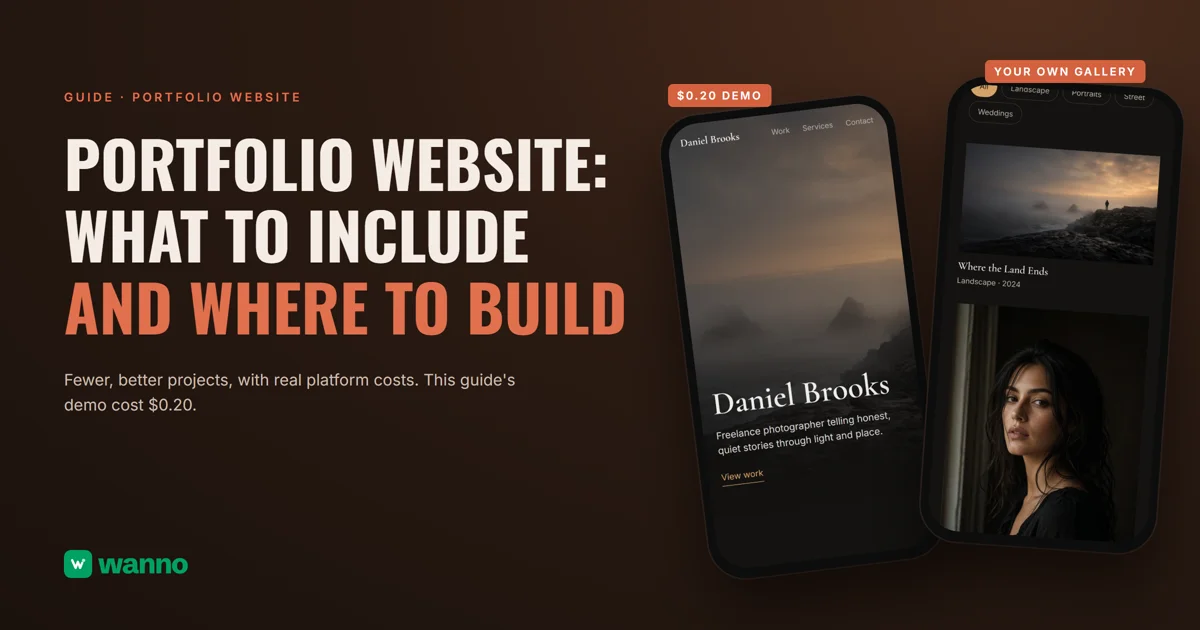
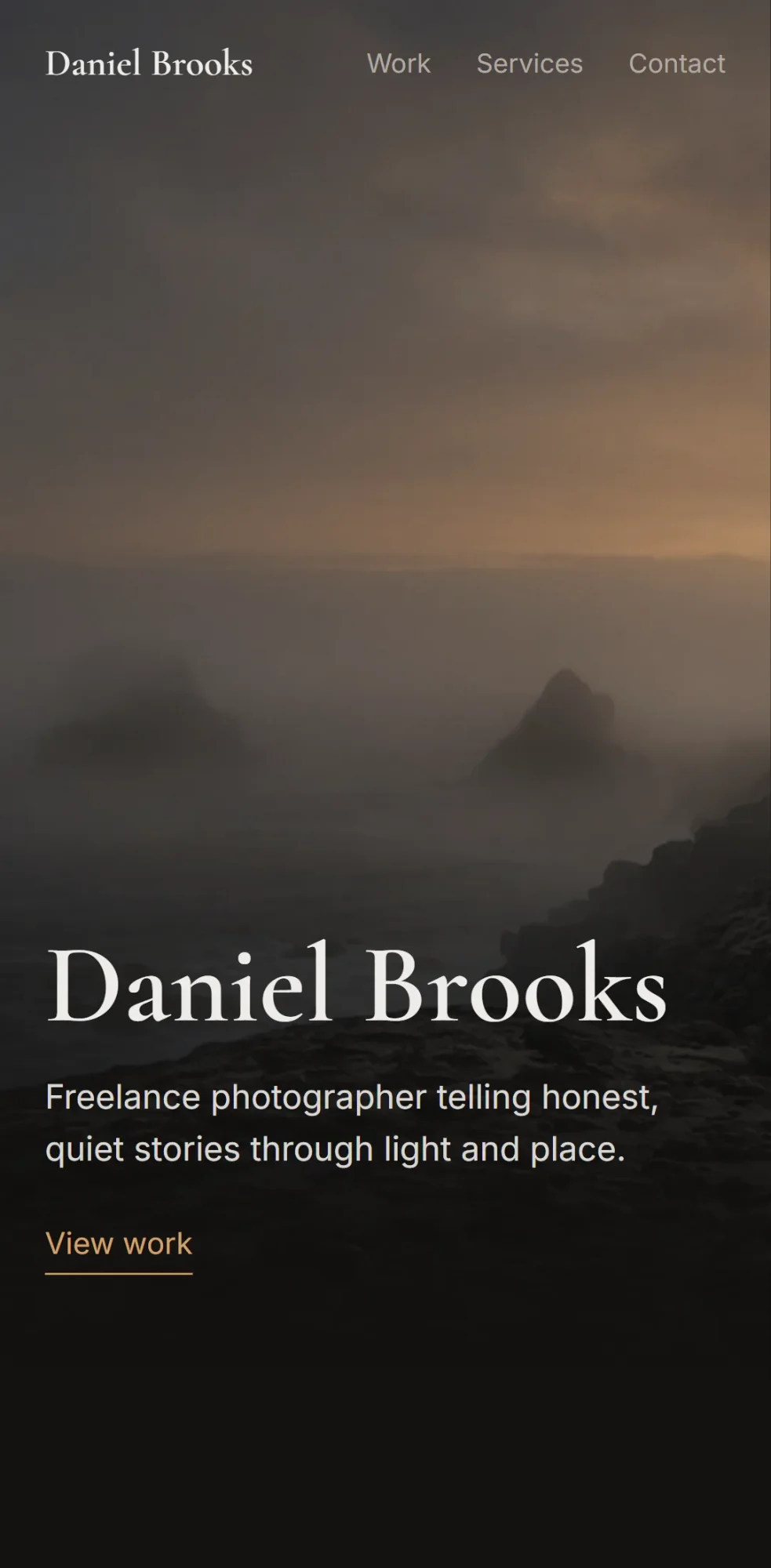
Then wanno builds on its own: 2 minutes 12 seconds, 25 steps, and the portfolio was running on its preview link. At the top, a dark intro with "Daniel Brooks" and the line "Freelance photographer telling honest, quiet stories through light and place," a "View work" button, and a menu with Work, Services and Contact.
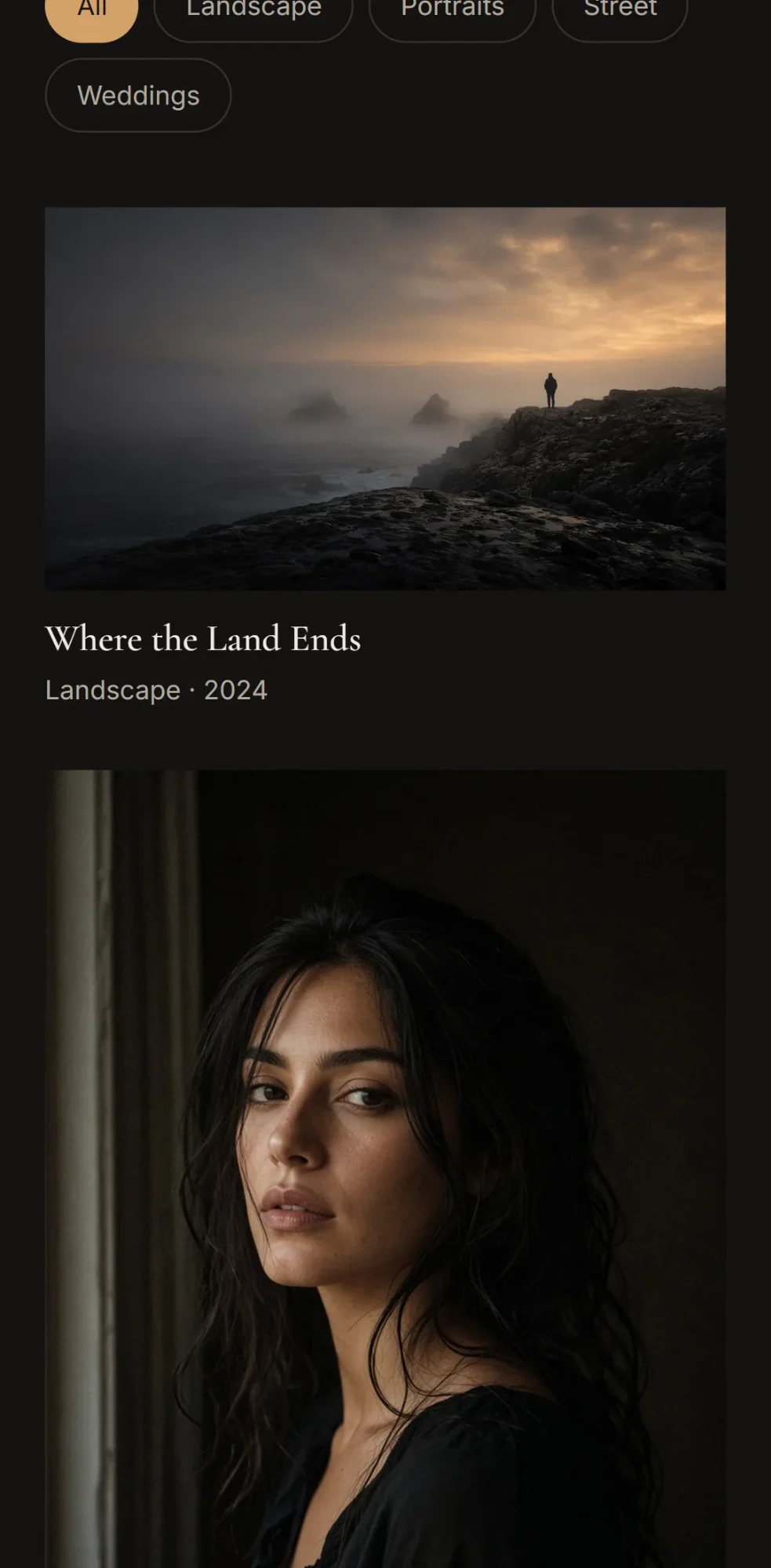
The gallery has category filters (All, Landscape, Portraits, Street, Weddings) and starts with five sample projects. Each one shows an image, title, category and year, like "Where the Land Ends" (Landscape, 2024) or "After the Rain" (Street, 2023).
The projects, images and reviews are all samples. You add, edit, delete and reorder projects from the private panel at /admin, which you activate by choosing a password. To change the reviews, send a message in the chat. The contact form confirms each send on screen, and every message reaches your wanno inbox. Here's more on a contact form that tells you right away.
Before you share the link, open it on your phone and tap through each project. And if you also sell to customers directly, wanno has a guide to building an app for your business.
04. How much a portfolio website like this costs
The build cost: $0.20 in credits (2 credits), which fits within one day of free credit ($0.30, with a monthly cap of $1.50). Keeping it requires no subscription: the portfolio stays on a link ending in wanno.dev, with the "Built with wanno" badge on the free plan. Uploading projects from your panel doesn't consume credits; you only spend when you ask for a new change in the chat.
For scale: $0.20 is paid once; a paid plan such as Pixpa Basic (annual, $5.40 a month in the first year) works out to about $0.18 per day, every day. If you want to remove the badge or use your own domain, wanno's Starter plan costs $4.99 per month with $10 of credits included (see plans).
Your portfolio on one link before the next proposal
A good professional portfolio is a few well-explained projects, a clear intro and contact in plain sight. Which platform you pick depends on how much you want to pay and whether you prefer fixed templates or describing the result. Describe your portfolio on wanno and see the result; trying it is free.
Frequently asked questions
How many projects should a portfolio website have? There's no official number. Show only the ones that represent the work you want to keep doing, each with its context. A short, careful selection beats a long, uneven list.
Can I build a portfolio website for free? Yes. wanno's free plan grants credits every day (with a monthly cap of $1.50) and covers building one like this guide's, which cost $0.20. You only pay to remove the badge, use your own domain, or ask for more changes than the day's free credit covers.
Do I need my own domain for my portfolio?
Not to start: the wanno.dev link works for sharing. A domain with your name looks more professional on a proposal or a card, and you can connect it later.
How do I add new projects later? From the private panel, with your password, on your phone: upload the project with its image and category, and the portfolio on your link updates with nothing to resend.
Read next: Why every AI-built website looks the same
Download wanno on the App Store · Download wanno on Google Play