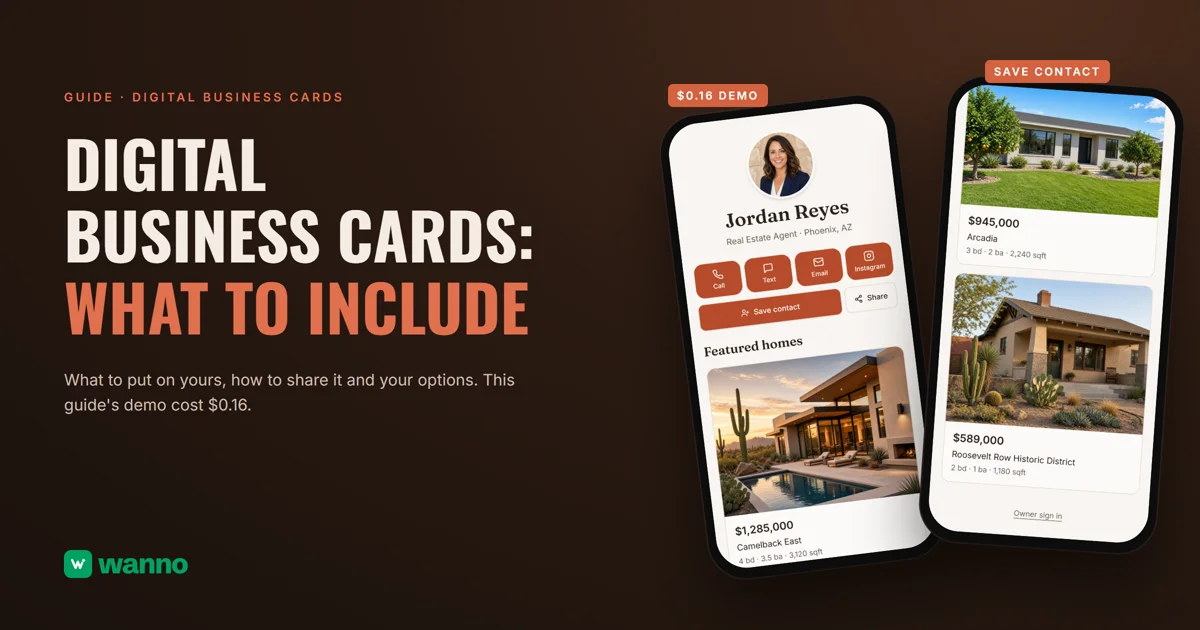
Digital business cards are short pages you open with a QR code or a link, so the person you just met can call you, text you or save your contact in two taps. You have three ways to get one: a card app like Blinq or HiHello, an NFC card, or your own page. This guide compares them, covers what to put on the card and builds one: the card for Jordan Reyes, a real estate agent in Phoenix, took 2 minutes 12 seconds and cost $0.16, less than a day of free credit.
The summary:
| Option | What it costs | The limit |
|---|---|---|
| Card app (Blinq, HiHello) | both have a free plan; for one person, paid plans start at $6 a month (HiHello) and $7.33 a month (Blinq), billed yearly | the layout and fields are the app's, and your card sits on its domain |
| NFC card | depends on the maker, and not all of them publish a price | not every phone reads it the same way, so it needs a QR as backup |
| Your own page with AI (wanno, web app) | the one in this guide cost $0.16 in total, inside a day of free credit | sits on a wanno.dev subdomain, with a "Built with wanno" badge on the free plan |
App prices come from their US pricing pages and can vary by country and date.
01. What a digital business card is, and what it needs
A paper card ends up in a drawer. A digital one does what paper never could: one scan and the other person is a button away from calling you and another from saving you. What it lets people do matters more than what it shows.
A good digital business card has only what it needs:
- Who you are in one line: name, job and city. "Real Estate Agent, Phoenix, AZ" beats a slogan.
- A photo of you. People want to recognize you the next time.
- Three or four ways to reach you, not ten: call, text, email and one social account. Every extra button weakens the others.
- Save contact. The most valuable button: it turns a five-minute chat into a number in the other person's phone.
- A sample of your work: three featured items with photos show what you do, no portfolio needed.
- A QR code for in-person sharing, and the link for sending it by message.
Leave out your life story, a twenty-line list of services and long forms. If you need all that, you want a business page, not a card; see how to build a digital catalog.
02. Card apps, NFC cards and your own page: options and costs
Card apps. Blinq has a "Free forever" plan, and its Premium plan costs $9.99 a month billed monthly or $7.33 a month billed annually. HiHello also has a free plan for one user, and its paid plan is $6 a month billed yearly ($72 a year) or $8 billed monthly.
NFC cards. A physical card with a chip: tap it on the other person's phone and your page opens. It makes sense if you hand out cards in person all the time. Compare prices across makers before you buy.
Your own page. The route this guide follows: ask an AI for a page with your design, your fields and your own panel. To move it to your domain, see how to connect a custom domain from your phone.
How to decide. If you change jobs often or your company already picked an app for the whole team, the app covers that case. A page of your own pays off when the card is part of your brand and you want to send people to one place you control.
03. How to build digital business cards with AI, step by step
With wanno you describe the card in one message, from your phone, and the platform builds it. The one in this guide was requested like this:
I want my digital business card as a real estate agent in Phoenix, Jordan Reyes: photo, title, buttons to call, text, email and Instagram, a button to save my contact to the phone, a QR code to share it, three featured homes with photos and a panel to change my details myself. Everything visible in the app must be in English.
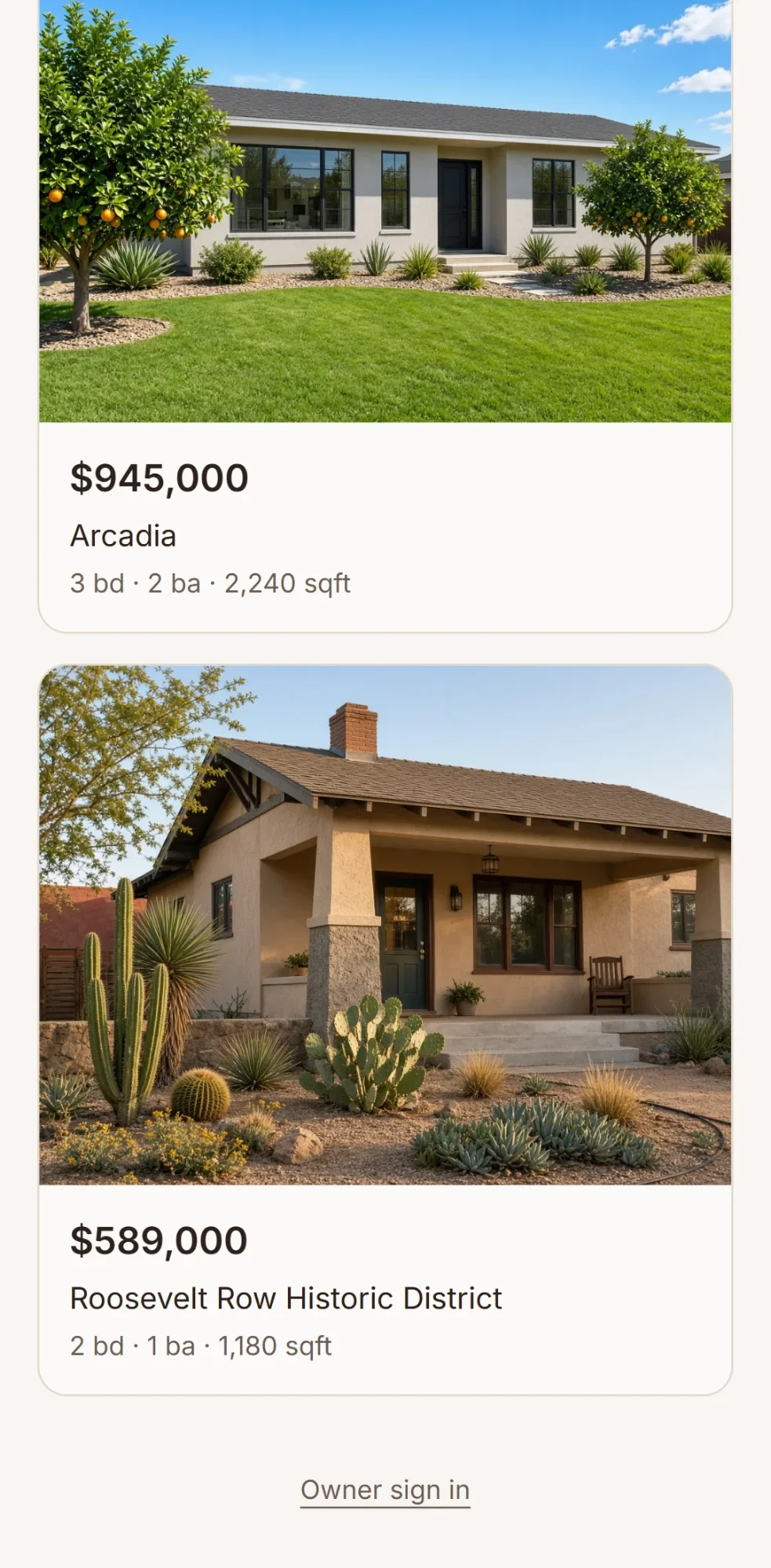
wanno built it on its own in 2 minutes 12 seconds and 22 steps, and left it ready on its test link. At the top are the photo, the name and "Real Estate Agent · Phoenix, AZ"; below, the Call, Text, Email and Instagram buttons, a wide "Save contact" button and a "Share" button that opens a QR code and a copy link option. Then come the featured homes, each with a photo, a price, the neighborhood and beds, baths and square feet.
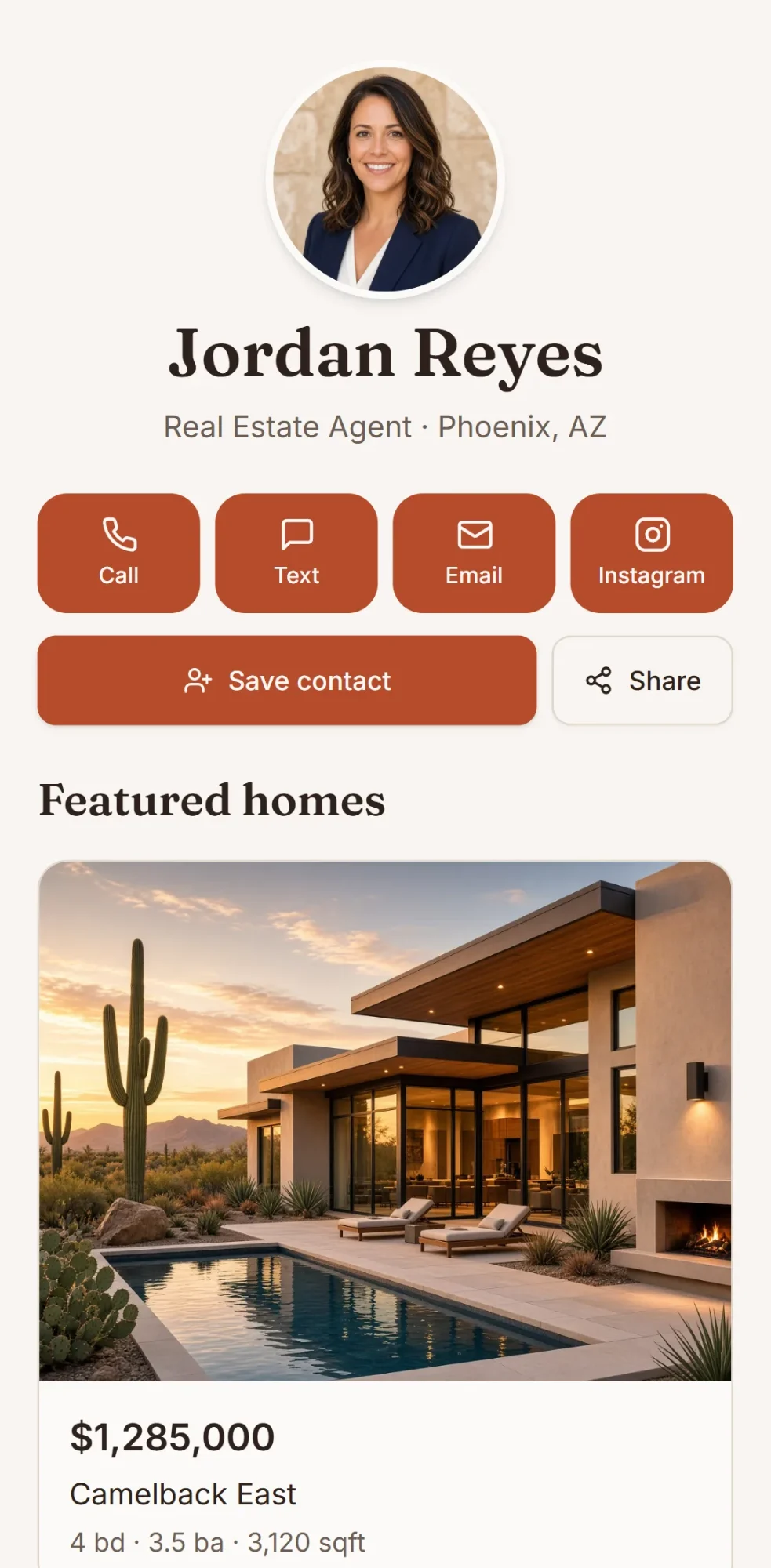
Jordan Reyes is an example person, and the phone, email, Instagram, listings, prices and photos are examples too. The owner panel, which turns on when you choose your password, is at /admin or behind the "Owner sign in" link in the footer: you edit your details and each home, and visitors see the changes right away. The data is available from any device.
The QR code, on paper or at the counter. Make the code from the card's final address: one that points to a test link won't open for anyone else, and if you change domains later, you need a new one. Before printing, scan it with two different phones and try "Save contact". On paper, use dark ink on a light background with a blank margin around it. The free wanno QR code generator makes one in seconds.
04. What your own digital business card costs
Building it cost $0.16 (1.6 credits), less than wanno's free credit: $0.30 a day, with a monthly cap of $1.50. Keeping it does not require a subscription. Changing your details in the panel does not use credits; you spend only when you ask for a new change in the chat.
To compare: $0.16 is paid once; a plan like HiHello's, at $6 a month billed yearly, comes to about $0.20 a day, every day. You pay at wanno only to remove the badge, use your own domain, or ask for more changes than the free credit covers. The Starter plan is $4.99 a month with $10 in credits included (see plans).
Digital business cards you can share today
An app if you want speed, your own page if you want it to be yours. Describe yours in wanno and see the result; trying it is free.
Frequently asked questions
What should a digital business card include? Name, job and city, a photo, three or four contact buttons, a save-contact button, a sample of your work and a QR code to share it.
How do I put a QR code on a printed card or a counter sign? Make it from the card's final address, print it dark on a light background and test it with two phones before you hand it out.
Is an NFC card better than a QR code? It is smoother for you, but not every phone reads it the same way. The practical choice is both: the chip for the gesture and the QR as backup.
Can I make a digital business card for free? Yes. Blinq and HiHello have free plans, with the layout and fields the app sets; and wanno's daily credit is enough to build your own, like the card in this guide.
Read also: Build an app from your phone
Download wanno on the App Store · Download wanno on Google Play