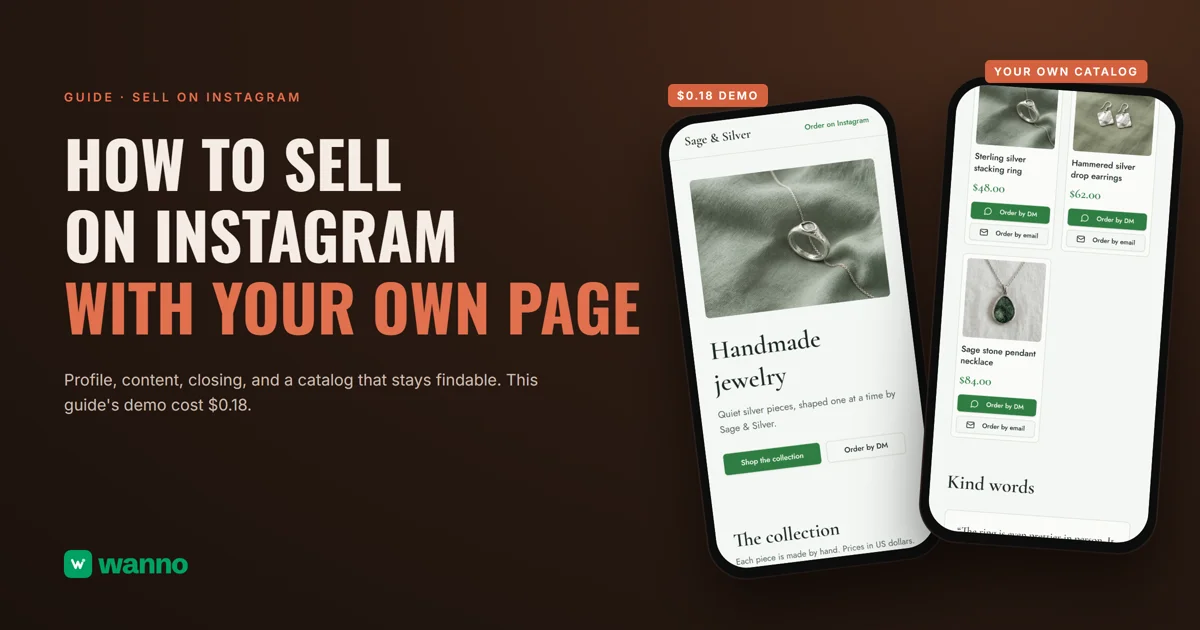
If you're searching for how to sell on Instagram, you probably already post photos of your products and take orders in your DMs. It works, but every photo and every price ends up buried in the feed. This guide gives the practical steps (profile, content and closing the sale by message) and builds the piece that's missing: a page of your own with your products, prices and an order button. The Sage & Silver page, an example handmade jewelry brand, took 1 minute 54 seconds to build and cost $0.18, which fits inside one day of free credit.
The short version:
| Option | What it costs | The catch |
|---|---|---|
| Instagram only | free | your catalog lives inside posts: a new customer has to scroll back to find a price |
| Subscription store builder (Big Cartel) | limited free Gold plan; Platinum $15/month after a 7-day trial | the paid plan bills every month, whether you sell a lot or a little |
| Your own page built with AI (wanno, a web app) | this guide's page cost $0.18 (within one day of free credit) | the page lives on a wanno.dev subdomain, with a badge on the free plan |
01. How to sell on Instagram in three steps, and where it falls short
Step 1: the profile. It's your storefront. Your name and bio should say what you sell, who it's for and where you ship from, and end with one clear action: send a DM or open the link.
Step 2: the content. Every post should answer three questions: what is it, what does it cost, and how do I order. A clear photo of the product, the name and price written in the caption, and a closing line ("DM me the product name to order"). Customer reviews, with their permission, build trust.
Step 3: closing by message. Write a template reply with the price, payment options, shipping cost and delivery time, and use it every time someone asks. Confirm each order in writing (item, quantity, total, address) and log it in a list.
These three steps are the foundation, and they cost nothing. The limit shows up as your catalog grows: a photo posted weeks ago is hard to find for someone who arrives today, and every time a price changes you have to edit the post or publish again.
Instagram also has its own shop, with products tagged in your posts, subject to eligibility requirements. That's one option, inside Instagram and its rules. The other is to take the catalog out of the feed and put it somewhere you control: a page with your products and their prices, which Instagram simply sends people to.
02. Why your own page helps, and what the options are
A page of your own organizes what the feed scatters: products with photos and prices in plain view, reviews, a gallery and a button to order. Your customer opens the link in your bio, sees everything in one place and messages you with the item already chosen.
The classic route is a store builder on a subscription. Big Cartel has a limited free Gold plan; its Platinum plan is $15 a month after a 7-day free trial, with a Diamond plan at $30 a month, and Ecwid's Starter plan is $5 a month and covers up to 10 products. They're built for full stores. If you later want to take card payments on your page, here's a guide to building an online store with an admin panel from your phone.
But a lot of businesses that sell on Instagram today don't need a cart yet: a clear catalog and the DM routine they already use are enough. A simple rule: if you close by message, a page is enough; if you need card payments, inventory and shipping, pick a full store. For the first case, building your own page with AI costs pennies. If all you need is the product list, the guide to a digital catalog goes deeper.
03. How to build your page to sell on Instagram with AI, step by step
With wanno you describe your page in one message, from your phone, and the platform builds it on its own link. This guide's page was requested like this:
I want my own website for my handmade jewelry business that only sells on Instagram today, Sage & Silver: my products with photos and prices in US dollars, reviews, an Instagram-style gallery, a button to order by DM or email and a newsletter form, plus a private panel to add products myself. Everything visible in the app must be in English.
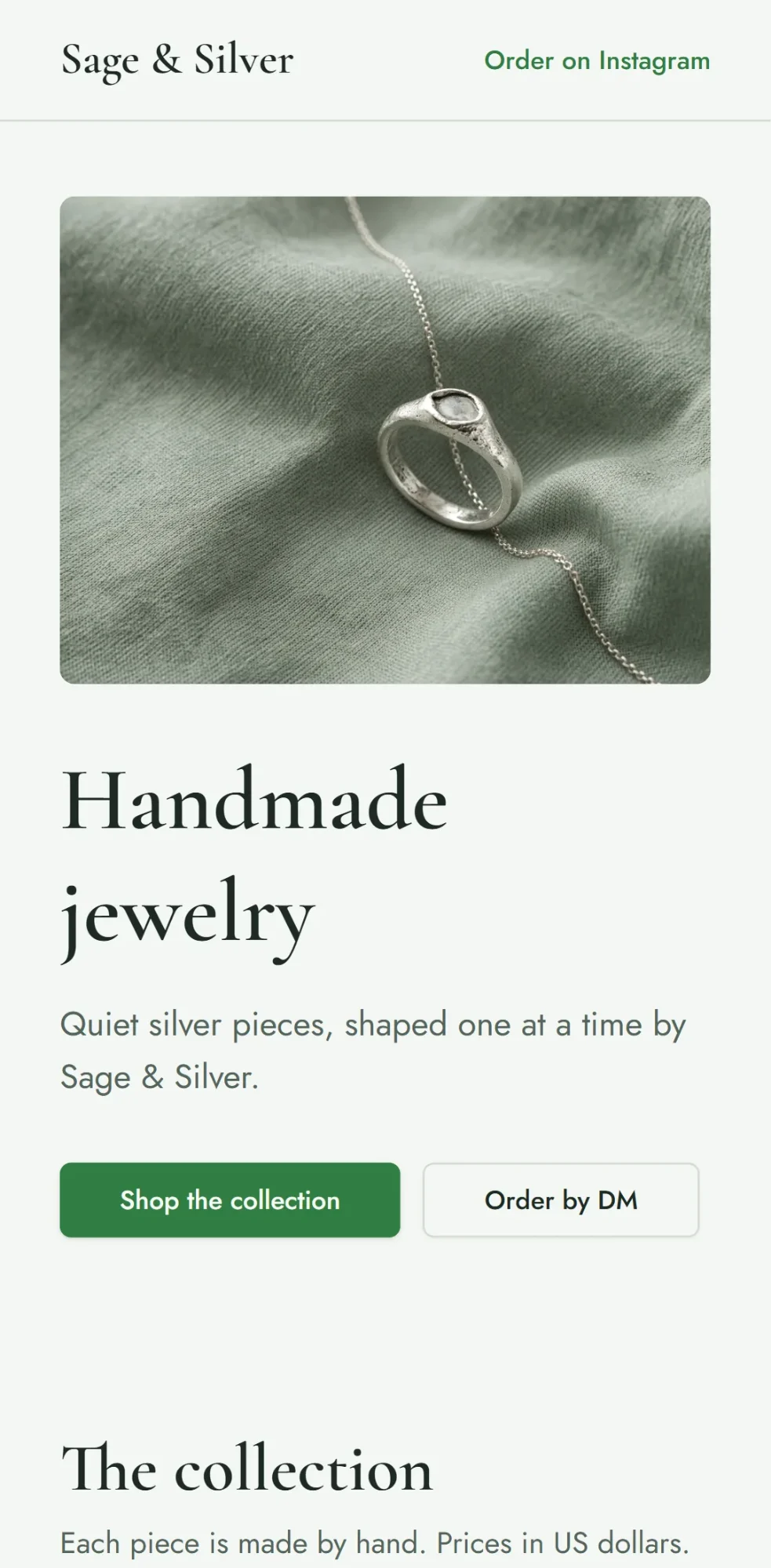
Before building, wanno suggests the missing details with a few taps. Then it builds on its own: 1 minute 54 seconds, 25 steps, and the page was running on its preview link. At the top, a headline ("Handmade jewelry"), a "Shop the collection" button and an "Order by DM" button.
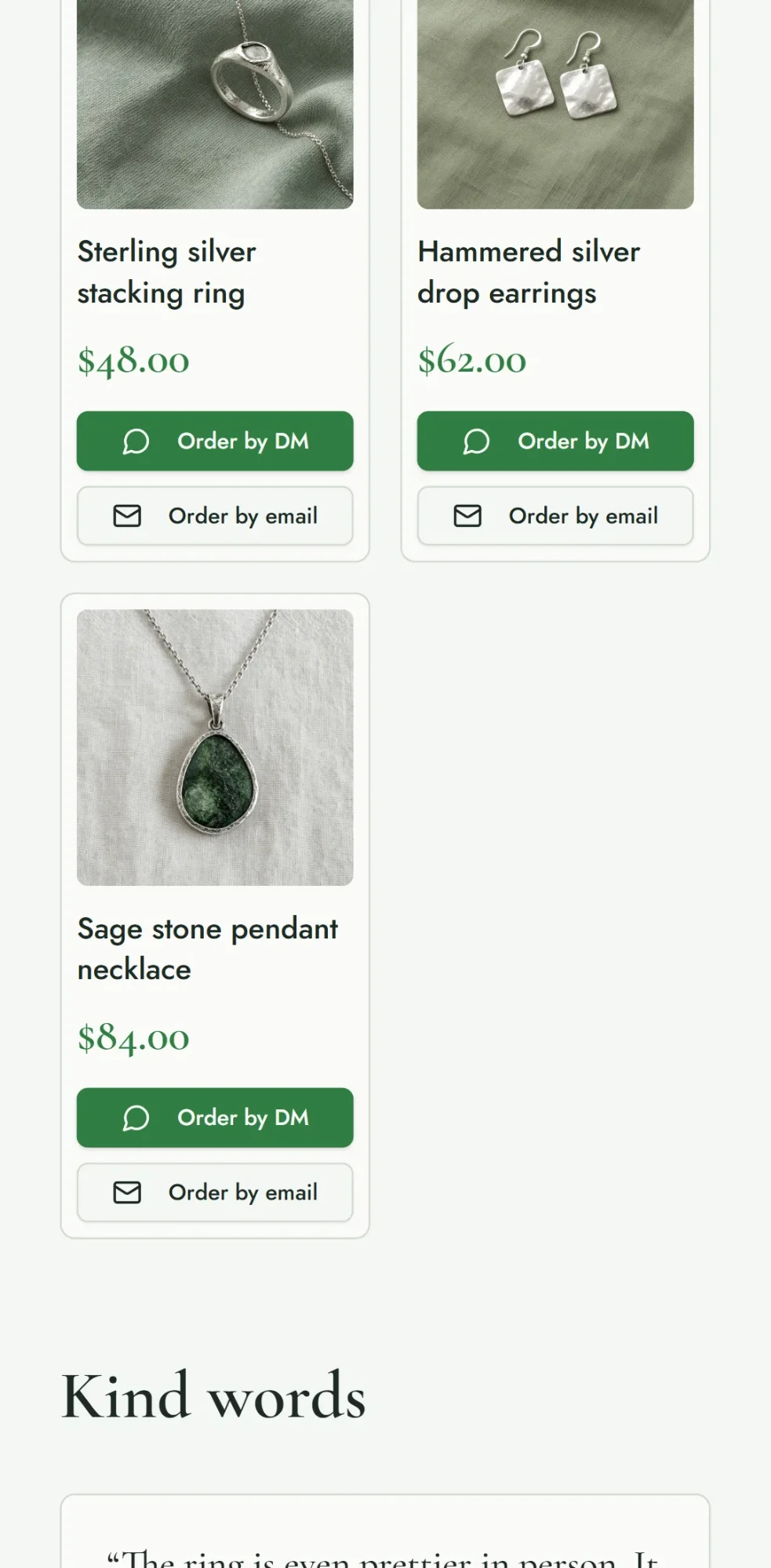
Below is the collection: each piece with its photo, name and USD price (sterling silver stacking ring at $48.00, hammered silver drop earrings at $62.00, sage stone pendant necklace at $84.00), with "Order by DM" and "Order by email" buttons on every card. Then come the reviews, an "On Instagram" gallery and a newsletter form that saves each email and notifies you. The products, prices, photos and reviews are examples: you swap in your own (reviews by asking in the chat).
To change the products you open /admin, which you activate by choosing a password: add a product with its photo, delete the samples, and the link you already shared shows the current version. The data is available from any device. Before you put the link in your bio, send your real Instagram handle and email in the chat, then open the link on your phone and run a test order through the button.
04. How much a page like this costs
The build cost: $0.18 in credits (1.8 credits), covered by wanno's free credit: $0.30 a day, capped at $1.50 a month. Keeping it requires no subscription: your page stays on a link ending in wanno.dev, with the "Built with wanno" badge on the free plan. Adding or removing products from your panel doesn't consume credits; you only spend when you ask for a new change in the chat.
For scale: $0.18 is paid once; Big Cartel's Platinum plan works out to $0.50 per day, every day ($15 a month divided by 30). If you want your own domain, without the badge, wanno's Starter plan costs $4.99 per month with $10 of credits included (see plans).
Your catalog out of the feed, with prices in plain view
A page of your own adds what the feed can't: all your products, with their prices, on a fixed link you keep current. Describe your business on wanno and see the result; trying it is free.
Frequently asked questions
Can I sell on Instagram without a website? Yes: with a clear profile, posts that show the price and orders by message, you can sell. A page of your own is the next step when your catalog grows and you want everything in one place.
Do I need an online store with a cart to sell more? Not necessarily. If you close orders by DM or email, a catalog with prices and an order button already does the job.
How do I connect the page to my Instagram? Put your page's link in your bio (link in bio guide) and mention it in your posts and stories. The customer opens it, picks the item and orders through the button.
How do I update my products? From your panel, with your password, on your phone: add a product with its photo and price or remove one, and the page on your link updates without you posting anything again.
Read next: Create an app for your business: a catalog that takes orders
Download wanno on the App Store · Download wanno on Google Play