If you're planning a wedding website, start here: Zola and Joy both build one for free, and for many couples that's the right call. Build your own when you want every section your way. You have four paths: a free builder like Zola or Joy, a paid invitation service, a shared link with a PDF, or building your own with AI. This guide compares them with real costs and builds one start to finish: the Emma and James site, with countdown, map, travel section and RSVP form, took 2 minutes 5 seconds plus a 19-second fix, and cost $0.27 in total.
The short version:
| Option | What it costs | The catch |
|---|---|---|
| Zola | free to create and publish; custom domain from $17.99 (billing period not listed) | you build inside Zola's templates |
| Joy | free to use; earns when guests buy registry items Joy sells, plus optional upgrades | same: you work inside Joy's designs |
| Paperless Post | pay-per-event Coins for 1 to 2 events a year; Pro is $250 per year for 250 guests | built around invitations, not a full wedding website |
| Build your own with AI (wanno, a web app) | this guide's site cost $0.27 in total (within one day of free credit) | the site lives on a wanno.dev subdomain, with a badge on the free plan |
01. What a wedding website is, and why you might skip the free ones
A wedding website is one link your guests open on their phones: your story, the date and venue with a map, a countdown, photos, travel details and a form to RSVP. The free builders do this well. Where they stop is control: you work inside their templates.
The quick test: do you want to decide what every section says and where it goes? If a template is enough, use Zola or Joy and move on. If not, keep reading.
What every wedding website needs, whichever path you take: ceremony and reception times, the full venue address, dress code, travel and hotel notes, registry details and an RSVP deadline. That deadline is the one couples forget, and your caterer will want a final count. Share the link early, with your save-the-dates, so guests can book travel.
02. Wedding website options and costs
Zola says its wedding websites are "free to create and publish", and lists a custom domain from $17.99 without saying for what period. It also includes a guest list, an RSVP tracker and password protection. Joy states "Joy is free to use", with online RSVP included. It earns when guests buy registry items Joy sells, and from optional upgrades such as custom domains, text messaging and premium stationery.
If what you want is a paid invitation service, Paperless Post also sells pay-per-event Coins for one or two events a year; the Pro plan is meant for frequent hosts, at $250 per year for 250 guests. Its focus is polished invitations rather than a full site.
So the case for building your own is not savings. It's for couples who want a section no template offers, or a page that reads and flows exactly their way. On wanno you describe that in plain words and the page is built to it, in a few minutes. You can also print a QR code for the save-the-date card with wanno's free QR code generator.
03. How to build a wedding website with AI, step by step
With wanno you describe the site in one message, from your phone, and the platform builds it on its own link. This guide's site was requested like this:
I want a wedding website for Emma and James with our story, the date and venue with a map, a countdown, a photo gallery, a travel and hotels section and an RSVP form, plus a private panel to see who confirmed and the total guest count. Wedding on June 12 in Asheville, North Carolina. Everything visible in the app must be in English.
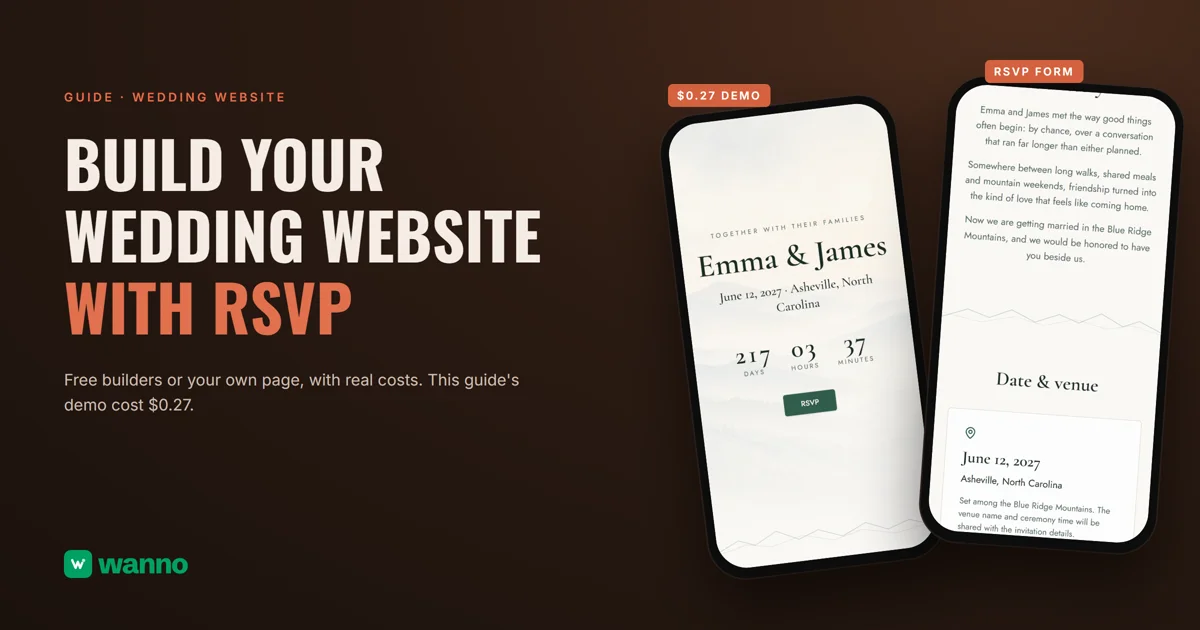
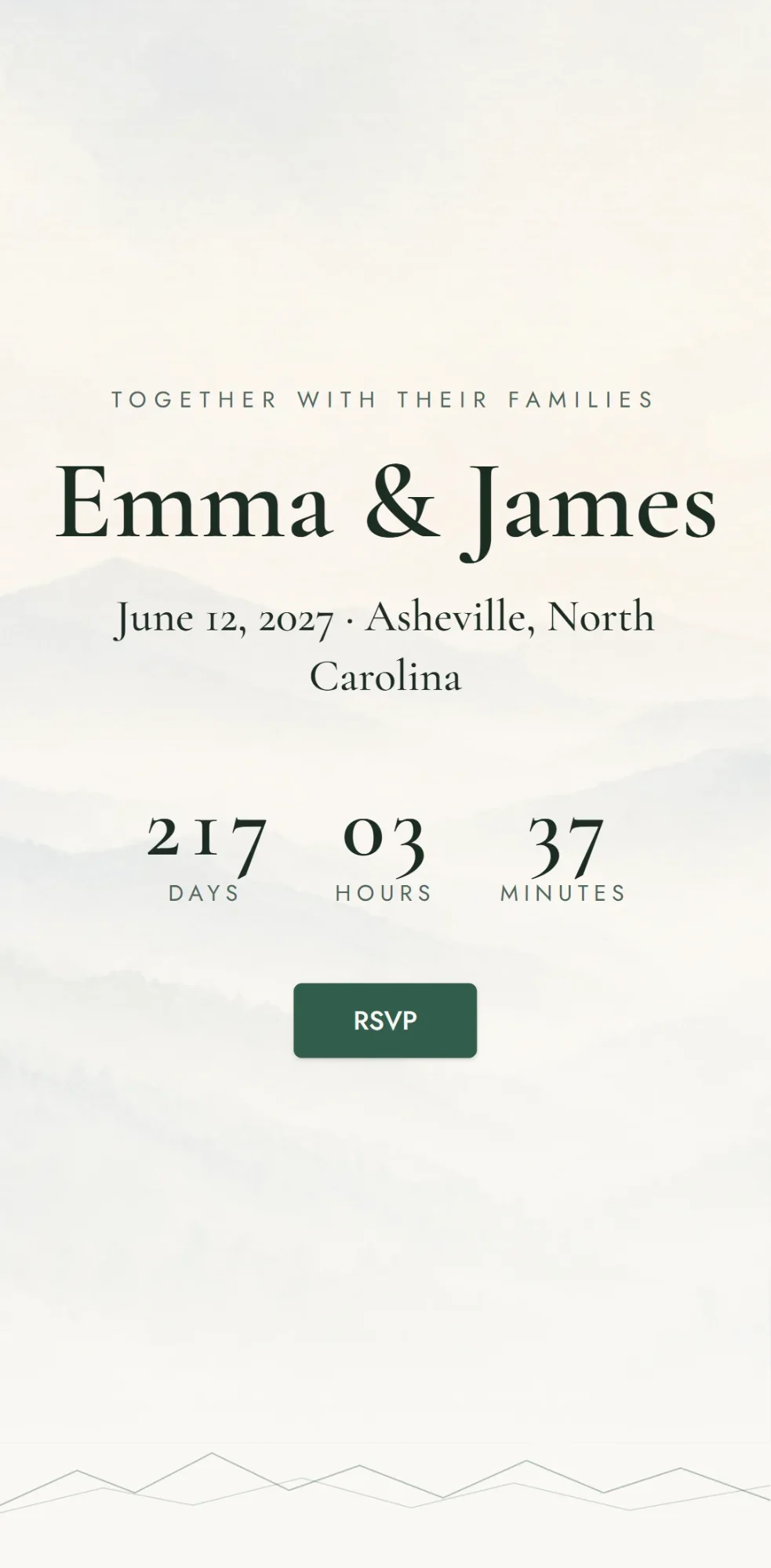
wanno built it unassisted: 2 minutes 5 seconds, 25 steps, and the site was running on its preview link. It shows "Emma & James," "June 12, 2027 · Asheville, North Carolina," a countdown, an RSVP button and the story section.
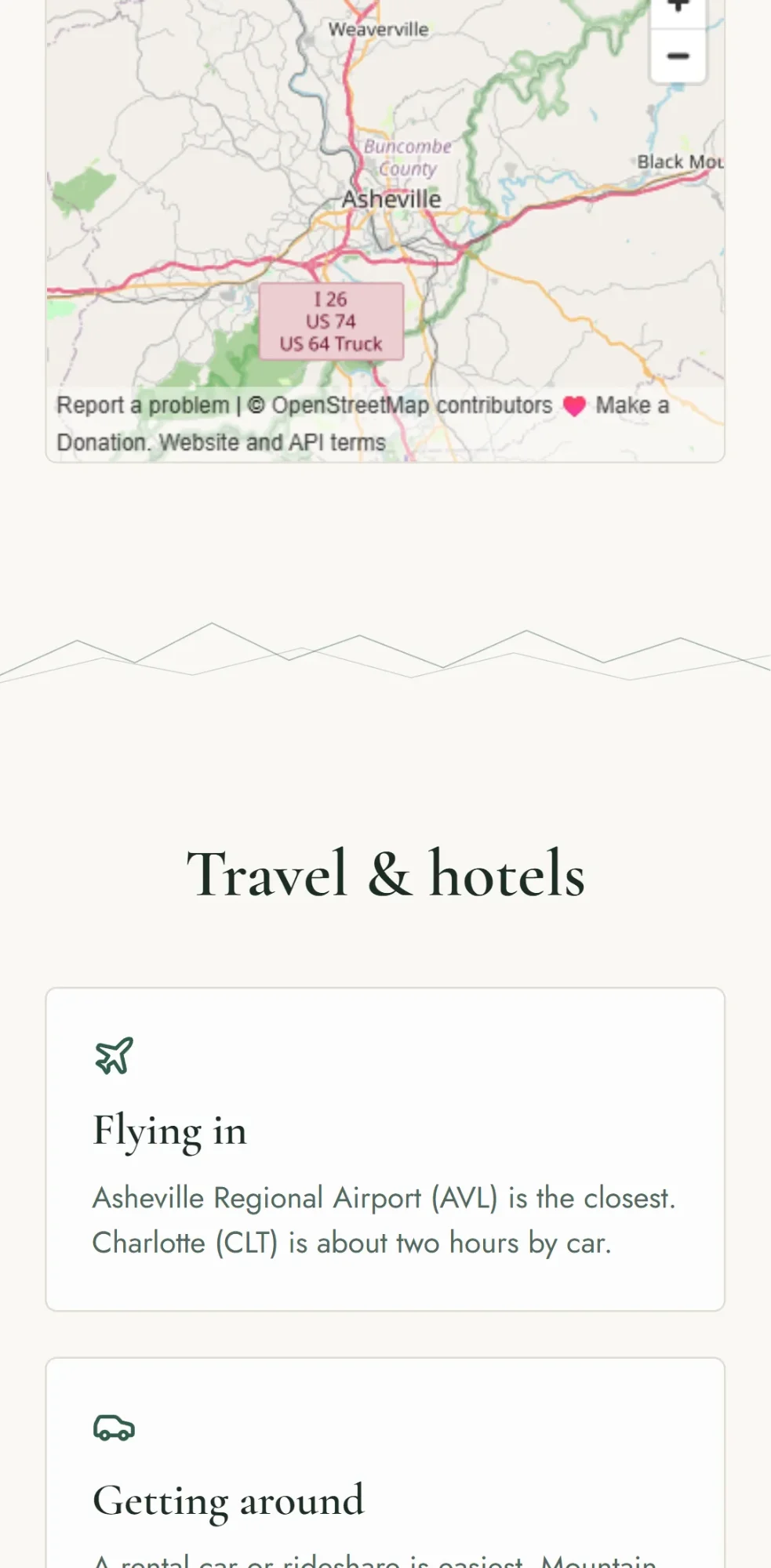
Further down: a "Date & venue" section, a map of Asheville, and a "Travel & hotels" section with "Flying in" (Asheville Regional Airport is the closest, Charlotte about two hours by car) and "Getting around." The couple, the venue and the details are made-up examples for this guide, so you replace them with yours.
One tip for your own message: give the year and the ceremony time. Our first version counted down to a date that had already passed, and one follow-up message fixed it in 19 seconds (an adjustment of 0.8 credits, included in the cost below). With no ceremony time, the countdown runs to midnight in Asheville's time zone. On the day itself it switches to "We're married!"
The RSVP form saves every response, and the private panel is activated by choosing your password, with your data available from any device. A good habit: open your site and send a test RSVP before you share it. To share the finished site, see how to turn it into four photos ready for social.
04. What a wedding website like this costs
The build cost: 1.9 credits for the site plus the 0.8-credit adjustment for the countdown date, 2.7 credits in total, which is $0.27 (10 credits = $1). That fits within one day of wanno's free credit of $0.30, which has a monthly cap of $1.50. Keeping it running needs no subscription: the site stays on a link ending in wanno.dev, with the "Built with wanno" badge on the free plan. You only pay to remove the badge, use your own domain (here is how to connect one from your phone) or ask for more changes than the free credit covers.
To compare: $0.27 is paid once. Zola and Joy cost nothing, so on price alone they win. wanno's cheapest paid plan, Starter, is $4.99 per month with $10 of credits included (see plans), about $0.17 per day, every day.
A wedding website that is yours, before the invitations go out
If a template is enough, take Zola or Joy: they are free. If you want every section your way, describe your wedding on wanno and see the result; trying it is free.
Frequently asked questions
Is a wedding website free? Yes, at Zola and Joy. Zola says its websites are free to create and publish, and Joy says it is free to use. wanno's free plan also gives you credit every day, with a monthly cap of $1.50, enough for a site like this guide's.
What does Zola or Joy not give me? Sections and wording beyond their templates: on wanno you describe what you want and the page is built to that.
Can guests RSVP on a wanno site? Yes. The RSVP form saves each response, and the private panel shows who replied, from any device. The panel is activated by choosing your password.
Can I change the date after sharing the link? Yes. The link you already shared shows the current version. A new change asked in the chat can spend credits, as our countdown fix did.
Read next: Create an app for your business
Download wanno on the App Store · Download wanno on Google Play